Deploy Kan on your own server.

Kan logo

Kan is a self-hosted Kanban app (Trello-style) built with Next.js, tRPC, Better Auth, and PostgreSQL. It supports boards, workspaces, labels, comments, Trello import, and optional email, Redis, S3, and OAuth. The published web container does not apply database migrations on startup; upstream expects a separate migrate image (Drizzle) to…

Your infrastructureAutomatic HTTPSNo lock-in

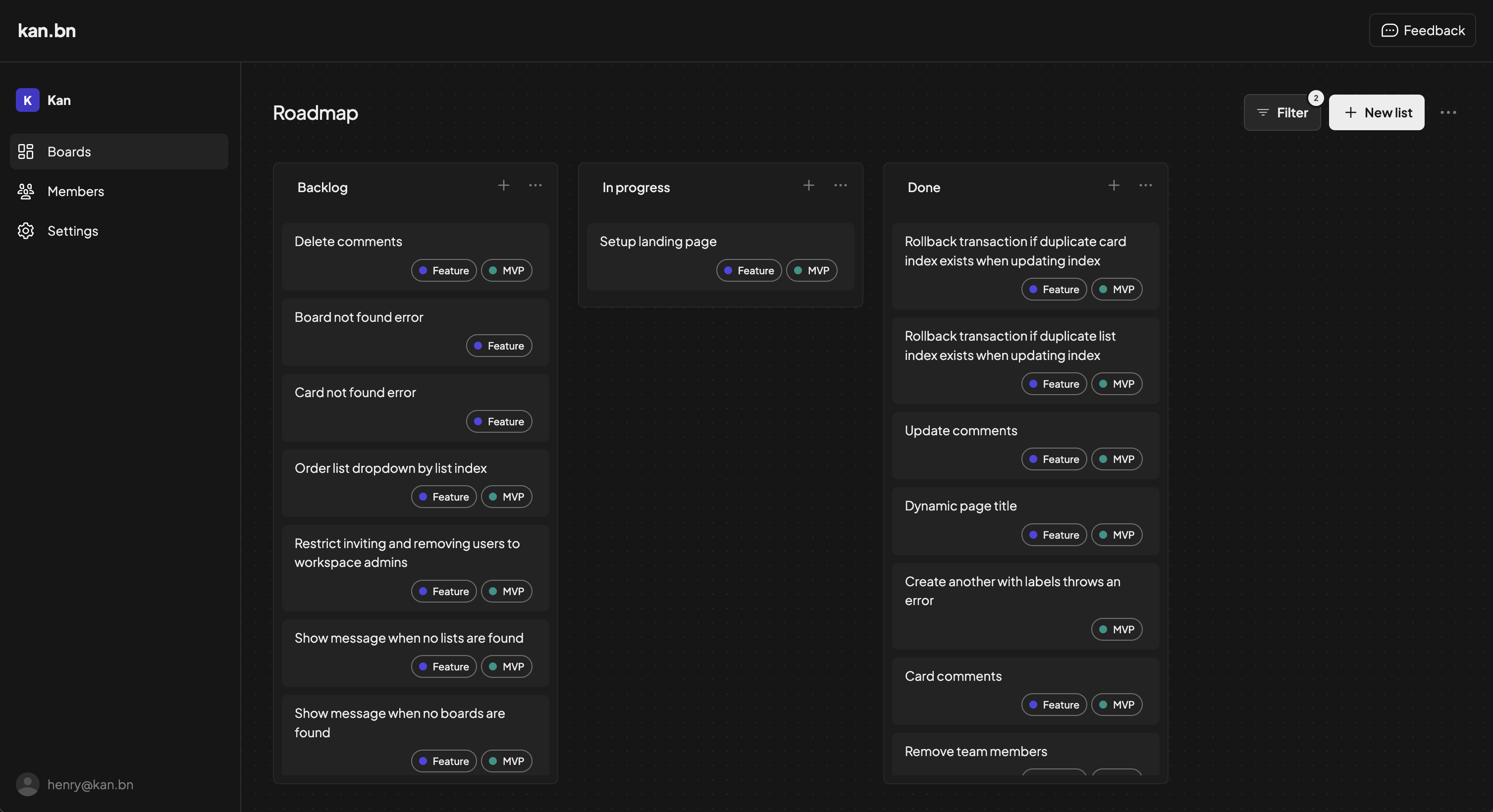
Screenshots

A closer look at Kan.

Kan screenshot 1

Setup time

A few minutes

Deployment

Your own server

Services

3 connected services

Why Kan

Everything you need, running where you choose.

Get the full Kan experience with Easypanel handling the repetitive infrastructure work around it.

Boards & workspaces
Organize work with visibility controls, members, and activity history.
Imports & metadata
Trello import, labels, filters, comments, and templates.
Database migrations
Dedicated migrate container aligns with official Docker Compose before web starts.
Optional integrations
Redis rate limiting, SMTP, S3 uploads, and social login when configured.
Modern Kanban
Familiar boards, lists, and cards with a clean web UI and team features.
Self-hosted
Your data stays on your infrastructure with PostgreSQL you control.
How it works

From template to live app in three steps.

Easypanel turns the template into real services, storage, and domains on the server you already control.

Already have Easypanel? Open your dashboard at the URL or IP of your own installation.

Installation guide
1
Open your dashboard
Visit the URL or IP of your Easypanel installation and choose the target project.
2
Choose Kan
Open Templates, select Kan, then review its service names and configuration.
3
Deploy and open your app
Easypanel starts every service and provisions an HTTPS domain for you.
Installation options
The template asks for these values before creating your services.
OptionDefaultRequired

App Service Name

kan-webRequired

Web Image

Kan web application (Next.js). Pin to the same release family as migrate.

ghcr.io/kanbn/kan:0.7.0Required

Migrate Image

One-shot Drizzle migrations; must match your web image version. See https://github.com/kanbn/kan/pkgs/container/kan-migrate for tags.

ghcr.io/kanbn/kan-migrate:0.7.0Required
Resources
Project documentation and source code.
Latest template update
Nov 9, 2026

Version bumped to 0.7.0

Questions

Deploy with confidence.

The template handles the application setup while Easypanel keeps the infrastructure understandable and under your control.

Keep exploring

Related templates

Browse all
Clerq logo
Clerq
Clerq is an open-source, self-hostable back office platform that automates the administrative work for freelancers and small development studios, so you can spend less time on busywork and more time on billable work. It connects the whole workflow, from time tracking through invoice generation to payment recording, eliminating manual data transfer between tools. Clerq offers time tracking with a live timer and manual logging, full client management with records and contacts, project management with Kanban and list views, and multi-currency invoicing with automatic exchange rates, VAT handling, and branded PDF invoices. Expense tracking supports receipt uploads and categorization, with optional AI receipt scanning. Built on Next.js, Better Auth, and PostgreSQL, Clerq applies its database migrations automatically on first boot and keeps you in full control of your data.
View template
4ga Boards logo
4ga Boards
4ga Boards is a modern, open-source project management and collaboration platform inspired by Trello. It provides a powerful Kanban-style board system for organizing tasks, projects, and workflows. With its intuitive drag-and-drop interface, 4ga Boards makes it easy to visualize work, track progress, and collaborate with teams. The application features customizable boards, lists, and cards, along with support for attachments, user avatars, and project backgrounds. Built with modern web technologies, 4ga Boards offers a seamless experience for managing projects of any size. It's perfect for teams looking for a self-hosted alternative to commercial project management tools, providing full control over your data and workflows. Whether you're managing software development sprints, marketing campaigns, or personal todo lists, 4ga Boards provides the flexibility and features you need.
View template
Affine logo
Affine
Affine is a modern, self-hosted platform designed for collaborative content creation and project management. It offers an intuitive interface, seamless real-time collaboration, and powerful tools for organizing tasks, notes, and ideas. With Affine, you can centralize your workflows and enhance productivity. The platform features a comprehensive workspace that combines note-taking, task management, and project planning in one unified environment.
View template
Kan logo
Ready to deploy Kan?
Open your own Easypanel dashboard, choose Kan from Templates, and review the deployment options.