Deploy Web-Check on your own server.

A comprehensive OSINT tool for analyzing websites, providing insights into security configurations, server architecture, and technologies.
Your infrastructureAutomatic HTTPSNo lock-in
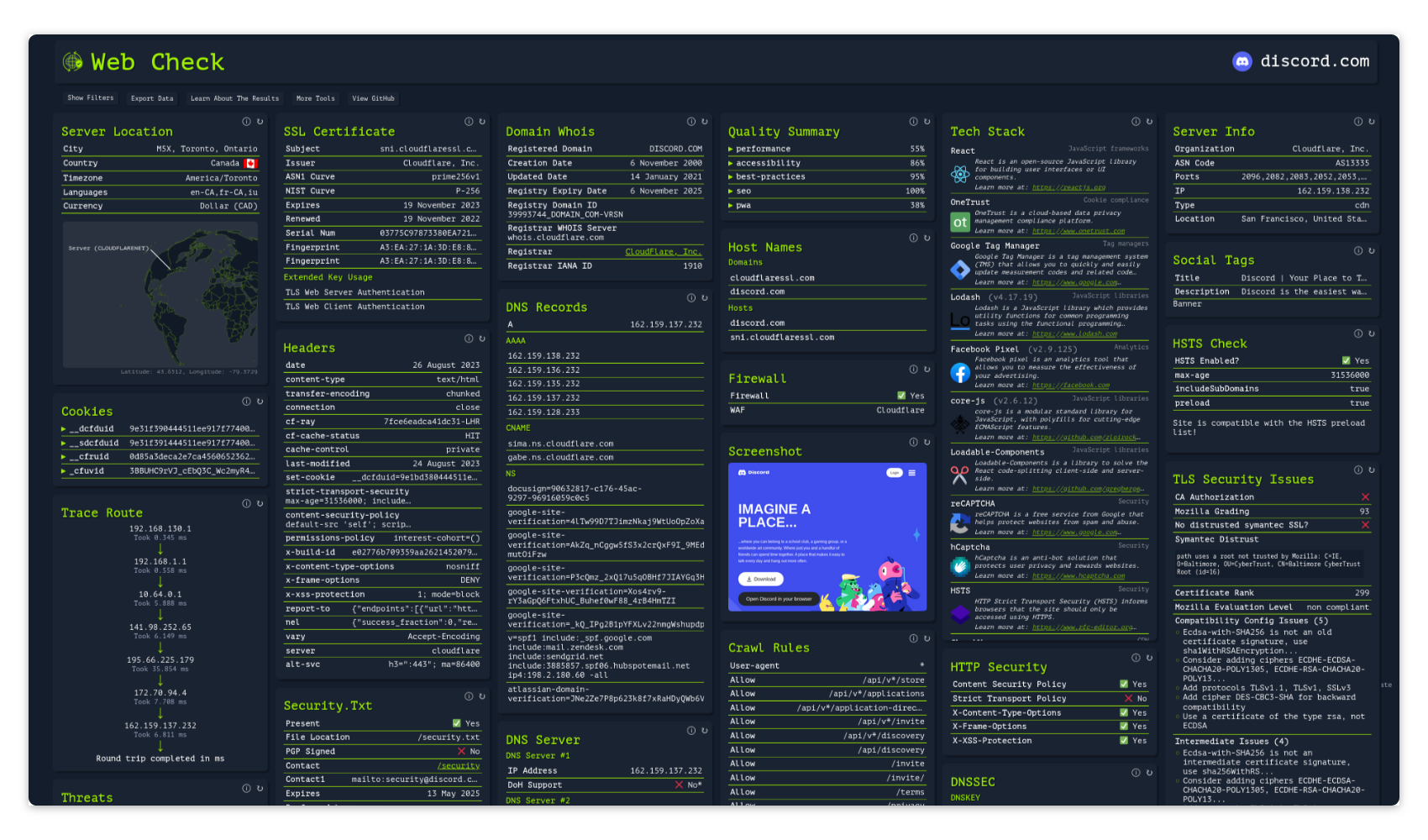
Screenshots
A closer look at Web-Check.
Setup time
A few minutes
Deployment
Your own server
Services
1 connected service
Why Web-Check
Everything you need, running where you choose.
Get the full Web-Check experience with Easypanel handling the repetitive infrastructure work around it.
Security Analysis
Check SSL certificates, security headers, DNS security, and firewall configurations.
Server Information
View IP info, server location, open ports, and infrastructure details.
Technology Stack
Identify technologies, frameworks, and services used by the website.
Performance Metrics
Analyze site performance, quality metrics, and carbon footprint.
Domain Intelligence
Access DNS records, WHOIS data, associated domains, and more.
Comprehensive Analysis
Get detailed insights into any website's security, configuration, and technology stack.
How it works
From template to live app in three steps.
Easypanel turns the template into real services, storage, and domains on the server you already control.
Already have Easypanel? Open your dashboard at the URL or IP of your own installation.
Installation guide1
Open your dashboard
Visit the URL or IP of your Easypanel installation and choose the target project.
2
Choose Web-Check
Open Templates, select Web-Check, then review its service names and configuration.
3
Deploy and open your app
Easypanel starts every service and provisions an HTTPS domain for you.
Installation options
The template asks for these values before creating your services.
| Option | Default | Required |
|---|---|---|
App Service Name | web-check | Required |
App Service Image | lissy93/web-check | Required |
Resources
Project documentation and source code.
Latest template update
May 12, 2025
First Release
Questions
Deploy with confidence.
The template handles the application setup while Easypanel keeps the infrastructure understandable and under your control.
Keep exploring
Browse allRelated templates

IntelOwl
IntelOwl is an open-source threat intelligence platform for managing indicators of compromise. It integrates dozens of OSINT analyzers (VirusTotal, AbuseIPDB, MISP, YARA, and many more) behind a single REST API and web dashboard, letting you scan observables and files and pivot across the results.
View template

Pi-hole
Pi-hole is a network-wide ad blocker that acts as a DNS sinkhole to protect your devices from unwanted content without installing any client-side software. It blocks ads at the DNS level, meaning ads are blocked before they even reach your devices, resulting in faster browsing, reduced bandwidth usage, and enhanced privacy. Pi-hole provides a powerful web interface for easy management and detailed statistics about your network's DNS queries. It can block millions of ad-serving domains and supports custom block lists. The application also includes features like DHCP server capabilities, DNS-over-HTTPS (DoH) support, and comprehensive query logging. With Pi-hole, you can monitor all DNS requests on your network, see which domains are being blocked, and maintain complete control over your network's DNS filtering.
View template

Zoraxy
Zoraxy is a general-purpose reverse proxy and web application gateway designed for self-hosting enthusiasts. It offers an intuitive web interface for managing multiple web services with features like automatic SSL certificate management via ACME/Let's Encrypt, virtual directory hosting, HTTP to HTTPS redirection, and built-in authentication. Zoraxy supports WebSocket proxying, custom error pages, rate limiting, geographic access control with GeoIP, and Docker integration for seamless container management. Perfect for hosting multiple services on a single server with professional-grade routing, security, and access control.
View template
Ready to deploy Web-Check?
Open your own Easypanel dashboard, choose Web-Check from Templates, and review the deployment options.