Deploy Zoraxy on your own server.

Zoraxy logo

Zoraxy is a general-purpose reverse proxy and web application gateway designed for self-hosting enthusiasts. It offers an intuitive web interface for managing multiple web services with features like automatic SSL certificate management via ACME/Let's Encrypt, virtual directory hosting, HTTP to HTTPS redirection, and built-in…

Your infrastructureAutomatic HTTPSNo lock-in

Screenshots

A closer look at Zoraxy.

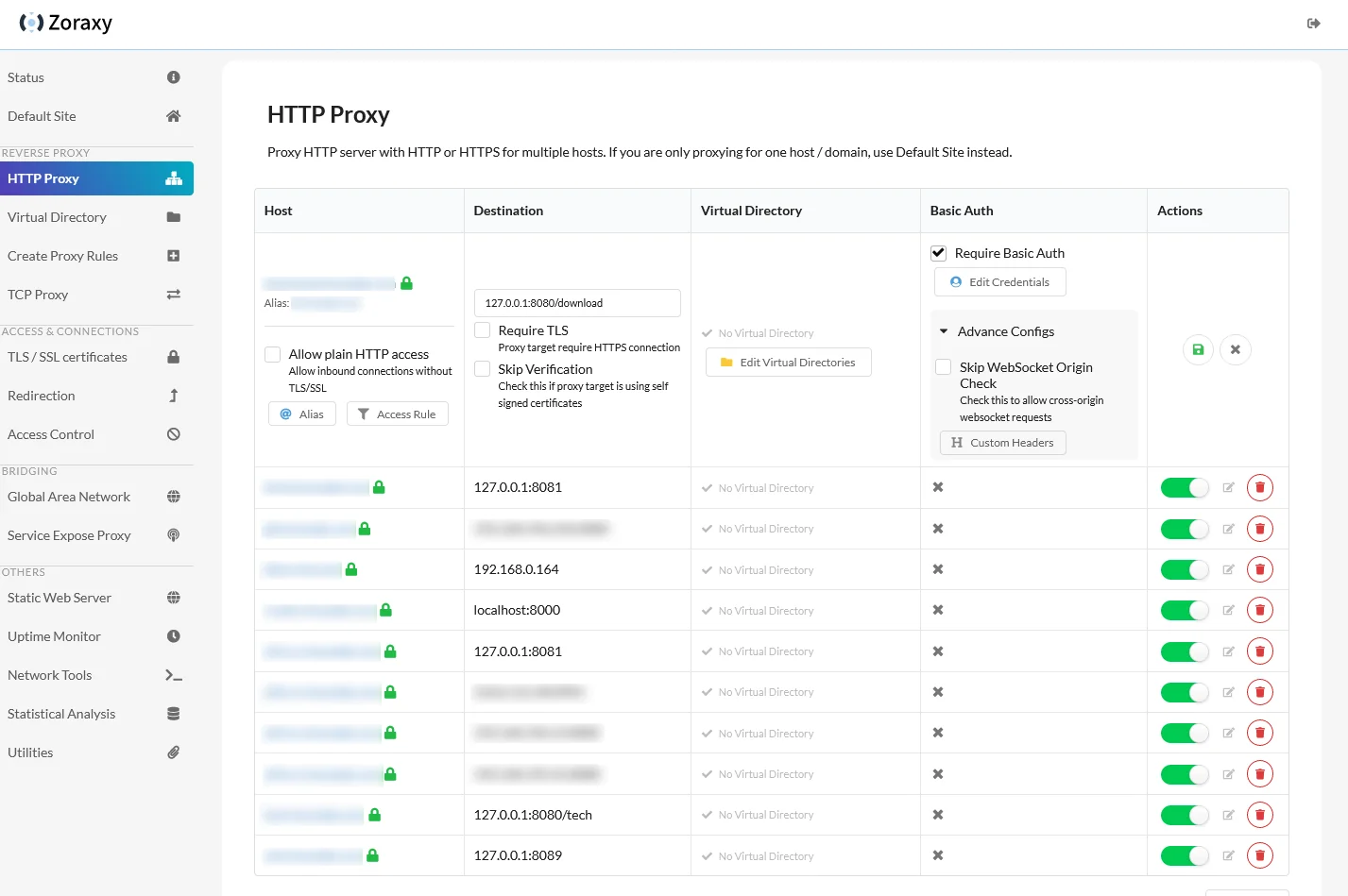
Zoraxy screenshot 1

Setup time

A few minutes

Deployment

Your own server

Services

1 connected service

Why Zoraxy

Everything you need, running where you choose.

Get the full Zoraxy experience with Easypanel handling the repetitive infrastructure work around it.

Reverse Proxy
Route traffic to multiple backend services based on domain names, paths, or custom rules with support for HTTP/HTTPS and WebSocket protocols.
SSL/TLS Termination
Automatic SSL certificate management with Let's Encrypt, including HTTP-to-HTTPS redirection and secure TLS termination.
Geographic Access Control
Fast GeoIP-based access control to restrict or allow traffic from specific countries or regions, enhancing security for your services.
Authentication & Authorization
Built-in authentication system with support for basic auth, custom login pages, and user management for securing your applications.
Rate Limiting & Security
Protect your services with configurable rate limiting, custom error pages, and advanced security features to prevent abuse.
Easy to Use
Intuitive web-based interface for managing reverse proxy rules, SSL certificates, and access control without complex configuration files.
How it works

From template to live app in three steps.

Easypanel turns the template into real services, storage, and domains on the server you already control.

Already have Easypanel? Open your dashboard at the URL or IP of your own installation.

Installation guide
1
Open your dashboard
Visit the URL or IP of your Easypanel installation and choose the target project.
2
Choose Zoraxy
Open Templates, select Zoraxy, then review its service names and configuration.
3
Deploy and open your app
Easypanel starts every service and provisions an HTTPS domain for you.
Installation options
The template asks for these values before creating your services.
OptionDefaultRequired

App Service Name

zoraxyRequired

App Service Image

zoraxydocker/zoraxy:v3.3.2Required
Resources
Project documentation and source code.
Latest template update
May 7, 2026

Version bumped to v3.3.2

Questions

Deploy with confidence.

The template handles the application setup while Easypanel keeps the infrastructure understandable and under your control.

Keep exploring

Related templates

Browse all
Authelia logo
Authelia
Authelia is an open-source authentication and authorization server providing two-factor authentication and single sign-on (SSO) for your applications via a web portal. It acts as a companion to reverse proxies such as Traefik, Nginx, or Caddy to control whether requests should pass through. Authelia is also an OpenID Connect 1.0 certified identity provider, enabling modern authentication flows for applications that support it. Key features include multi-factor authentication via TOTP, WebAuthn, or Duo; fine-grained access control rules; session management with configurable timeouts; LDAP and file-based user backends; and SQLite, PostgreSQL, or MariaDB storage.
View template
JumpServer logo
JumpServer
JumpServer is an open-source, enterprise-grade bastion host and privileged access management (PAM) solution. It provides secure access to servers, databases, and other IT resources through a web-based interface. JumpServer supports multiple authentication methods, session recording, command auditing, and fine-grained access control. It's designed to help organizations manage and monitor privileged access to critical infrastructure while maintaining security compliance and audit trails.
View template
yacht logo
yacht
Yacht is a self-hosted web-based container management tool designed to provide a user-friendly and intuitive interface for managing Docker containers. It simplifies container deployment, monitoring, and management, making it accessible for both beginners and advanced users. Yacht supports multiple container engines and integrates with Docker Compose, allowing users to easily create, update, and manage their containerized applications.
View template
Zoraxy logo
Ready to deploy Zoraxy?
Open your own Easypanel dashboard, choose Zoraxy from Templates, and review the deployment options.