Deploy 13ft on your own server.

13ft logo

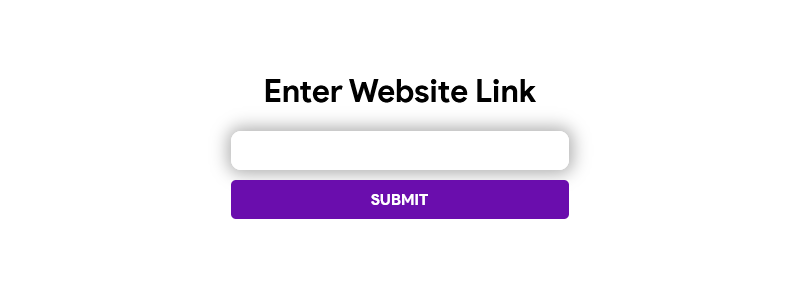
13ft is a self-hosted paywall bypass and "read it later" style proxy. Paste an article URL and it fetches the page the way a search engine crawler would see it, falling back to Freedium or an archive.org/archive.today snapshot if the direct fetch is blocked. It's fully stateless with no login of its own, so it is protected with HTTP…

Your infrastructureAutomatic HTTPSNo lock-in

Screenshots

A closer look at 13ft.

13ft screenshot 1

Setup time

A few minutes

Deployment

Your own server

Services

1 connected service

Why 13ft

Everything you need, running where you choose.

Get the full 13ft experience with Easypanel handling the repetitive infrastructure work around it.

Crawler-Style Fetching
Requests pages with a search-engine-crawler user agent, which many paywalls leave unblocked for indexing purposes.
Archive Fallbacks
Automatically retries against Freedium, archive.org, and archive.today when the direct fetch fails or hits an anti-bot challenge.
Multi-Language UI
Choose between English, German, French, and Korean.
No Account, No Data Kept
There's no database and no user accounts — the app is fully stateless, so there's nothing to back up or lose.
Multiple Fallback Sources
If the direct crawler-style fetch is blocked, it automatically tries Freedium, then archive.org and archive.today snapshots.
Self-Hosted, No Third-Party Proxy
Requests go straight from your own server instead of through a shared public instance you don't control.
How it works

From template to live app in three steps.

Easypanel turns the template into real services, storage, and domains on the server you already control.

Already have Easypanel? Open your dashboard at the URL or IP of your own installation.

Installation guide
1
Open your dashboard
Visit the URL or IP of your Easypanel installation and choose the target project.
2
Choose 13ft
Open Templates, select 13ft, then review its service names and configuration.
3
Deploy and open your app
Easypanel starts every service and provisions an HTTPS domain for you.
Installation options
The template asks for these values before creating your services.
OptionDefaultRequired

App Service Name

13ftRequired

App Service Image

ghcr.io/wasi-master/13ft:0.4.1Required

Locale

English / German / French / KoreanRequired
Resources
Project documentation and source code.
Latest template update
Jul 21, 2026

first release

Questions

Deploy with confidence.

The template handles the application setup while Easypanel keeps the infrastructure understandable and under your control.

13ft logo
Ready to deploy 13ft?
Open your own Easypanel dashboard, choose 13ft from Templates, and review the deployment options.