Deploy Anse on your own server.

Anse is a modern web application that provides a clean and intuitive interface. It's a lightweight and efficient solution for your needs.
Your infrastructureAutomatic HTTPSNo lock-in
Screenshots
A closer look at Anse.
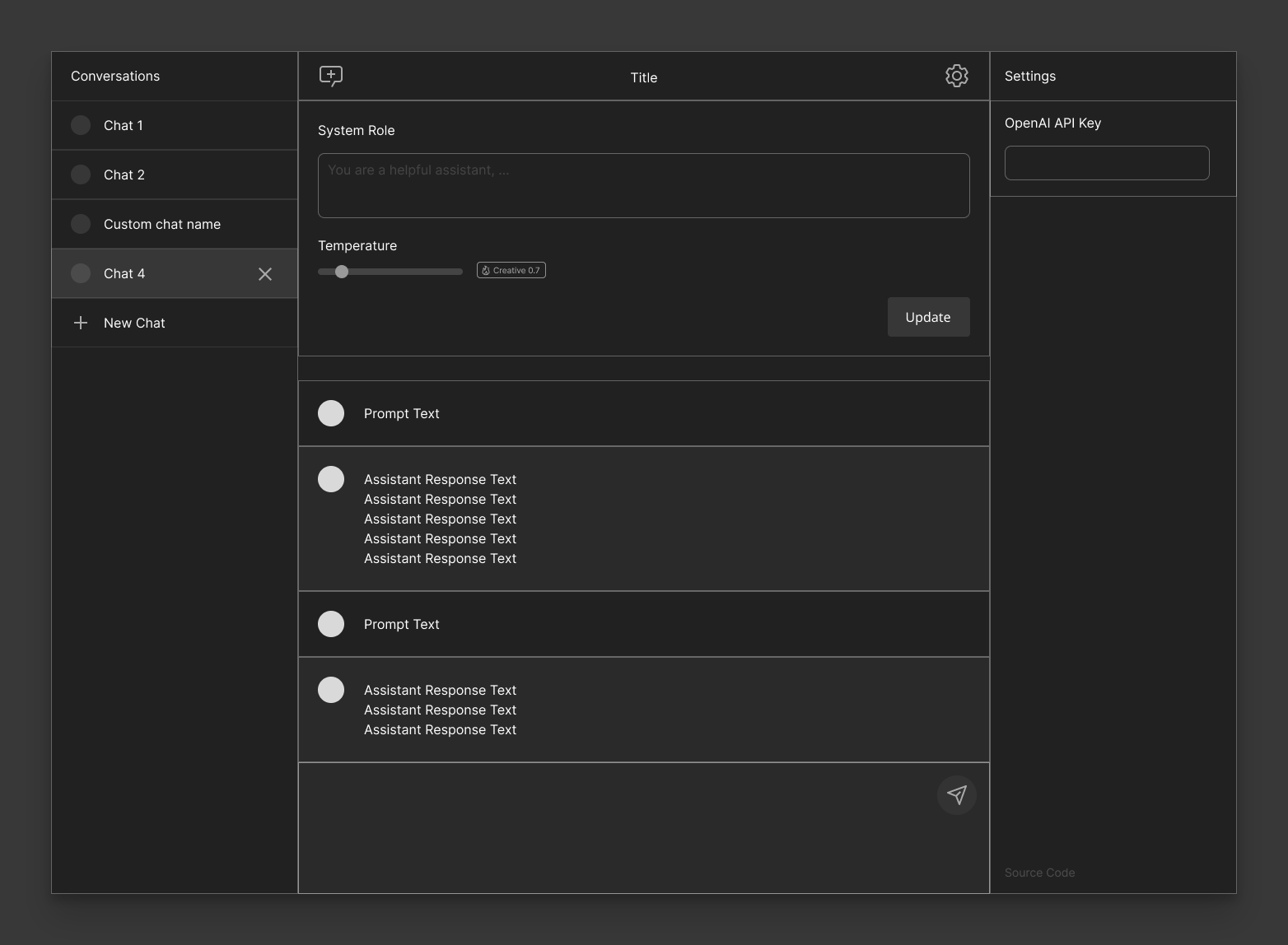
Setup time
A few minutes
Deployment
Your own server
Services
1 connected service
Why Anse
Everything you need, running where you choose.
Get the full Anse experience with Easypanel handling the repetitive infrastructure work around it.
Web Interface
Accessible through port 3000 with a modern web interface.
Auto-restart
Container automatically restarts on failure.
Simple Setup
Easy to deploy and configure with minimal requirements.
Modern Interface
Clean and intuitive user interface.
Lightweight
Efficient and resource-friendly application.
One-click deployment
Skip manual Docker setup. Easypanel creates and connects the services this app needs.
How it works
From template to live app in three steps.
Easypanel turns the template into real services, storage, and domains on the server you already control.
Already have Easypanel? Open your dashboard at the URL or IP of your own installation.
Installation guide1
Open your dashboard
Visit the URL or IP of your Easypanel installation and choose the target project.
2
Choose Anse
Open Templates, select Anse, then review its service names and configuration.
3
Deploy and open your app
Easypanel starts every service and provisions an HTTPS domain for you.
Installation options
The template asks for these values before creating your services.
| Option | Default | Required |
|---|---|---|
App Service Name | anse | Required |
App Service Image | ddiu8081/anse:v1.1.11 | Required |
Resources
Project documentation and source code.
Latest template update
May 19, 2025
First Release
Questions
Deploy with confidence.
The template handles the application setup while Easypanel keeps the infrastructure understandable and under your control.
Keep exploring
Browse allRelated templates

Honey
Honey is a lightweight web application developed by dani3l0. It provides a clean and intuitive interface for accessing and managing your data. The application is containerized for easy deployment and configuration, making it ideal for self-hosted environments. Honey uses a file-based configuration system, allowing for simple customization and persistence across container restarts. With its efficient design and minimal resource requirements, Honey is a great addition to any self-hosted service collection.
View template

Anchor
Anchor is a self-hosted application designed to provide a modern web interface for managing and organizing your data. It offers a clean, intuitive user experience with persistent storage capabilities, ensuring your data is safely stored and accessible. Built with privacy and self-hosting in mind, Anchor gives you complete control over your information without relying on external cloud services.
View template

ChatChat
ChatChat is a simple chat application built on modern technologies. It provides a lightweight and responsive chat interface for real-time communication.
View template
Ready to deploy Anse?
Open your own Easypanel dashboard, choose Anse from Templates, and review the deployment options.