Deploy Argus on your own server.

Argus logo

Argus is a lightweight monitor that watches GitHub, Docker Hub, and other sources for new software releases, then notifies you via Gotify, Slack, Discord, and more — or triggers a webhook to auto-deploy the update.

Your infrastructureAutomatic HTTPSNo lock-in

Screenshots

A closer look at Argus.

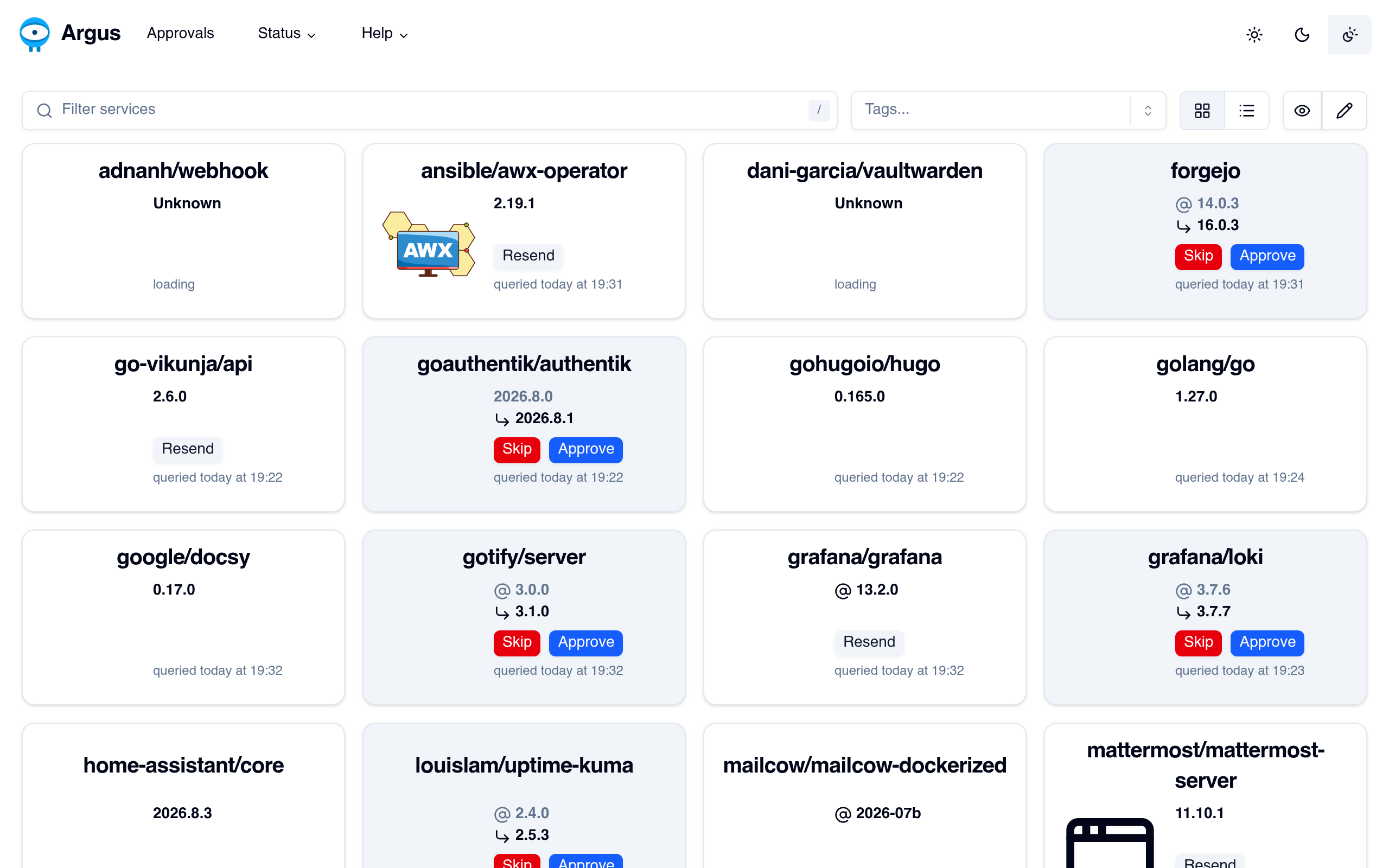
Argus screenshot 1

Setup time

A few minutes

Deployment

Your own server

Services

1 connected service

Why Argus

Everything you need, running where you choose.

Get the full Argus experience with Easypanel handling the repetitive infrastructure work around it.

Approvals Dashboard
Review and approve or skip detected updates from a web dashboard before they notify or trigger anything.
Config-as-Code
Everything lives in a single YAML file, editable via the UI or directly on disk.
Self-Contained
No database required — state is stored in a local file.
Multi-Source Tracking
Watch GitHub releases, Docker Hub tags, or any URL/command for version changes.
Flexible Notifications
Send alerts via Gotify, Slack, Discord, Ntfy, and many other providers.
Webhook Deploys
Trigger a webhook when a new release is detected to auto-update your own services.
How it works

From template to live app in three steps.

Easypanel turns the template into real services, storage, and domains on the server you already control.

Already have Easypanel? Open your dashboard at the URL or IP of your own installation.

Installation guide
1
Open your dashboard
Visit the URL or IP of your Easypanel installation and choose the target project.
2
Choose Argus
Open Templates, select Argus, then review its service names and configuration.
3
Deploy and open your app
Easypanel starts every service and provisions an HTTPS domain for you.
Installation options
The template asks for these values before creating your services.
OptionDefaultRequired

App Service Name

argusRequired

App Service Image

ghcr.io/release-argus/argus:0.39.1Required
Resources
Project documentation and source code.
Latest template update
Sep 2, 2026

first release

Questions

Deploy with confidence.

The template handles the application setup while Easypanel keeps the infrastructure understandable and under your control.

Keep exploring

Related templates

Browse all
DCM
DCM is a lightweight self-hosted web interface for managing and monitoring Docker containers. It provides a simple dashboard to view container status, start/stop operations, and inspect basic container details. Designed to be minimal and easy to deploy, DCM helps you keep an eye on your containers without exposing the full Docker API or using heavier management stacks. Ideal for small home labs or users who want a quick overview of their running services via a browser.
View template
GHStats logo
GHStats
GHStats is a self-hosted GitHub statistics and analytics tool that helps you track and visualize your GitHub repository metrics. Monitor stars, traffic, clones, views, and other important repository statistics over time with an intuitive web interface. The application collects and stores historical data from your GitHub repositories, allowing you to analyze trends and growth patterns that would otherwise be lost after GitHub's 14-day statistics retention period. Perfect for developers, project maintainers, and organizations who want to maintain long-term analytics of their GitHub presence. GHStats requires a GitHub personal access token to fetch repository statistics and stores all collected data persistently for historical analysis and visualization.
View template
Dockge logo
Dockge
Dockge is a modern, self-hosted Docker Compose management tool that provides a beautiful and intuitive web interface for managing your Docker Compose stacks. It allows you to create, edit, start, stop, and monitor your Docker Compose applications through a user-friendly dashboard. Dockge simplifies Docker Compose management with features like real-time logs, stack monitoring, and easy configuration editing.
View template
Argus logo
Ready to deploy Argus?
Open your own Easypanel dashboard, choose Argus from Templates, and review the deployment options.