All templates

Deploy Audiobookshelf on your own server.

Audiobookshelf logo

Audiobookshelf is a self-hosted server designed to manage and play your audiobooks and podcasts. It works best when you have an organized directory structure, as it takes information from your folder names, including the author name, series name, book title, publish year, series sequence, and subtitle. The app uses the ID3 metadata tags…

Your infrastructureAutomatic HTTPSNo lock-in

Screenshots

A closer look at Audiobookshelf.
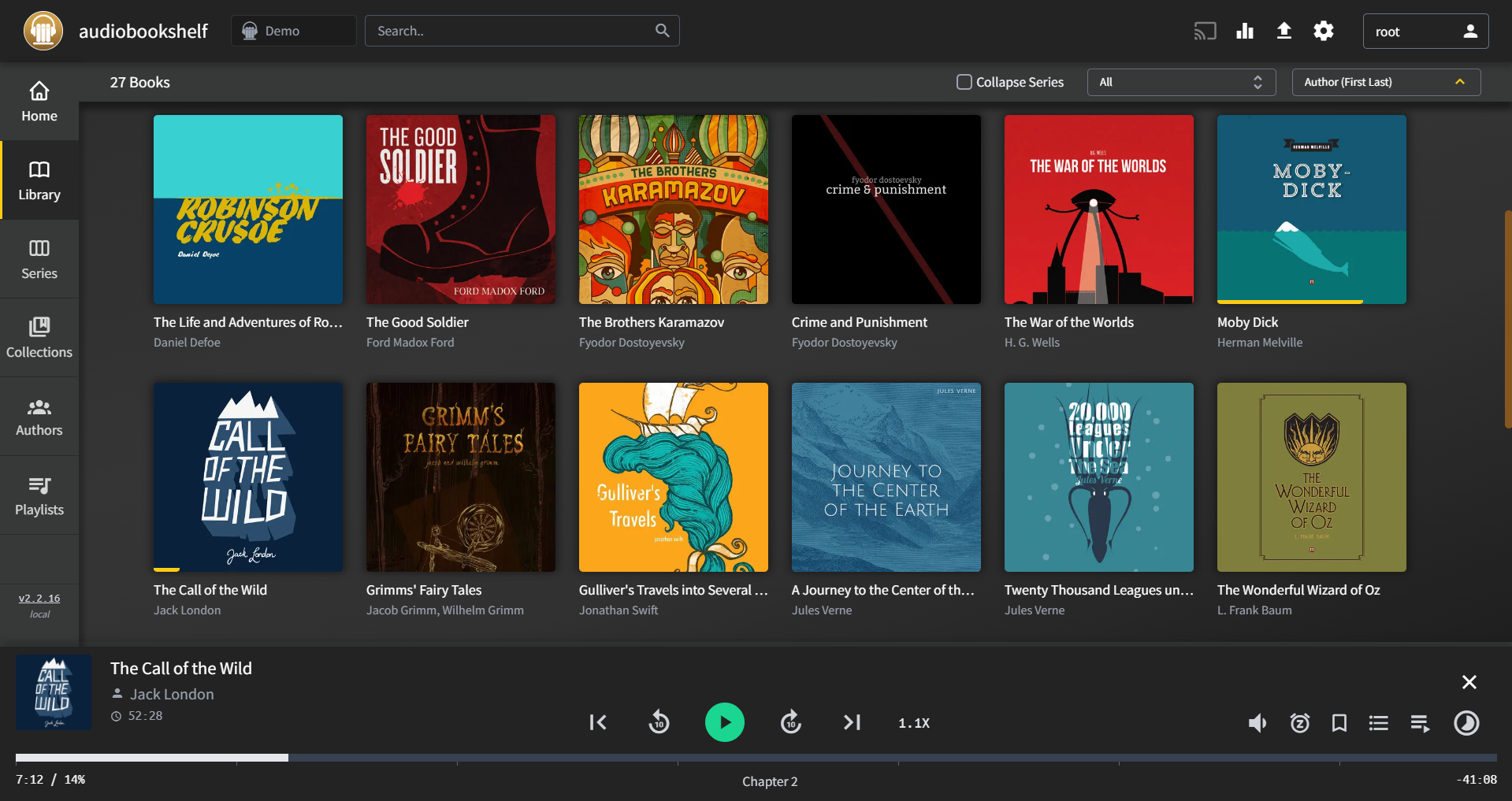
Audiobookshelf screenshot 1

Setup time

A few minutes

Deployment

Your own server

Services

1 connected service

Why Audiobookshelf

Everything you need, running where you choose.

Get the full Audiobookshelf experience with Easypanel handling the repetitive infrastructure work around it.

Audio Tracks
An audiobook in Audiobookshelf contains tracks. Tracks are audio files assigned a track number. The track number is parsed from the audio filename and from the ID3 tags of the audio file. This allows for easy navigation within an audiobook.
Additional Metadata
Audiobookshelf allows for additional metadata to be added. If you have a file named desc.txt in the library item folder it will be used as the description. If you have a file named reader.txt in the library item folder it will be used as the narrator. If you have an OPF file with extension .opf in the library item folder it will be parsed.
Directory Structure for Podcasts
Audiobookshelf supports a specific directory structure for podcasts. This makes it easy to organize and manage your podcasts, ensuring that each episode is easy to find and play.
Self-Hosted Audiobook and Podcast Server
Audiobookshelf allows you to host your own audiobook and podcast server. This means you can have all your favorite audiobooks and podcasts in one place, accessible from anywhere. No more switching between different platforms or apps to listen to your favorite content.
Organized Directory Structure
Audiobookshelf works best when you have an organized directory structure. It takes information from your folder names, including the author name, series name, book title, publish year, series sequence, and subtitle. This makes it easy to find and manage your audiobooks and podcasts.
Metadata Extraction
Audiobookshelf uses the ID3 metadata tags in audio files to populate data. This includes details like artist, album, subtitle, publisher, year, composer, description, genre, series, series-part, language, isbn, and asin. This ensures that all your content is accurately labeled and easy to search.
How it works

From template to live app in three steps.

Easypanel turns the template into real services, storage, and domains on the server you already control.

Already have Easypanel? Open your dashboard at the URL or IP of your own installation.

Installation guide
1
Open your dashboard
Visit the URL or IP of your Easypanel installation and choose the target project.
2
Choose Audiobookshelf
Open Templates, select Audiobookshelf, then review its service names and configuration.
3
Deploy and open your app
Easypanel starts every service and provisions an HTTPS domain for you.
Installation options
The template asks for these values before creating your services.
OptionDefaultRequired

App Service Name

audiobookshelfRequired

App Service Image

ghcr.io/advplyr/audiobookshelf:2.33.2Required

Starter Host Path

Required
Resources
Project documentation and source code.
Latest template update
Apr 29, 2026

Version bumped to 2.33.2

Questions

Deploy with confidence.

The template handles the application setup while Easypanel keeps the infrastructure understandable and under your control.

Keep exploring

Related templates

Browse all
MediaManager logo
MediaManager
MediaManager is a self-hosted media management application designed to help you organize, catalog, and manage your media collection. The application provides a clean web interface for browsing and managing your media files including movies, TV shows, music, and other digital content. With support for custom metadata, tagging, and categorization, MediaManager makes it easy to keep your media library organized and accessible. The application features automatic media scanning, metadata extraction, thumbnail generation, and search capabilities to quickly find content in large collections. Built with a PostgreSQL backend for reliable data storage, MediaManager can handle extensive media libraries with thousands of items. The flexible configuration system allows you to customize media directories, scanning behavior, and display preferences to match your needs. Perfect for home media enthusiasts who want to organize their digital collections, content creators managing large media archives, small organizations needing a simple media asset management solution, or anyone looking for a lightweight self-hosted alternative to complex media management systems.
View template
SimpleTorrent logo
SimpleTorrent
SimpleTorrent is a self-hosted remote torrent client that allows you to manage your torrents remotely. Written in Go (golang), it enables you to start torrents remotely and download sets of files on the local disk of the server. These files are then retrievable or streamable via HTTP. The app offers individual file download control, the ability to run an external program on task completion, and a seeding ratio to stop tasks when reached. It also provides a download/upload speed limiter and detailed transfer stats in the web UI. SimpleTorrent supports real-time updates, is mobile-friendly, and offers a fast content server. It also supports IPv6 out of the box and has an updated torrent engine from anacrolix/torrent. Additional features include a torrent watcher, K8s/docker health-check endpoint, extra trackers from an external source, and a protocol handler to magnet.
View template
PhotoPrism logo
PhotoPrism
PhotoPrism is an AI-powered photos app designed for the decentralized web. It uses the latest technologies to automatically tag and find pictures without interrupting your workflow. You can run it at home, on a private server, or in the cloud. PhotoPrism allows you to browse all your photos and videos without worrying about RAW conversion, duplicates, or video formats. It offers powerful search filters to easily find specific pictures and includes high-resolution world maps to relive your favorite trips. The app supports playing Live Photos by hovering over them in albums and search results, recognizes the faces of your family and friends, and automatically classifies pictures based on their content and location. PhotoPrism is committed to user and privacy-friendly solutions, ensuring your data is never shared without your consent.
View template
Audiobookshelf logo
Ready to deploy Audiobookshelf?
Open your own Easypanel dashboard, choose Audiobookshelf from Templates, and review the deployment options.