All templates

Deploy BamBuddy on your own server.

BamBuddy logo

BamBuddy is a self-hosted command center for managing Bambu Lab 3D printers locally, with no cloud dependency. It supports single printers up to 40-printer farms and includes real-time monitoring, live camera streaming, print archive with 3D preview, timelapse editing, scheduling, multi-printer dispatch, server-side slicing of STL/3MF…

Your infrastructureAutomatic HTTPSNo lock-in

Screenshots

A closer look at BamBuddy.
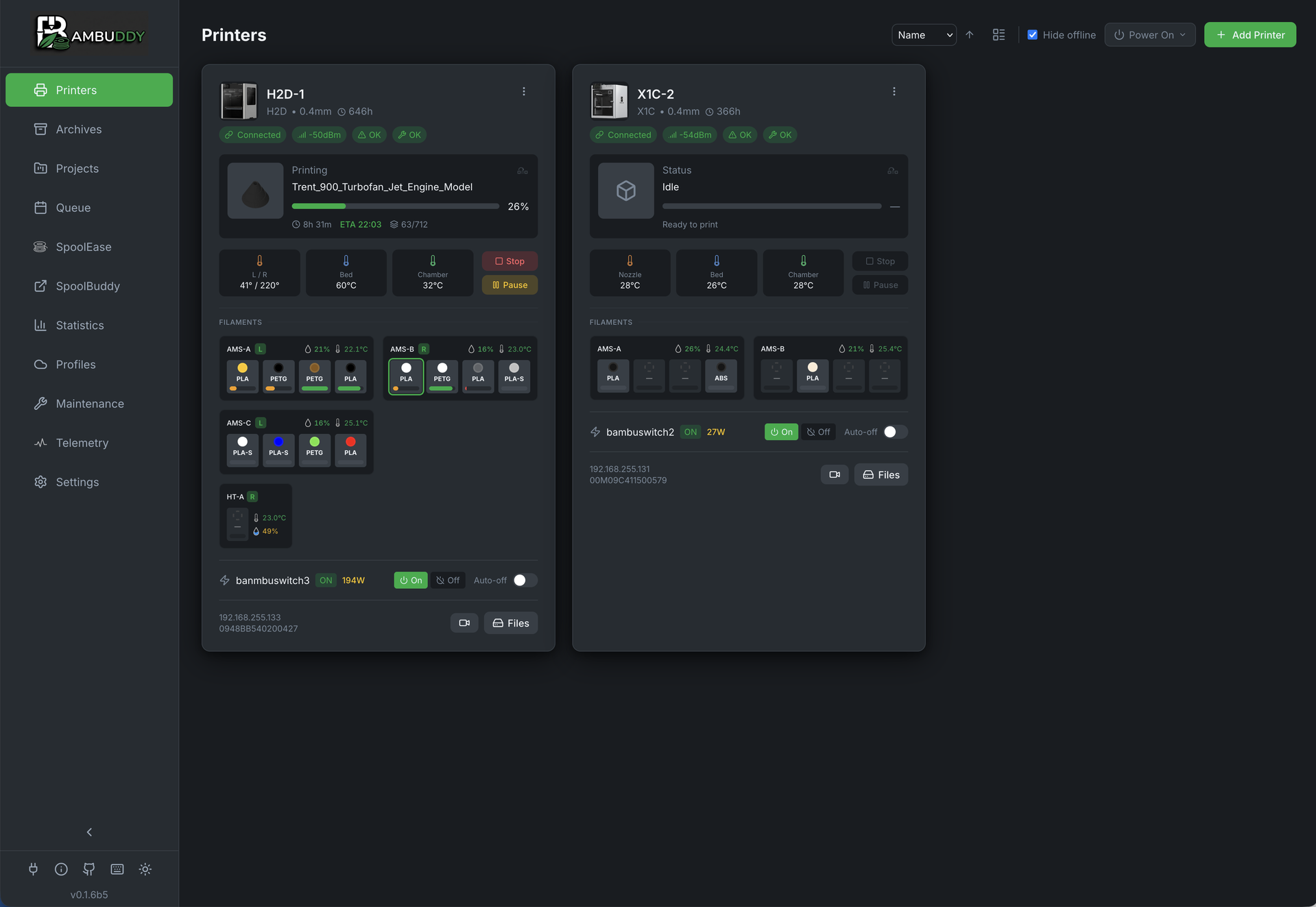
BamBuddy screenshot 1

Setup time

A few minutes

Deployment

Your own server

Services

1 connected service

Why BamBuddy

Everything you need, running where you choose.

Get the full BamBuddy experience with Easypanel handling the repetitive infrastructure work around it.

Real-Time Monitoring
Live printer status, live camera streams, build plate detection, and HMS error alerts for all connected printers.
Print Archive & 3D Preview
Every completed print is archived with a Three.js 3D preview, timelapse video, and full metadata for easy reference and re-printing.
Spool & Inventory Tracking
Track filament spools with usage analytics, remaining weight estimates, and per-print cost accounting.
Multi-Printer Dispatch
Queue and dispatch print jobs across multiple printers with AMS filament mapping and scheduling support.
SQLite or PostgreSQL
Ships with SQLite for zero-config deployments; optionally connect an external PostgreSQL database for larger setups.
Cloud-Free Printer Control
Manage your Bambu Lab printers entirely on your local network with no cloud dependency, using Bambu Lab's Developer Mode API.
How it works

From template to live app in three steps.

Easypanel turns the template into real services, storage, and domains on the server you already control.

Already have Easypanel? Open your dashboard at the URL or IP of your own installation.

Installation guide
1
Open your dashboard
Visit the URL or IP of your Easypanel installation and choose the target project.
2
Choose BamBuddy
Open Templates, select BamBuddy, then review its service names and configuration.
3
Deploy and open your app
Easypanel starts every service and provisions an HTTPS domain for you.
Installation options
The template asks for these values before creating your services.
OptionDefaultRequired

App Service Name

bambuddyRequired

App Service Image

ghcr.io/maziggy/bambuddy:0.2.4.4Required

Timezone

Container timezone (e.g. Europe/Berlin, America/New_York)

UTCOptional
Resources
Project documentation and source code.
Latest template update
Jun 1, 2026

Initial template release for BamBuddy v0.2.4.4

Questions

Deploy with confidence.

The template handles the application setup while Easypanel keeps the infrastructure understandable and under your control.

BamBuddy logo
Ready to deploy BamBuddy?
Open your own Easypanel dashboard, choose BamBuddy from Templates, and review the deployment options.