All templates

Deploy Barrage on your own server.

Barrage logo

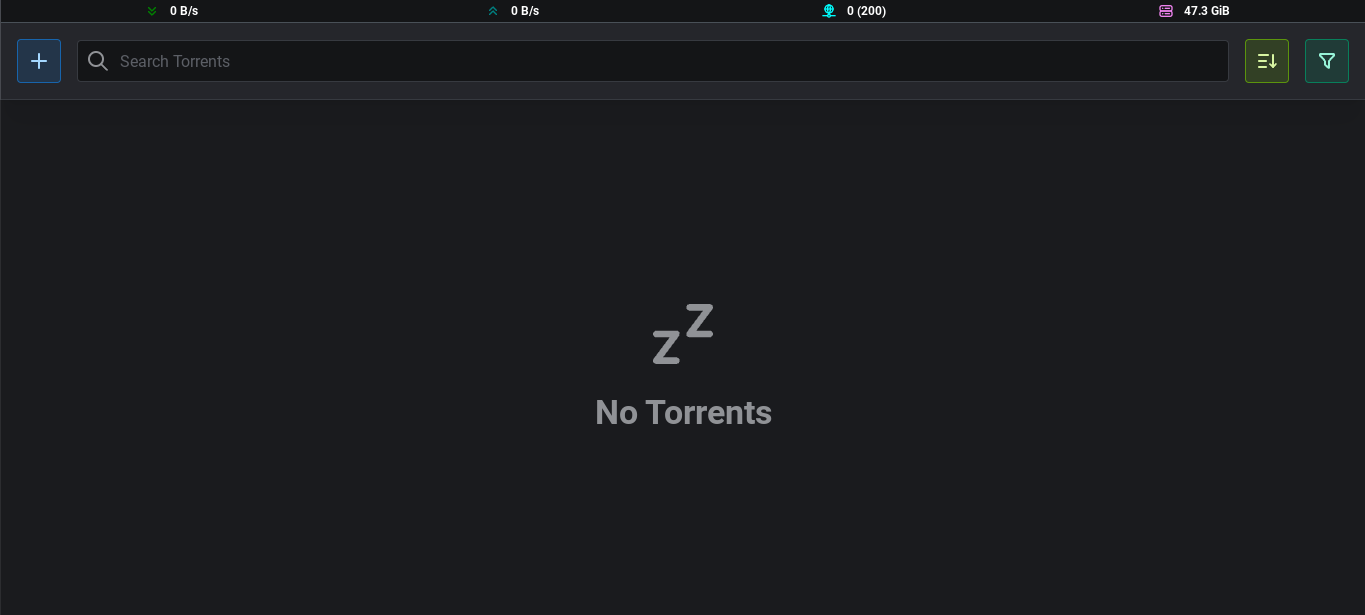
Barrage is a minimalistic Deluge WebUI app with full mobile support. It features a responsive mobile-first design, allowing you to manage your torrents with ease from any device. With Barrage, you can add torrents by URL or magnet, sort and filter your torrents, and set global upload and download speed limits. It also allows you to…

Your infrastructureAutomatic HTTPSNo lock-in

Screenshots

A closer look at Barrage.

Barrage screenshot 1

Setup time

A few minutes

Deployment

Your own server

Services

1 connected service

Why Barrage

Everything you need, running where you choose.

Get the full Barrage experience with Easypanel handling the repetitive infrastructure work around it.

Add Torrent by URL or Magnet
Barrage allows you to add torrents to your list by simply pasting a URL or a magnet link. This makes it easy to start downloading a torrent without having to download and open a separate torrent file.
Sort and Filter Torrents
With Barrage, you can easily sort your torrents by various criteria and filter them based on your needs. This makes it easy to find the torrents you're looking for, even if you have a large number of them.
Change File Priority
Barrage allows you to change the priority of individual files within a torrent. This means you can choose which files to download first, which can be particularly useful if you're downloading a torrent that contains multiple files.
Change Torrent Options
Barrage provides the ability to change various options for your torrents. This gives you greater control over your torrent downloads and allows you to customize them to suit your needs.
Efficient Torrent Management
Barrage provides a minimalistic and efficient way to manage your torrents. It allows you to add torrents by URL or magnet, sort and filter them, and change their options, all from a single, easy-to-use interface.
Full Mobile Support
With its responsive mobile-first design, Barrage ensures that you can manage your torrents on the go. Whether you're on a smartphone or a tablet, you'll have full access to all of Barrage's features.
How it works

From template to live app in three steps.

Easypanel turns the template into real services, storage, and domains on the server you already control.

Already have Easypanel? Open your dashboard at the URL or IP of your own installation.

Installation guide
1
Open your dashboard
Visit the URL or IP of your Easypanel installation and choose the target project.
2
Choose Barrage
Open Templates, select Barrage, then review its service names and configuration.
3
Deploy and open your app
Easypanel starts every service and provisions an HTTPS domain for you.
Installation options
The template asks for these values before creating your services.
OptionDefaultRequired

App Service Name

barrageRequired

App Service Image

maulik9898/barrage:0.3.0Required

Deluge URL

Required

Deluge Password

Set during installRequired

Barrage Password

Set during installRequired
Resources
Project documentation and source code.
Latest template update
Jan 25, 2023

first release

Questions

Deploy with confidence.

The template handles the application setup while Easypanel keeps the infrastructure understandable and under your control.

Keep exploring

Related templates

Browse all
SimpleTorrent logo
SimpleTorrent
SimpleTorrent is a self-hosted remote torrent client that allows you to manage your torrents remotely. Written in Go (golang), it enables you to start torrents remotely and download sets of files on the local disk of the server. These files are then retrievable or streamable via HTTP. The app offers individual file download control, the ability to run an external program on task completion, and a seeding ratio to stop tasks when reached. It also provides a download/upload speed limiter and detailed transfer stats in the web UI. SimpleTorrent supports real-time updates, is mobile-friendly, and offers a fast content server. It also supports IPv6 out of the box and has an updated torrent engine from anacrolix/torrent. Additional features include a torrent watcher, K8s/docker health-check endpoint, extra trackers from an external source, and a protocol handler to magnet.
View template
PsiTransfer logo
PsiTransfer
PsiTransfer is a simple, open-source, self-hosted file sharing solution designed to provide an alternative to paid services like Dropbox and WeTransfer. The app allows for the sharing of many and very large files with ease, thanks to its support for streams. It also offers resumable uploads and downloads, ensuring you never lose progress. With PsiTransfer, you can set an expiry time for your upload bucket, and even offer one-time downloads. The app also supports downloading all files as a zip or tar.gz archive, and provides a modal-style file preview. For added security, PsiTransfer offers a password-protected download list. The app is lightweight and mobile-friendly, making it easy to use on any device. It also allows for explicit named bucket IDs with a query param sid=<myBucketID>.
View template
Cloudreve logo
Cloudreve
Cloudreve is a self-hosted cloud storage platform that allows you to build your own file hosting and sharing service with support for multiple storage backends. Designed as a powerful alternative to commercial cloud storage services, Cloudreve provides a feature-rich web interface for uploading, organizing, and sharing files with complete control over your data. The application supports various storage providers including local storage, remote servers, OneDrive, S3-compatible storage, and more, allowing you to leverage existing infrastructure or cloud services as backends. Key features include drag-and-drop uploads, file previews for images, videos, and documents, shareable download links with optional password protection and expiration dates, and WebDAV support for seamless integration with desktop and mobile applications. Cloudreve offers user management with customizable storage quotas, group permissions, and file policies to control how users interact with the system. The modern, responsive interface works across devices, providing a smooth experience whether accessing from desktop or mobile. Built with performance in mind, Cloudreve uses PostgreSQL for reliable data storage and Redis for caching, ensuring fast and responsive file operations. Perfect for individuals wanting private cloud storage, teams needing collaborative file sharing, organizations requiring self-hosted file management, or anyone seeking an alternative to commercial cloud storage with complete data ownership and privacy.
View template
Barrage logo
Ready to deploy Barrage?
Open your own Easypanel dashboard, choose Barrage from Templates, and review the deployment options.