Deploy Cleanuparr on your own server.

Cleanuparr logo

Cleanuparr is an advanced automated download manager for the Servarr ecosystem (Sonarr, Radarr, Lidarr, Readarr, Whisparr). It monitors and cleans up problematic downloads across qBittorrent, Transmission, Deluge, µTorrent, and rTorrent clients. Core features include a strike-based system for failed imports, stalled and slow downloads;…

Your infrastructureAutomatic HTTPSNo lock-in

Screenshots

A closer look at Cleanuparr.
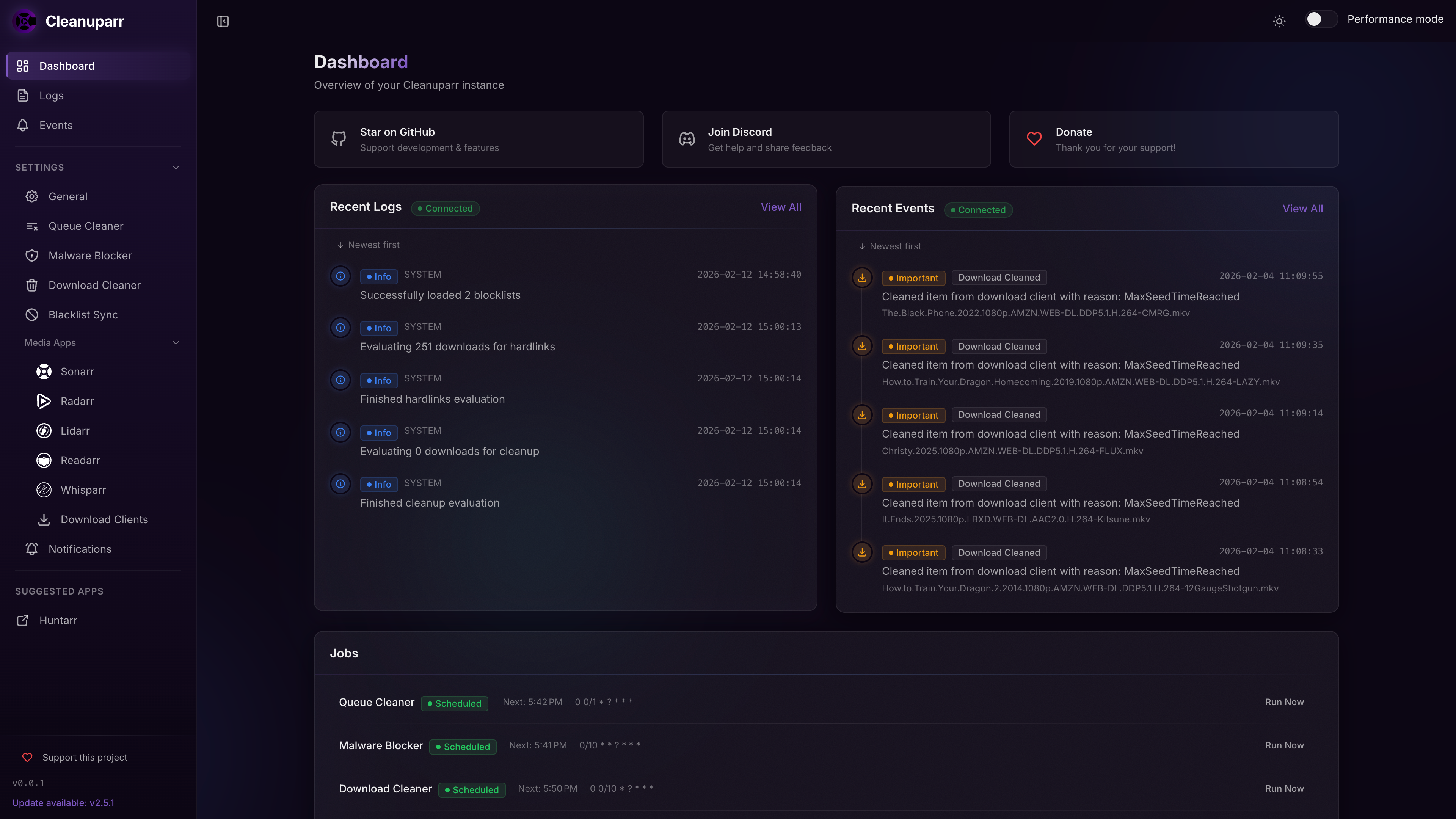
Cleanuparr screenshot 1

Setup time

A few minutes

Deployment

Your own server

Services

1 connected service

Why Cleanuparr

Everything you need, running where you choose.

Get the full Cleanuparr experience with Easypanel handling the repetitive infrastructure work around it.

Strike-Based Removal
Assigns strikes to failed imports, stalled downloads, and slow transfers. Removals are triggered only after a configurable strike threshold, reducing false positives.
Blocklist File Detection
Scans download contents against a malware / unwanted-file blocklist and removes matching torrents before they import into your media library.
Seeding Ratio and Duration Control
Removes torrents that have hit your configured seeding ratio or time limit, keeping your torrent client tidy after downloads complete.
Orphaned File Detection
Identifies orphaned files in your download client — with optional hardlink checking — so disk space is reclaimed safely.
Proactive Content Search
Periodically triggers Sonarr/Radarr searches for missing episodes or movies and queues quality upgrades without manual intervention.
Smart Notifications
Sends per-event notifications (removals, strikes, blocklist hits) via webhooks, Discord, Apprise, and more.
How it works

From template to live app in three steps.

Easypanel turns the template into real services, storage, and domains on the server you already control.

Already have Easypanel? Open your dashboard at the URL or IP of your own installation.

Installation guide
1
Open your dashboard
Visit the URL or IP of your Easypanel installation and choose the target project.
2
Choose Cleanuparr
Open Templates, select Cleanuparr, then review its service names and configuration.
3
Deploy and open your app
Easypanel starts every service and provisions an HTTPS domain for you.
Installation options
The template asks for these values before creating your services.
OptionDefaultRequired

App Service Name

cleanuparrRequired

App Service Image

ghcr.io/cleanuparr/cleanuparr:2.9.14Required
Resources
Project documentation and source code.
Latest template update
Jul 1, 2026

first release

Questions

Deploy with confidence.

The template handles the application setup while Easypanel keeps the infrastructure understandable and under your control.

Keep exploring

Related templates

Browse all
SuggestArr logo
SuggestArr
SuggestArr is a self-hosted media automation tool that monitors recently watched content from Jellyfin, Plex, or Emby, discovers similar movies and TV shows via the TMDb API, and automatically submits download requests to Jellyseerr or Overseerr. It runs on a configurable cron schedule, supports AI-powered recommendations through any OpenAI-compatible LLM (Ollama, OpenRouter, etc.), and provides a web UI for managing services, schedules, users, and real-time logs. All data is persisted to a single SQLite database stored in the config volume — no external database is required.
View template
Autobrr logo
Autobrr
Autobrr is a modern download automation tool for torrent indexers and trackers. It monitors IRC announce channels and RSS feeds from various torrent trackers, automatically downloading torrents that match your custom filters and rules. Autobrr acts as a bridge between torrent indexers and your download clients, enabling advanced automation workflows. It supports numerous torrent clients including qBittorrent, Deluge, Transmission, and rTorrent, and integrates with media management tools like Sonarr, Radarr, and Lidarr. With powerful filtering capabilities based on resolution, codec, release group, and custom regex patterns, Autobrr ensures you only download exactly what you want. Perfect for automating private tracker workflows, racing releases, and maintaining ratio requirements.
View template
slskd logo
slskd
slskd is a modern, web-based client for the Soulseek peer-to-peer file sharing network. It provides a clean, intuitive web interface for browsing, searching, and downloading files from the Soulseek network. Unlike traditional desktop clients, slskd runs as a daemon service that you can access from any device with a web browser. The application supports all core Soulseek features including user searches, room browsing, private messaging, and file sharing. With its containerized deployment, slskd makes it easy to run a persistent Soulseek client on a server or NAS device. It's perfect for music enthusiasts, collectors, and anyone who wants to participate in the Soulseek community without running a desktop application. The daemon continues to operate even when you're not actively using the web interface, ensuring you never miss downloads or messages.
View template
Cleanuparr logo
Ready to deploy Cleanuparr?
Open your own Easypanel dashboard, choose Cleanuparr from Templates, and review the deployment options.