All templates

Deploy Cronicle on your own server.

Cronicle logo

Cronicle is a powerful, multi-server task scheduler and runner, with an easy-to-use web-based interface. It allows you to schedule and run scripts, commands, or software programs on a recurring basis, similar to cron jobs but with the added capability of visual management and log tracking. Cronicle supports complex workflows including…

Your infrastructureAutomatic HTTPSNo lock-in

Screenshots

A closer look at Cronicle.
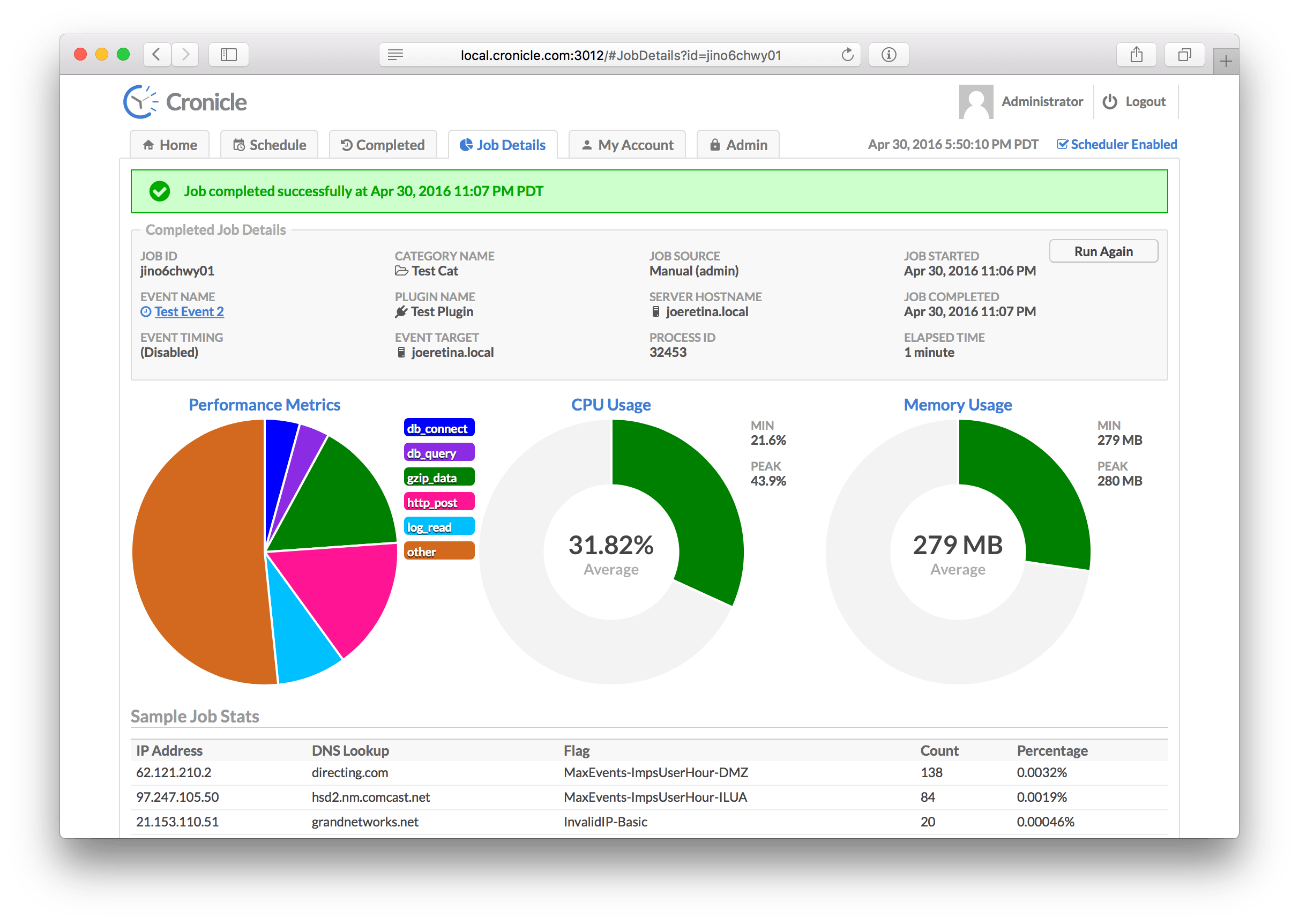
Cronicle screenshot 1

Setup time

A few minutes

Deployment

Your own server

Services

1 connected service

Why Cronicle

Everything you need, running where you choose.

Get the full Cronicle experience with Easypanel handling the repetitive infrastructure work around it.

Web-Based Interface
A user-friendly web interface for managing scheduled tasks.
Support for Complex Workflows
Handle complex task dependencies and conditional execution.
Distributed Execution
Run tasks across multiple servers, balancing load and ensuring high availability.
Detailed Logging
Keep detailed logs of all task executions for auditing and troubleshooting.
Automated Task Scheduling
Automate recurring tasks with precise scheduling and dependency management.
Multi-Server Support
EDistribute tasks across multiple servers for improved performance and redundancy.
How it works

From template to live app in three steps.

Easypanel turns the template into real services, storage, and domains on the server you already control.

Already have Easypanel? Open your dashboard at the URL or IP of your own installation.

Installation guide
1
Open your dashboard
Visit the URL or IP of your Easypanel installation and choose the target project.
2
Choose Cronicle
Open Templates, select Cronicle, then review its service names and configuration.
3
Deploy and open your app
Easypanel starts every service and provisions an HTTPS domain for you.
Installation options
The template asks for these values before creating your services.
OptionDefaultRequired

App Service Name

cronicleRequired

App Service Image

soulteary/cronicle:0.9.80Required
Resources
Project documentation and source code.
Latest template update
Apr 29, 2026

Version bumped to 0.9.80

Questions

Deploy with confidence.

The template handles the application setup while Easypanel keeps the infrastructure understandable and under your control.

Keep exploring

Related templates

Browse all
BentoPDF logo
BentoPDF
BentoPDF is a powerful self-hosted PDF manipulation and conversion service that provides a comprehensive API for working with PDF documents. It enables developers and teams to automate PDF operations including conversion, merging, splitting, compression, watermarking, and more through a simple REST API. Built with modern technologies, BentoPDF offers a web interface for manual operations and programmatic access for integration into your applications and workflows. The service supports converting various document formats to PDF, extracting text and images, adding annotations, and manipulating PDF metadata. With no external dependencies on third-party services, BentoPDF ensures your documents remain private and secure on your own infrastructure. Perfect for document management systems, automated report generation, form processing, digital archiving, and any application that requires reliable PDF handling capabilities without the costs and privacy concerns of cloud-based PDF services.
View template
Drone Runner logo
Drone Runner
Drone.io is a self-service Continuous Integration platform designed for busy development teams. It automates software build and testing, making it easier for teams to manage their development process. The platform allows for configuration as a code, with pipelines configured through a simple, easy-to-read file committed to your git repository. Each pipeline step is executed inside an isolated Docker container that is automatically downloaded at runtime. Drone.io integrates seamlessly with multiple source code management systems, including GitHub, GitHubEnterprise, Bitbucket, and GitLab. It supports multiple operating systems and architectures, and works with any language, database, or service that runs inside a Docker container. The platform also allows for advanced customization, including custom access controls, approval workflows, secret management, and yaml syntax extensions. Drone.io ensures that every build runs in an isolated Docker container, providing full control and preventing conflicting builds on shared servers.
View template
PgBackWeb logo
PgBackWeb
PgBackWeb is a comprehensive web-based backup solution for PostgreSQL databases. It provides an intuitive interface to manage, schedule, and monitor PostgreSQL backups with support for multiple backup destinations including local storage and S3-compatible object storage. The application allows you to configure automated backup schedules, manage retention policies, and restore databases through a user-friendly web interface. PgBackWeb ensures your PostgreSQL databases are safely backed up with encryption support, making it an essential tool for database administrators who need reliable backup management without complex command-line operations. It supports multiple PostgreSQL instances and provides detailed backup logs and notifications.
View template
Cronicle logo
Ready to deploy Cronicle?
Open your own Easypanel dashboard, choose Cronicle from Templates, and review the deployment options.