All templates

Deploy Crosswatch on your own server.

Crosswatch logo

CrossWatch is a self-hosted synchronization engine that keeps Plex, Jellyfin, Emby, SIMKL, Trakt, AniList, TMDb, MDBList, and Tautulli aligned. It runs locally with a web UI on port 8787 where you link accounts, define sync pairs, run them manually or on a schedule, and review stats and history. It includes a built-in tracker with…

Your infrastructureAutomatic HTTPSNo lock-in

Screenshots

A closer look at Crosswatch.
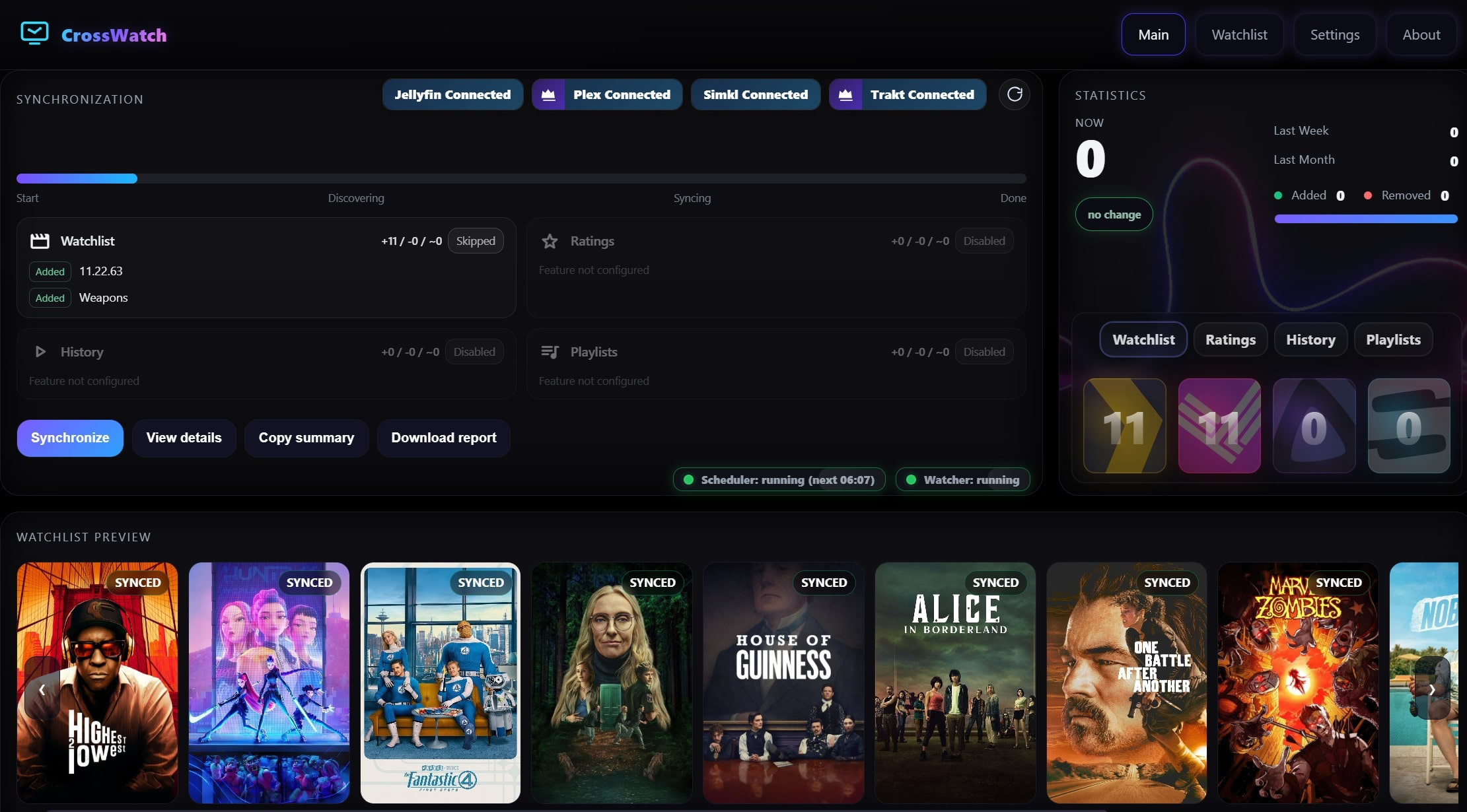
Crosswatch screenshot 1

Setup time

A few minutes

Deployment

Your own server

Services

1 connected service

Why Crosswatch

Everything you need, running where you choose.

Get the full Crosswatch experience with Easypanel handling the repetitive infrastructure work around it.

Sync pairs & scheduling
Define what syncs between which services; run on demand or on simple or advanced schedules.
Analyzer & Editor
Find stuck or inconsistent items across providers; inspect and fix or block entries.
Unified watchlist & player card
See combined watchlists and what is playing across your setup in real time.
Timezone support
Set TZ so schedules and timestamps match your region.
One sync hub
Configure Plex, Jellyfin, Emby, and multiple trackers from a single web UI with profiles for separate users or servers.
Rich sync & scrobble
Watchlists, ratings, history, progress between servers, and scrobbling to Trakt, SIMKL, MDBList—without requiring Plex Pass or Emby Premiere for watcher flows.
How it works

From template to live app in three steps.

Easypanel turns the template into real services, storage, and domains on the server you already control.

Already have Easypanel? Open your dashboard at the URL or IP of your own installation.

Installation guide
1
Open your dashboard
Visit the URL or IP of your Easypanel installation and choose the target project.
2
Choose Crosswatch
Open Templates, select Crosswatch, then review its service names and configuration.
3
Deploy and open your app
Easypanel starts every service and provisions an HTTPS domain for you.
Installation options
The template asks for these values before creating your services.
OptionDefaultRequired

App Service Name

crosswatchRequired

App Service Image

ghcr.io/cenodude/crosswatch:0.9.18Required

Timezone

Timezone for the application (e.g., Asia/Karachi, America/New_York, Europe/London)

Asia/KarachiRequired
Resources
Project documentation and source code.
Latest template update
Apr 29, 2026

Version bumped to 0.9.18

Questions

Deploy with confidence.

The template handles the application setup while Easypanel keeps the infrastructure understandable and under your control.

Crosswatch logo
Ready to deploy Crosswatch?
Open your own Easypanel dashboard, choose Crosswatch from Templates, and review the deployment options.