Deploy Cryptgeon on your own server.

Cryptgeon is a secure, open source sharing note or file service inspired by PrivNote. It includes a server, a web page and a CLI client.
Your infrastructureAutomatic HTTPSNo lock-in
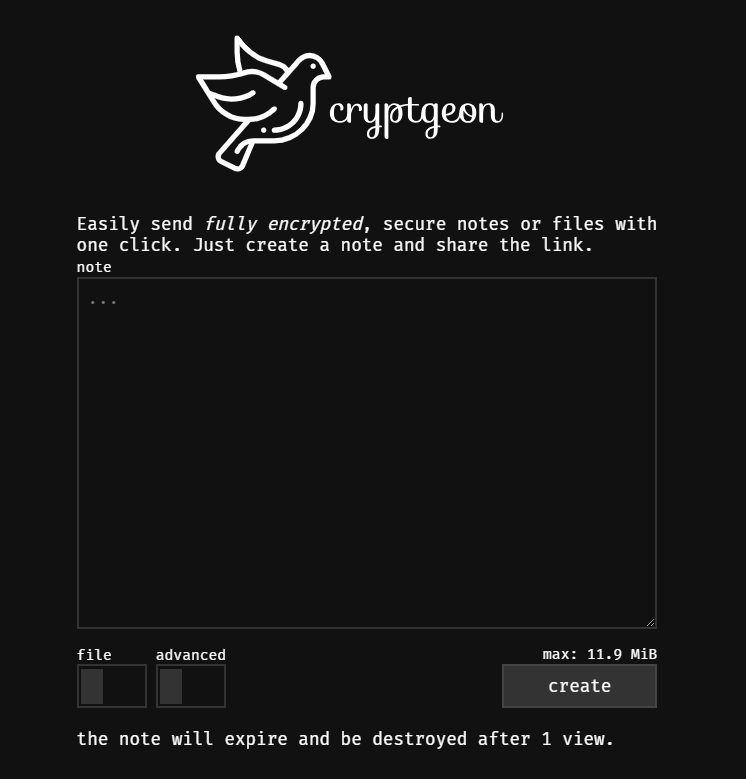
Screenshots
A closer look at Cryptgeon.
Setup time
A few minutes
Deployment
Your own server
Services
2 connected services
Why Cryptgeon
Everything you need, running where you choose.
Get the full Cryptgeon experience with Easypanel handling the repetitive infrastructure work around it.
Server Component
Handles secure sharing of notes and files.
Web Interface
A user-friendly web page for easy note and file access.
CLI Client
A command-line tool for managing and sharing notes and files.
Secure Encryption
Implements robust encryption protocols to protect your data.
Secure Sharing
Cryptgeon uses encryption to ensure your shared notes and files remain confidential.
Multi-Platform Access
Access your content via the server, web page, or CLI client for versatility.
How it works
From template to live app in three steps.
Easypanel turns the template into real services, storage, and domains on the server you already control.
Already have Easypanel? Open your dashboard at the URL or IP of your own installation.
Installation guide1
Open your dashboard
Visit the URL or IP of your Easypanel installation and choose the target project.
2
Choose Cryptgeon
Open Templates, select Cryptgeon, then review its service names and configuration.
3
Deploy and open your app
Easypanel starts every service and provisions an HTTPS domain for you.
Installation options
The template asks for these values before creating your services.
| Option | Default | Required |
|---|---|---|
App Service Name | cryptgeon | Required |
App Service Image | cupcakearmy/cryptgeon:2.9.1 | Required |
Resources
Project documentation and source code.
Latest template update
Mar 11, 2025
First Release
Questions
Deploy with confidence.
The template handles the application setup while Easypanel keeps the infrastructure understandable and under your control.
Keep exploring
Browse allRelated templates

qBittorrent
qBittorrent is a powerful, open-source BitTorrent client designed to provide an efficient and feature-rich experience for downloading and sharing files. It offers a user-friendly interface, robust functionality, and cross-platform compatibility. qBittorrent supports advanced features like sequential downloading, IP filtering, RSS feed support, and a built-in search engine for finding torrents. It also includes a web-based interface for managing downloads remotely. Designed to balance performance, simplicity, and advanced capabilities, qBittorrent is ideal for users seeking a secure and reliable torrenting solution.
View template
FileShelter
A simple and secure file sharing application that allows users to upload and share files with a clean web interface. Files are stored on the server and can be accessed through unique URLs.
View template

PairDrop
PairDrop is an open-source peer-to-peer file sharing application designed for seamless and secure data transfer between devices on the same network. With its minimalist design and cross-platform compatibility, PairDrop ensures a user-friendly and efficient file sharing experience. It eliminates the need for third-party cloud services, offering a direct and private solution for sharing files, links, and other data securely.
View template
Ready to deploy Cryptgeon?
Open your own Easypanel dashboard, choose Cryptgeon from Templates, and review the deployment options.