All templates

Deploy Directus on your own server.

Directus logo

Directus is a modern, open-source data platform that instantly transforms any SQL database into an API and a beautiful no-code app. It is designed to work with any SQL database, allowing you to maintain complete control over your new or existing database without the need for migration to a proprietary data model. The Directus API layers…

Your infrastructureAutomatic HTTPSNo lock-in

Screenshots

A closer look at Directus.
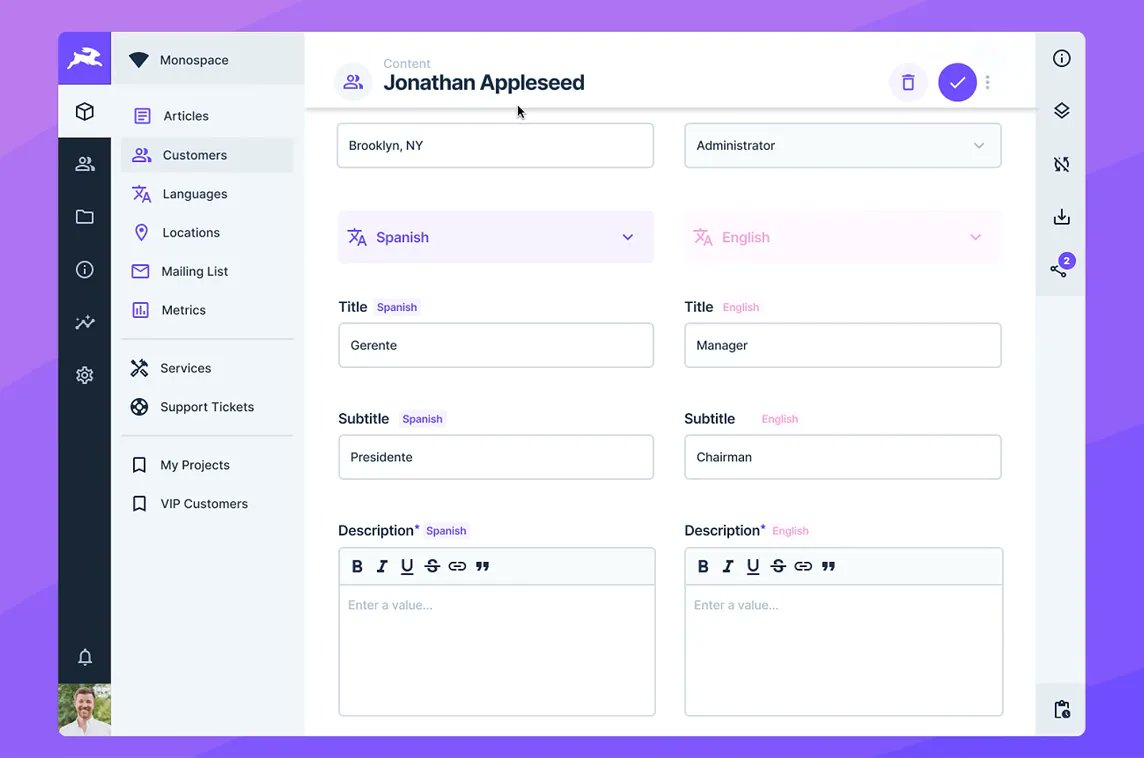
Directus screenshot 1

Setup time

A few minutes

Deployment

Your own server

Services

3 connected services

Why Directus

Everything you need, running where you choose.

Get the full Directus experience with Easypanel handling the repetitive infrastructure work around it.

Data Engine
Directus features a modern data stack that turns any SQL database into an API and a beautiful no-code app. It's the world's first Open Data Platform for instantly managing your data.
Data Studio
The Data Studio feature allows for no-code data collaboration. It enables your entire team to safely and intuitively browse, manage, and visualize data.
Workflow Automation
With the Workflow Automation feature, Directus allows you to automate your workflows, increasing efficiency and productivity.
Asset Management
Directus also features an Asset Management system that allows you to manage and deliver assets efficiently.
Efficient Data Management
Directus is a modern, open-source data platform that allows you to efficiently manage your SQL database. It provides a dynamic API for your data, enabling you to browse, manage, and visualize your data in an intuitive no-code app.
Flexible and Scalable
Whether you're managing content for websites, apps, or digital signage, or building back-office apps and admin panels, Directus offers endless solutions. Its flexibility and scalability make it an ideal solution for projects of any size.
How it works

From template to live app in three steps.

Easypanel turns the template into real services, storage, and domains on the server you already control.

Already have Easypanel? Open your dashboard at the URL or IP of your own installation.

Installation guide
1
Open your dashboard
Visit the URL or IP of your Easypanel installation and choose the target project.
2
Choose Directus
Open Templates, select Directus, then review its service names and configuration.
3
Deploy and open your app
Easypanel starts every service and provisions an HTTPS domain for you.
Installation options
The template asks for these values before creating your services.
OptionDefaultRequired

App Service Name

directusRequired

App Service Image

directus/directus:11.17.3Required

Admin Email

[email protected]

Required

Admin Password

Set during installRequired

Database Type

Postgres / MySQLRequired

Database Service Name

directus-dbRequired

Redis Service Name

directus-redisRequired
Resources
Project documentation and source code.
Latest template update
Apr 29, 2026

Version bumped to 11.17.3

Questions

Deploy with confidence.

The template handles the application setup while Easypanel keeps the infrastructure understandable and under your control.

Keep exploring

Related templates

Browse all
Hasura logo
Hasura
Hasura is a powerful Data API Platform that automates the process of building, securing, optimizing, and deploying GraphQL and REST APIs. It eliminates the need for manual API creation, enabling developers to generate APIs effortlessly by connecting to existing databases. This results in rapid, scalable application development. Hasura is compatible with a variety of popular databases, including PostgreSQL, MySQL, and MongoDB, allowing you to build GraphQL APIs on top of your existing databases. It also provides comprehensive tools to secure APIs beyond authentication and authorization. With Hasura, you can accelerate the development of new applications or add new features to an existing application in days instead of weeks. It also helps in fast-tracking cloud migration, frontend and backend modernization, and application re-architecture projects by automating 80% of your API development work.
View template
PocketBase logo
PocketBase
PocketBase is a powerful backend solution for your next SaaS or Mobile app. It is designed to be ready to use out of the box, providing a realtime database, user authentication, file storage, and an admin dashboard all in one file. The realtime database is embedded and performant, featuring a schema builder, data validations, realtime subscriptions, and an easy-to-use REST API. The authentication feature allows you to manage your app users and handle email/password and OAuth2 sign ups from various platforms like Google, Facebook, GitHub, GitLab without any hassle. The file storage feature allows you to store files locally or in an S3 storage, attach media to your database records, and generate thumbnails on the fly. PocketBase is extendable and can be used as a standalone app or as a Go framework, which you can extend via hooks to create your own custom portable backend. It also provides official client SDKs for seamless integration.
View template
Adminer logo
Adminer
Adminer is a comprehensive database management tool, designed to simplify and streamline your database operations. Written in PHP, it is a lightweight yet powerful tool that supports a wide range of databases including MySQL, MariaDB, PostgreSQL, SQLite, MS SQL, Oracle, Elasticsearch, MongoDB and others. With Adminer, you can easily connect to a database server using a username and password, select an existing database or create a new one, and manage all aspects of your database including tables, columns, indexes, foreign keys, triggers, views, stored procedures, and functions. It also allows you to execute any SQL command from a text field or a file, and export your database structure, data, views, routines, and databases to SQL or CSV. Adminer prioritizes security, user experience, performance, feature set, and size, making it a reliable and efficient tool for all your database management needs.
View template
Directus logo
Ready to deploy Directus?
Open your own Easypanel dashboard, choose Directus from Templates, and review the deployment options.