All templates

Deploy Drone on your own server.

Drone logo

Drone.io is a self-service Continuous Integration platform designed for busy development teams. It automates software build and testing, making it an essential tool for efficient and effective software development. Drone.io is configured with a simple, easy-to-read file that you commit to your git repository, and each pipeline step is…

Your infrastructureAutomatic HTTPSNo lock-in

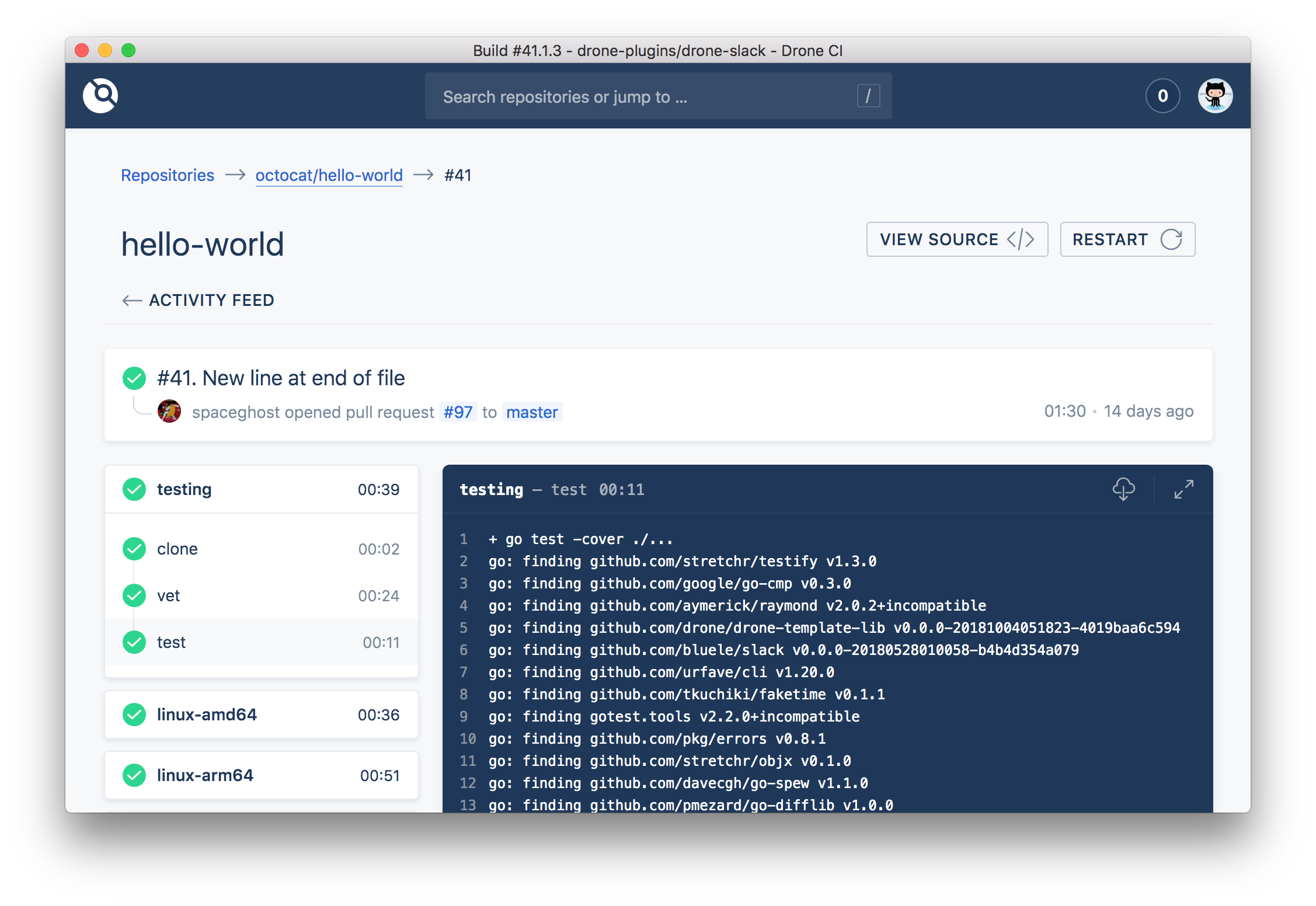
Screenshots

A closer look at Drone.

Drone screenshot 1

Setup time

A few minutes

Deployment

Your own server

Services

2 connected services

Why Drone

Everything you need, running where you choose.

Get the full Drone experience with Easypanel handling the repetitive infrastructure work around it.

Configuration as a Code
Pipelines in Drone are configured with a simple, easy-to-read file that you commit to your git repository. Each Pipeline step is executed inside an isolated Docker container that is automatically downloaded at runtime.
Support for Any Language
Drone works with any language, database or service that runs inside a Docker container. You can choose from thousands of public Docker images or provide your own.
Plugin Creation and Sharing
Drone uses containers to drop pre-configured steps into your pipeline. You can choose from hundreds of existing plugins, or create your own.
Advanced Customization
Drone makes advanced customization easy. You can implement custom access controls, approval workflows, secret management, yaml syntax extensions and more.
Isolated Builds
With Drone, you don't have to worry about conflicting builds on shared servers. Every build runs in an isolated Docker container, giving you full control.
Automated Software Build and Testing
Drone is a self-service Continuous Integration platform designed for busy development teams. It automates the process of software build and testing, saving time and reducing errors.
How it works

From template to live app in three steps.

Easypanel turns the template into real services, storage, and domains on the server you already control.

Already have Easypanel? Open your dashboard at the URL or IP of your own installation.

Installation guide
1
Open your dashboard
Visit the URL or IP of your Easypanel installation and choose the target project.
2
Choose Drone
Open Templates, select Drone, then review its service names and configuration.
3
Deploy and open your app
Easypanel starts every service and provisions an HTTPS domain for you.
Installation options
The template asks for these values before creating your services.
OptionDefaultRequired

App Service Name

droneRequired

App Service Image

drone/drone:2.27.0Required

Runner Service Name

drone-runnerRequired

Runner Service Image

drone/drone-runner-docker:1.8.4Required

GitHub OAuth Client ID

Required

GitHub OAuth Client Secret

Set during installRequired

RPC Host

Required

RPC Protocol

https / httpRequired

Install Runner Service

falseOptional

Capacity for runner if enabled

2Optional
Resources
Project documentation and source code.
Latest template update
Feb 18, 2026

Version bumped to 2.27.0

Questions

Deploy with confidence.

The template handles the application setup while Easypanel keeps the infrastructure understandable and under your control.

Keep exploring

Related templates

Browse all
Drone Runner logo
Drone Runner
Drone.io is a self-service Continuous Integration platform designed for busy development teams. It automates software build and testing, making it easier for teams to manage their development process. The platform allows for configuration as a code, with pipelines configured through a simple, easy-to-read file committed to your git repository. Each pipeline step is executed inside an isolated Docker container that is automatically downloaded at runtime. Drone.io integrates seamlessly with multiple source code management systems, including GitHub, GitHubEnterprise, Bitbucket, and GitLab. It supports multiple operating systems and architectures, and works with any language, database, or service that runs inside a Docker container. The platform also allows for advanced customization, including custom access controls, approval workflows, secret management, and yaml syntax extensions. Drone.io ensures that every build runs in an isolated Docker container, providing full control and preventing conflicting builds on shared servers.
View template
SonarQube Community logo
SonarQube Community
SonarQube Community is an open-source platform for continuous inspection of code quality, designed to detect bugs, vulnerabilities, and code smells across multiple programming languages. It integrates with various CI/CD pipelines, providing valuable insights into code health and maintainability. SonarQube helps teams ensure that their code meets quality standards and aligns with security requirements, promoting efficient software development practices. The Community version is feature-rich and free to use, making it an ideal choice for developers and organizations focused on improving code quality without incurring costs.
View template
TeamCity logo
TeamCity
TeamCity is a build management and continuous integration server from JetBrains.
View template
Drone logo
Ready to deploy Drone?
Open your own Easypanel dashboard, choose Drone from Templates, and review the deployment options.