All templates

Deploy Duplicati on your own server.

Duplicati logo

Duplicati is a free, open-source backup software designed to store encrypted backups online. It is compatible with Windows, macOS, and Linux. The software works with standard protocols like FTP, SSH, WebDAV, and popular services such as Backblaze B2, Tardigrade, Microsoft OneDrive, Amazon S3, Google Drive, box.com, Mega, hubiC, and many…

Your infrastructureAutomatic HTTPSNo lock-in

Screenshots

A closer look at Duplicati.
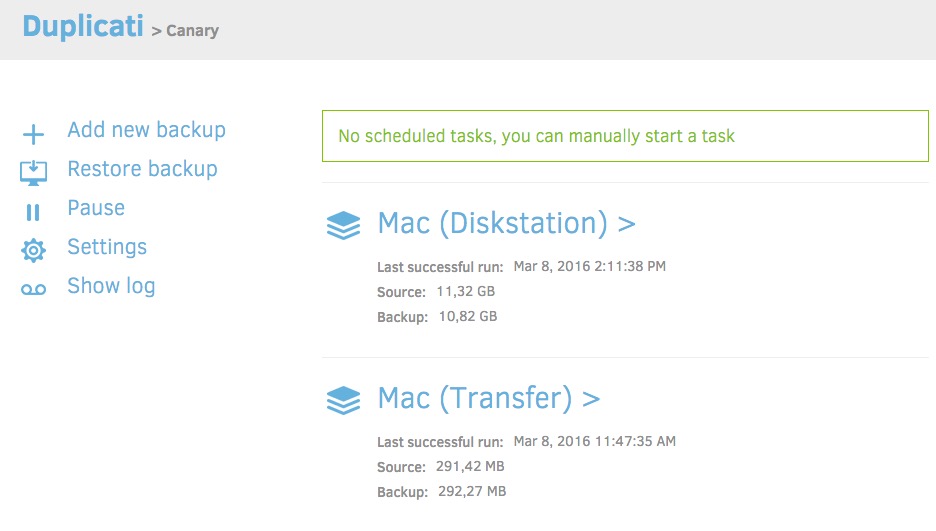
Duplicati screenshot 1

Setup time

A few minutes

Deployment

Your own server

Services

1 connected service

Why Duplicati

Everything you need, running where you choose.

Get the full Duplicati experience with Easypanel handling the repetitive infrastructure work around it.

Strong Encryption
Duplicati uses strong AES-256 encryption to protect your privacy. You can also use GPG to encrypt your backup, ensuring your data is secure.
Supports Many Backends
Duplicati works with standard protocols like FTP, SSH, WebDAV as well as popular services like Backblaze B2, Tardigrade, Microsoft OneDrive, Amazon S3, Google Drive, box.com, Mega, hubiC and many others.
Incremental Backups and Data Deduplication
Save space with incremental backups and data deduplication. Duplicati uploads a full backup initially and stores smaller, incremental updates afterwards to save bandwidth and storage space.
Built-in Scheduler and Auto-updater
Duplicati has a built-in scheduler and auto-updater, keeping your backups up-to-date automatically.
Secure Backup
Duplicati is a free backup software that securely stores encrypted backups online, ensuring your data is safe and protected.
Efficient Data Handling
Designed for online backups from scratch, Duplicati is not only data efficient but also handles network issues effectively. Interrupted backups can be resumed and the content of backups is tested regularly.
How it works

From template to live app in three steps.

Easypanel turns the template into real services, storage, and domains on the server you already control.

Already have Easypanel? Open your dashboard at the URL or IP of your own installation.

Installation guide
1
Open your dashboard
Visit the URL or IP of your Easypanel installation and choose the target project.
2
Choose Duplicati
Open Templates, select Duplicati, then review its service names and configuration.
3
Deploy and open your app
Easypanel starts every service and provisions an HTTPS domain for you.
Installation options
The template asks for these values before creating your services.
OptionDefaultRequired

App Service Name

duplicatiRequired

App Service Image

lscr.io/linuxserver/duplicati:2.2.1Required

App Service Password

Set during installRequired
Resources
Project documentation and source code.
Latest template update
Apr 29, 2026

Version bumped to 2.2.1

Questions

Deploy with confidence.

The template handles the application setup while Easypanel keeps the infrastructure understandable and under your control.

Keep exploring

Related templates

Browse all
Zerobyte logo
Zerobyte
Zerobyte is a self-hosted backup and restore management solution that provides a unified web interface for managing your backup repositories across multiple storage backends. It supports various cloud storage providers including S3-compatible storage, Google Cloud Storage, Azure Blob Storage, and local directories through rclone integration. With its intuitive web interface, you can configure backup sources, manage multiple repositories, schedule backups, and perform restores with ease. The application leverages FUSE filesystem capabilities to mount and interact with cloud storage as if it were local storage, enabling seamless backup and restore operations. Zerobyte features automatic backup scheduling, support for multiple storage backends, encrypted backup repositories, incremental backups for efficient storage usage, and comprehensive restore capabilities. The web-based dashboard allows you to monitor backup status, view repository statistics, and manage your backup configurations without command-line tools. Perfect for home lab enthusiasts who need reliable backup solutions, system administrators managing multiple backup repositories, organizations requiring self-hosted backup infrastructure, or anyone who wants to maintain control over their backup data with support for various cloud providers and local storage options.
View template
Borg UI logo
Borg UI
Borg UI is a modern web-based interface for BorgBackup, the popular deduplicating backup program with compression and authenticated encryption. It provides an intuitive dashboard for managing backup repositories, creating and scheduling backups, monitoring backup status, and restoring files through a user-friendly web interface. BorgBackup is known for its efficiency through deduplication at the chunk level, strong encryption using AES-256, and data integrity verification. Borg UI simplifies the complexity of command-line operations by offering visual repository management, backup job configuration, automated scheduling, space-efficient storage tracking, and easy file restoration. The self-hosted solution gives you complete control over your backup infrastructure while maintaining the security and reliability of BorgBackup. With access to your entire filesystem, it can protect any data on your server including application files, databases, configurations, and user data. Perfect for system administrators, developers, and anyone who needs reliable, encrypted, and space-efficient backup solutions without relying on proprietary cloud backup services or complex command-line interfaces.
View template
Backrest logo
Backrest
Backrest is a web UI and orchestrator for restic backups. It supports scheduling, browsing snapshots, restores, notifications, and any restic-backed storage (S3, B2, rclone remotes, local, etc.). This template keeps the standard data/config/cache/tmp/rclone volumes and optionally bind-mounts host paths at /userdata and /repos like the upstream Docker Compose examples.
View template
Duplicati logo
Ready to deploy Duplicati?
Open your own Easypanel dashboard, choose Duplicati from Templates, and review the deployment options.