All templates

Deploy Etherpad on your own server.

Etherpad logo

Etherpad is an open-source online editor that enables real-time collaborative editing directly in your browser. Users can simultaneously work on documents, such as articles, press releases, or to-do lists, with all changes visible to everyone in real time. It supports import/export to various data exchange formats and can be customized…

Your infrastructureAutomatic HTTPSNo lock-in

Screenshots

A closer look at Etherpad.
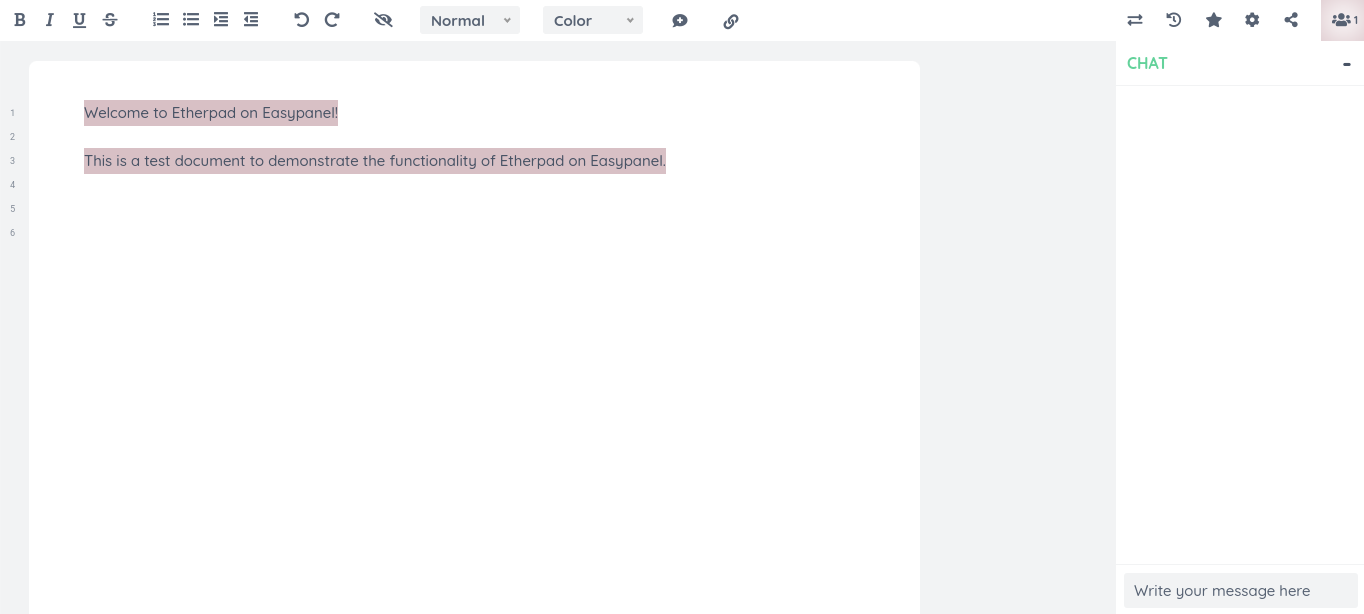
Etherpad screenshot 1

Setup time

A few minutes

Deployment

Your own server

Services

2 connected services

Why Etherpad

Everything you need, running where you choose.

Get the full Etherpad experience with Easypanel handling the repetitive infrastructure work around it.

Collaborative Editing
Etherpad allows multiple users to work on the same document simultaneously. All changes to the document are made in real-time, allowing all collaborators to see updates as they happen.
Extensive Plugin Support
Etherpad supports a wide range of plugins that allow you to customize your instance to suit your needs. Whether you need additional functionalities or tools, there's likely a plugin for that.
Multi-Language Support
Etherpad supports multiple languages, making it a truly global solution. Whether your team is in the United States, China, Spain, or anywhere else in the world, they can use Etherpad in their native language.
Real-Time Collaboration
Etherpad allows you to edit documents collaboratively in real-time, much like a live multi-player editor that runs in your browser. This eliminates the need for sending your work back and forth via email, making collaboration more efficient.
Highly Customizable
Etherpad is very customizable through plugins, allowing you to tailor your instance to suit your needs. This flexibility makes it a versatile tool for various collaborative tasks.
Accessible and User-Friendly
Etherpad is designed to be user-friendly and accessible. You don't need to set up a server and install Etherpad in order to use it. Just pick one of the publicly available instances or set up your own instance by following the installation guide.
How it works

From template to live app in three steps.

Easypanel turns the template into real services, storage, and domains on the server you already control.

Already have Easypanel? Open your dashboard at the URL or IP of your own installation.

Installation guide
1
Open your dashboard
Visit the URL or IP of your Easypanel installation and choose the target project.
2
Choose Etherpad
Open Templates, select Etherpad, then review its service names and configuration.
3
Deploy and open your app
Easypanel starts every service and provisions an HTTPS domain for you.
Installation options
The template asks for these values before creating your services.
OptionDefaultRequired

App Service Name

etherpadRequired

App Service Image

etherpad/etherpad:2.7.2Required

Database Service Name

etherpad-dbRequired
Resources
Project documentation and source code.
Latest template update
Apr 29, 2026

Version bumped to 2.7.2

Questions

Deploy with confidence.

The template handles the application setup while Easypanel keeps the infrastructure understandable and under your control.

Keep exploring

Related templates

Browse all
Whiteboard logo
Whiteboard
Whiteboard is a lightweight, NodeJS-based collaborative sketchboard that can be easily customized to your needs. It allows multiple users to draw and write together in real-time, with each user's cursor visible to others. The app provides a range of features including the ability to undo and redo actions, drag and drop or copy and paste images or PDFs, resize, move, rotate and draw images, write text and sticky notes, and save the whiteboard to an image or JSON. You can also draw angle lines and squares by pressing 'Shift' while drawing. The app is compatible with PC, tablet, and mobile devices, and can be used in various projects such as WebRTC conference tools and online collaboration learning activities.
View template
Draw.io logo
Draw.io
Draw.io is a versatile, self-hosted diagramming tool designed for individuals and teams. It provides an intuitive, drag-and-drop interface for creating flowcharts, network diagrams, UML diagrams, and more. Draw.io supports integrations with various cloud storage solutions such as Google Drive, OneDrive, and local storage for easy file management. With a focus on simplicity and functionality, Draw.io enables seamless collaboration and offline access, ensuring that users can work efficiently. Its rich library of shapes, templates, and customization options caters to a wide range of diagramming needs.
View template
Leantime logo
Leantime
Leantime is an open-source project management system designed for startups and small teams. It offers a simple and intuitive interface to manage tasks, projects, and team collaboration efficiently. With Leantime, you can organize your work using timelines, kanban boards, and task lists. It also includes features like time tracking, milestones, and idea boards to streamline project workflows. Leantime supports integrations with various third-party tools, making it a flexible and scalable solution. Its emphasis on usability and simplicity ensures that teams can focus on productivity and achieving goals. Leantime is distributed under an open-source license, allowing for customization to meet the unique needs of any organization.
View template
Etherpad logo
Ready to deploy Etherpad?
Open your own Easypanel dashboard, choose Etherpad from Templates, and review the deployment options.