All templates

Deploy Filebrowser on your own server.
Filebrowser logo

File Browser is a versatile app designed to provide a file managing interface within a specified directory. It's a powerful tool that allows you to upload, delete, preview, rename, and edit your files with ease. The app supports the creation of multiple users, with each user having their own directory, making it an ideal solution for…

Your infrastructureAutomatic HTTPSNo lock-in

Screenshots

A closer look at Filebrowser.
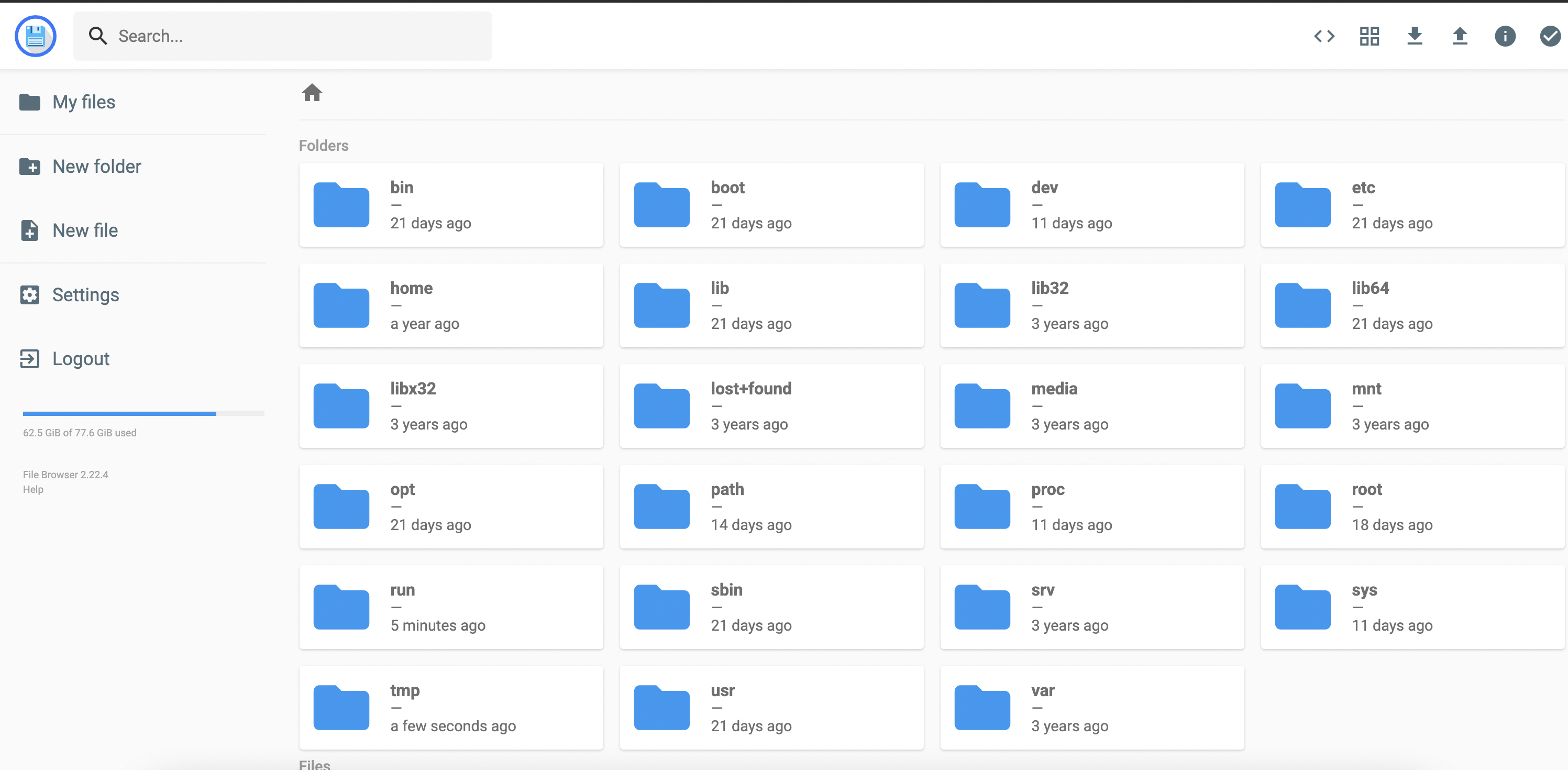
Filebrowser screenshot 1

Setup time

A few minutes

Deployment

Your own server

Services

1 connected service

Why Filebrowser

Everything you need, running where you choose.

Get the full Filebrowser experience with Easypanel handling the repetitive infrastructure work around it.

Authentication Method
File Browser allows you to change the way the user authenticates with the server, providing flexibility in terms of security and access control.
Command Runner
This feature enables you to execute any shell command you want before or after a certain event, providing a high level of customization and control.
Custom Branding
File Browser allows you to customize your installation by changing its name, adding a global custom style sheet, and using your own logotype.
Efficient File Management
File Browser offers a streamlined interface for managing files within a specified directory. It simplifies tasks such as uploading, deleting, previewing, renaming, and editing files.
Multi-User Support
The app supports the creation of multiple users, with each user having their own directory. This makes it an ideal tool for collaborative environments or shared systems.
Standalone Application
File Browser can be used as a standalone app, providing a dedicated platform for file management without the need for additional software.
How it works

From template to live app in three steps.

Easypanel turns the template into real services, storage, and domains on the server you already control.

Already have Easypanel? Open your dashboard at the URL or IP of your own installation.

Installation guide
1
Open your dashboard
Visit the URL or IP of your Easypanel installation and choose the target project.
2
Choose Filebrowser
Open Templates, select Filebrowser, then review its service names and configuration.
3
Deploy and open your app
Easypanel starts every service and provisions an HTTPS domain for you.
Installation options
The template asks for these values before creating your services.
OptionDefaultRequired

App Service Name

filebrowserRequired

App Service Image

filebrowser/filebrowser:v2.63.2Required
Resources
Project documentation and source code.
Latest template update
Apr 29, 2026

Version bumped to v2.63.2

Questions

Deploy with confidence.

The template handles the application setup while Easypanel keeps the infrastructure understandable and under your control.

Keep exploring

Related templates

Browse all
Chevereto logo
Chevereto
Chevereto is a powerful, self-hosted image and video hosting platform designed for individuals, communities, and businesses. It allows users to upload, organize, and share media effortlessly. With a clean interface and a wide range of customization options, Chevereto supports private albums, multi-language capabilities, and robust file management, making it the ultimate solution for image and video hosting.
View template
Dillinger logo
Dillinger
Dillinger is an open-source, online Markdown editor designed to provide a seamless and user-friendly experience for writing and editing Markdown files. With its intuitive interface, Dillinger supports real-time preview, file imports/exports, and integration with popular cloud storage services such as Dropbox, Google Drive, GitHub, and OneDrive. It allows users to write Markdown efficiently and export their work in various formats, including HTML, PDF, and Markdown itself. Dillinger operates as a modern, distraction-free editor that simplifies writing and content creation for developers, writers, and professionals.
View template
Filegator logo
Filegator
Filegator is a free, open-source, self-hosted web application for managing files and folders. It provides a user-friendly interface for organizing, uploading, downloading, and sharing files with comprehensive file management capabilities. Built with PHP, it offers multi-user support with different access permissions, roles, and home folders. All basic file operations are supported including copy, move, rename, edit, create, delete, preview, zip, unzip, download, and upload. The file upload feature supports drag & drop, progress bar, pause and resume functionality with chunked uploads for large files. Perfect for teams, students, field workers, and anyone needing a simple yet powerful file sharing and management solution.
View template
Filebrowser logo
Ready to deploy Filebrowser?
Open your own Easypanel dashboard, choose Filebrowser from Templates, and review the deployment options.