All templates

Deploy FireFlyIII on your own server.

FireFlyIII logo

Firefly III is a self-hosted personal finance manager designed to help you take control of your finances. It provides a simple and intuitive interface for tracking expenses, creating budgets, and generating insightful reports. With its robust features, Firefly III enables you to analyze your financial data effectively.

Your infrastructureAutomatic HTTPSNo lock-in

Screenshots

A closer look at FireFlyIII.
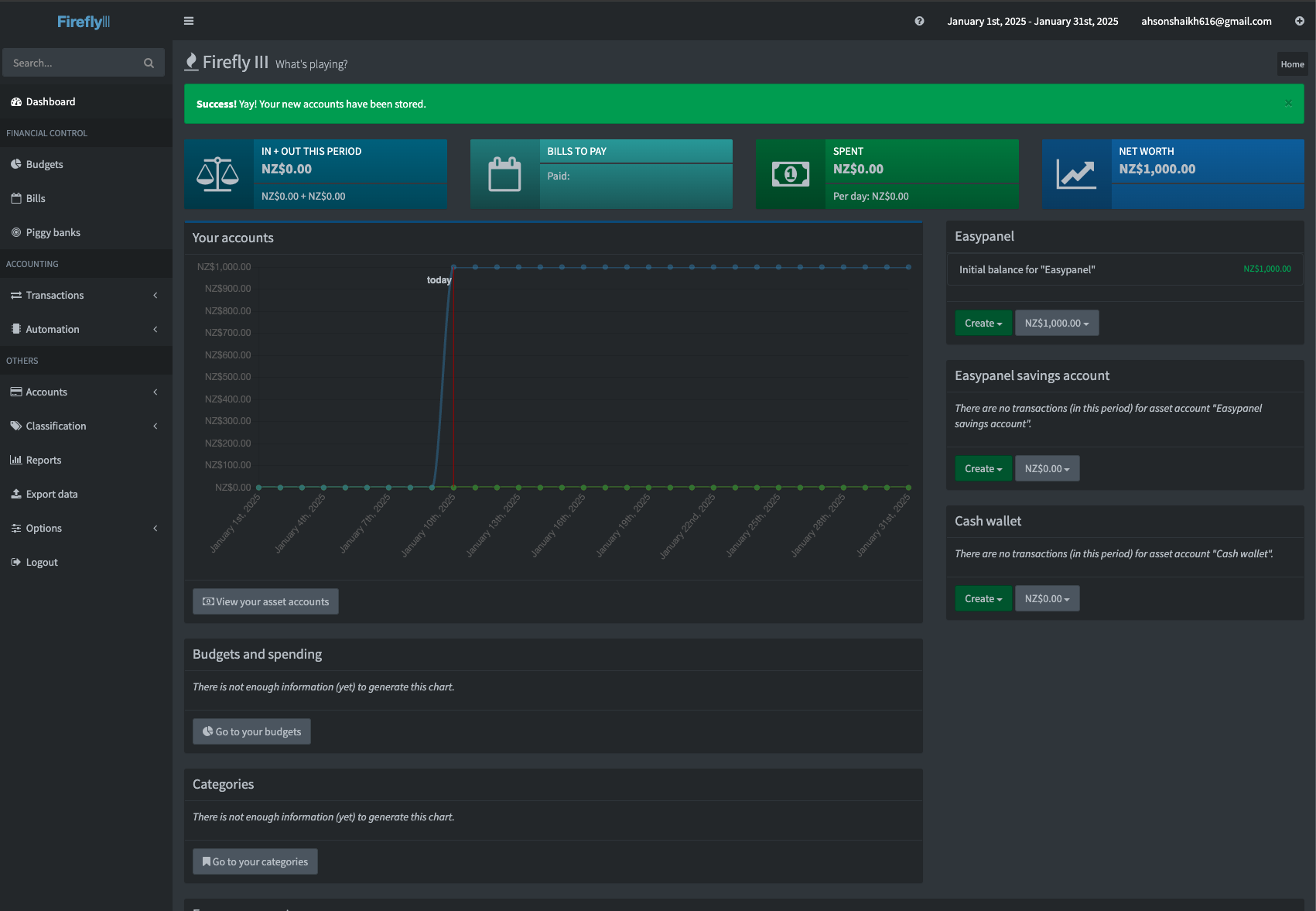
FireFlyIII screenshot 1

Setup time

A few minutes

Deployment

Your own server

Services

2 connected services

Why FireFlyIII

Everything you need, running where you choose.

Get the full FireFlyIII experience with Easypanel handling the repetitive infrastructure work around it.

Multi-Currency Support
Manage transactions in multiple currencies seamlessly.
Budget and Savings Goals
Set and track budgets or savings goals to stay financially disciplined.
Advanced Reporting
Gain insights with charts, reports, and visualizations of your financial data.
API Access
Extend functionality or integrate Firefly III with other applications through its API.
Comprehensive Financial Tracking
Firefly III allows you to track expenses, income, and transfers across multiple accounts with ease.
Budgeting Made Simple
Plan your finances and track your spending habits with intuitive budgeting tools.
How it works

From template to live app in three steps.

Easypanel turns the template into real services, storage, and domains on the server you already control.

Already have Easypanel? Open your dashboard at the URL or IP of your own installation.

Installation guide
1
Open your dashboard
Visit the URL or IP of your Easypanel installation and choose the target project.
2
Choose FireFlyIII
Open Templates, select FireFlyIII, then review its service names and configuration.
3
Deploy and open your app
Easypanel starts every service and provisions an HTTPS domain for you.
Installation options
The template asks for these values before creating your services.
OptionDefaultRequired

App Service Name

fireflyiiiRequired

App Service Image

fireflyiii/core:version-6.6.2Required
Resources
Project documentation and source code.
Latest template update
Apr 29, 2026

Version bumped to 6.6.2

Questions

Deploy with confidence.

The template handles the application setup while Easypanel keeps the infrastructure understandable and under your control.

Keep exploring

Related templates

Browse all
ExpenseOwl logo
ExpenseOwl
ExpenseOwl is a simple, self-hosted expense tracker designed for quick expense entry and essential tracking features. Built with a modern UI and user-friendly interface, it makes managing your personal finances straightforward and efficient. The application focuses on simplicity and ease of use, allowing you to quickly log expenses, categorize spending, and track your budget without complexity. ExpenseOwl stores all your financial data securely with persistent storage, ensuring your expense history is always available. Perfect for individuals who want a lightweight, privacy-focused expense tracking solution without the overhead of complex financial management software. The application can be used with simple file-based storage or connected to a PostgreSQL database for more advanced data management needs.
View template
Monetr logo
Monetr
Monetr is a self-hosted personal finance management application that helps you track your spending, manage budgets, and gain insights into your financial habits. Built with modern architecture, Monetr provides a comprehensive solution for managing your personal finances with features like transaction tracking, budget management, spending analysis, and financial goal setting. The system uses PostgreSQL for data persistence and Valkey (Redis-compatible) for caching and session management. Perfect for individuals looking for a self-hosted alternative to commercial personal finance applications.
View template
Paisa logo
Paisa
Paisa is a personal finance manager and expense tracker that helps you manage your finances, track expenses, and visualize your financial data.
View template
FireFlyIII logo
Ready to deploy FireFlyIII?
Open your own Easypanel dashboard, choose FireFlyIII from Templates, and review the deployment options.