All templates

Deploy FusionAuth on your own server.
FusionAuth logo

FusionAuth is a powerful, self-hosted identity and access management platform designed for developers. It provides a robust set of features, including user authentication, authorization, and user management, all accessible through a modern API or web interface. FusionAuth supports advanced features like social login, SSO, passwordless…

Your infrastructureAutomatic HTTPSNo lock-in

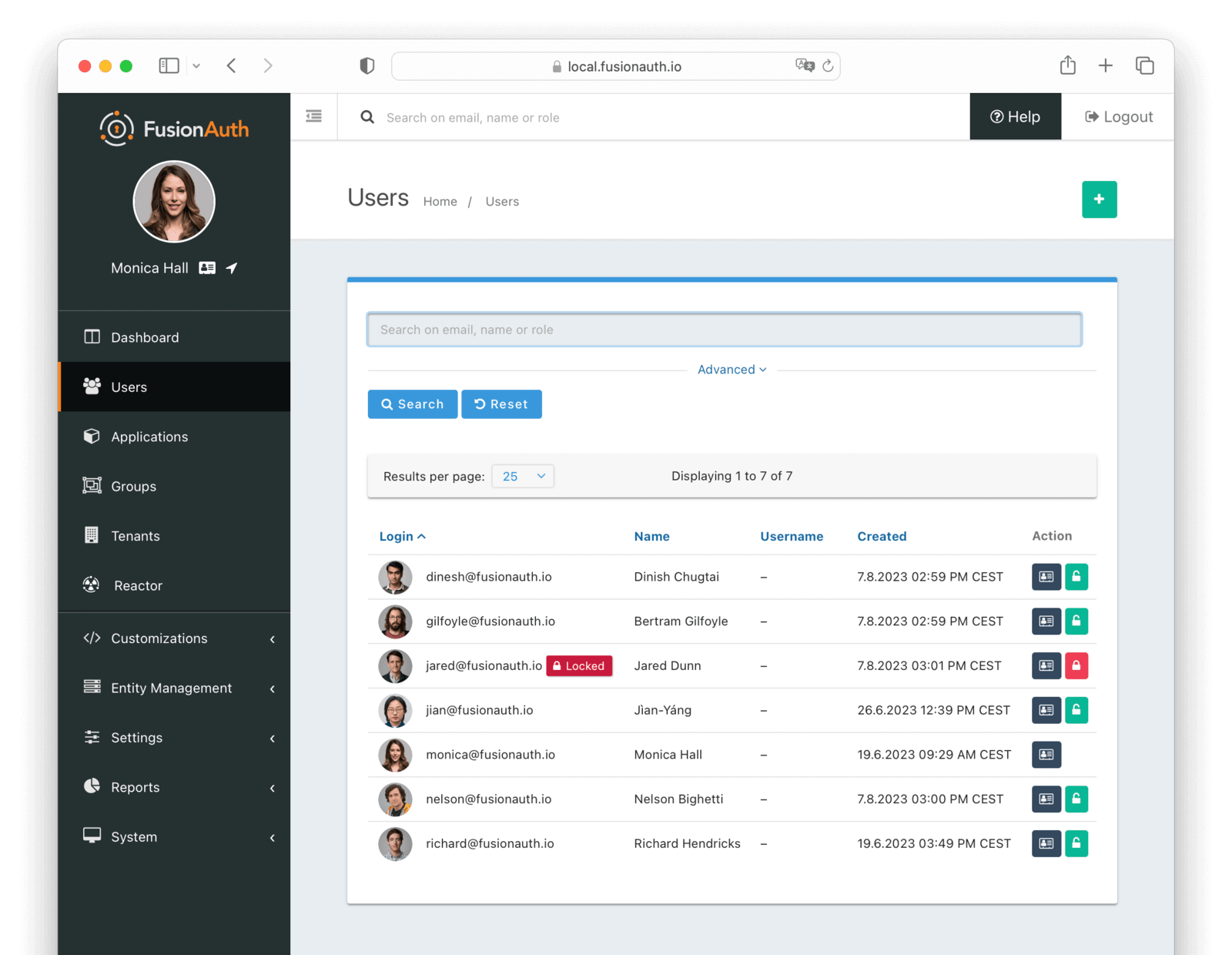
Screenshots

A closer look at FusionAuth.
FusionAuth screenshot 1

Setup time

A few minutes

Deployment

Your own server

Services

3 connected services

Why FusionAuth

Everything you need, running where you choose.

Get the full FusionAuth experience with Easypanel handling the repetitive infrastructure work around it.

Multi-Factor Authentication
Enhance user security with support for TOTP, SMS, and email-based multi-factor authentication.
Social Login
Easily integrate with popular social providers like Google, Facebook, and Twitter for quick user onboarding.
Customizable Branding
Fully customize the look and feel of your login pages and user portals to match your brand.
Role-Based Access Control
Manage user permissions and access with fine-grained role-based access control.
Comprehensive Identity Management
FusionAuth allows you to manage user authentication, authorization, and profiles efficiently through a user-friendly interface or APIs.
Developer-Centric Solution
Designed with developers in mind, FusionAuth is easy to integrate into any application stack with extensive documentation and SDKs.
How it works

From template to live app in three steps.

Easypanel turns the template into real services, storage, and domains on the server you already control.

Already have Easypanel? Open your dashboard at the URL or IP of your own installation.

Installation guide
1
Open your dashboard
Visit the URL or IP of your Easypanel installation and choose the target project.
2
Choose FusionAuth
Open Templates, select FusionAuth, then review its service names and configuration.
3
Deploy and open your app
Easypanel starts every service and provisions an HTTPS domain for you.
Installation options
The template asks for these values before creating your services.
OptionDefaultRequired

App Service Name

fusionauthRequired

App Service Image

fusionauth/fusionauth-app:1.66.0Required

OpenSearch Service Image

opensearchproject/opensearch:3.1.0Required
Resources
Project documentation and source code.
Latest template update
Dec 25, 2025

Version bumped to 1.62.0

Questions

Deploy with confidence.

The template handles the application setup while Easypanel keeps the infrastructure understandable and under your control.

Keep exploring

Related templates

Browse all
Keycloak logo
Keycloak
Keycloak is an open-source Identity and Access Management tool that adds authentication to applications and secures services with minimal effort. It eliminates the need for storing or authenticating users, providing user federation, robust authentication, user management, and fine-grained authorization. Keycloak offers a Single-Sign On feature, allowing users to authenticate with Keycloak rather than individual applications, ensuring a seamless login experience across multiple applications. It also supports social login and can authenticate users with existing OpenID Connect or SAML 2.0 Identity Providers. Keycloak has built-in support to connect to existing LDAP or Active Directory servers and provides a centralized admin console for managing all aspects of the server. It also offers an account management console for users to manage their own accounts. Based on standard protocols, Keycloak supports OpenID Connect, OAuth 2.0, and SAML, and provides fine-grained authorization services for advanced permission management.
View template
Authorizer logo
Authorizer
Authorizer is a powerful tool designed to simplify the process of user authentication and authorization in your applications. It allows you to build secure apps 10x faster with its low code tool and low-cost deployment. With Authorizer, you have full control over your user data, which can be stored in your preferred database. The app supports multiple authentication recipes and allows you to authorize users based on your business roles. It is compatible with OAuth2 and OpenID APIs. Authorizer also offers secure session management with the best services baked in, including HTTP only cookies and Authorization Code flow for mobile-based authentication. It supports a wide range of databases, including major SQL, NoSQL, and GraphDBs. You can customize emails, configure webhooks for various events, and add an extra layer of security with email-based OTP for basic authentication. With Authorizer, you can deploy your authentication and authorization service anywhere with multiple deployment options. It is a comprehensive solution for all your authentication and authorization needs.
View template
LLDAP logo
LLDAP
LLDAP (Lightweight LDAP) is a simple, lightweight, high-performance LDAP server designed for authentication in small to medium-sized deployments. It provides an intuitive web UI for user management and a complete implementation of LDAP search and bind operations. LLDAP is perfect for self-hosted applications that require LDAP authentication without the complexity of full-featured LDAP servers like OpenLDAP. It stores user data in an embedded SQLite database by default but also supports PostgreSQL, making it easy to set up and maintain. With features like password hashing, account creation/deletion, group management, and MFA support, LLDAP offers a modern solution for identity management in your self-hosted infrastructure.
View template
FusionAuth logo
Ready to deploy FusionAuth?
Open your own Easypanel dashboard, choose FusionAuth from Templates, and review the deployment options.