All templates

Deploy Github Desktop on your own server.

Github Desktop logo

Github Desktop is an open-source, Electron-based application that simplifies the way you interact with GitHub. Written in TypeScript and using React, this app provides a user-friendly interface for managing your GitHub repositories. It allows you to access your GitHub account, manage your repositories, make changes, and track updates,…

Your infrastructureAutomatic HTTPSNo lock-in

Screenshots

A closer look at Github Desktop.
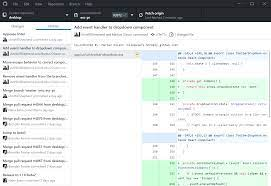
Github Desktop screenshot 1

Setup time

A few minutes

Deployment

Your own server

Services

1 connected service

Why Github Desktop

Everything you need, running where you choose.

Get the full Github Desktop experience with Easypanel handling the repetitive infrastructure work around it.

Open Source
Github Desktop is an open-source Electron-based GitHub app. It is written in TypeScript and uses React, making it a reliable and transparent tool for managing GitHub repositories.
Customizable Environment
The app provides a range of optional environment variables and run configurations that can be customized to suit your needs. This includes the ability to change the internal port the container listens on, the HTTP Basic auth username and password, and more.
Docker Integration
The app is capable of starting a Docker in Docker (DinD) setup inside the container, allowing you to use Docker in an isolated environment. This feature can be used to increase performance and functionality.
Lossless Mode
The app is capable of delivering a true lossless image at a high framerate to your web browser. This feature ensures that you always get the highest quality image possible.
Efficient GitHub Management
The Github Desktop app allows users to manage their GitHub repositories in a more efficient and streamlined manner. It provides a user-friendly interface that makes it easy to commit changes, create branches, and sync with the remote repository.
Multi-Platform Support
The app supports multiple architectures, making it accessible to a wide range of users. It utilizes the Docker manifest for multi-platform awareness, ensuring the correct image is retrieved for your architecture.
How it works

From template to live app in three steps.

Easypanel turns the template into real services, storage, and domains on the server you already control.

Already have Easypanel? Open your dashboard at the URL or IP of your own installation.

Installation guide
1
Open your dashboard
Visit the URL or IP of your Easypanel installation and choose the target project.
2
Choose Github Desktop
Open Templates, select Github Desktop, then review its service names and configuration.
3
Deploy and open your app
Easypanel starts every service and provisions an HTTPS domain for you.
Installation options
The template asks for these values before creating your services.
OptionDefaultRequired

App Service Name

github-desktopRequired

App Service Image

lscr.io/linuxserver/github-desktop:3.4.13Required
Resources
Project documentation and source code.
Latest template update
Jul 21, 2025

Version bumped to 3.4.13

Questions

Deploy with confidence.

The template handles the application setup while Easypanel keeps the infrastructure understandable and under your control.

Keep exploring

Related templates

Browse all
Chromium logo
Chromium
Chromium is an open-source browser project that is designed to provide a safer, faster, and more stable way for all users to experience the web. This app is a Docker containerized version of Chromium, allowing you to deploy and run the Chromium browser in a Docker environment. The app supports multiple architectures, including x86-64 and arm64, and can be accessed via HTTP or HTTPS. It offers additional environment variables and run configurations to enable or disable specific functionality. The app also allows you to specify one or multiple Chromium CLI flags, which will be passed to the application in full. This containerized version of Chromium is designed to function efficiently with modern websites, and includes options for GPU acceleration and Docker in Docker (DinD) setup.
View template
Usermemos logo
Usermemos
Usermemos is a lightweight, self-hosted note-taking application designed for simplicity, accessibility, and efficiency. It provides an intuitive interface for capturing and organizing memos with support for markdown formatting, tagging, and searching. This app is a Docker containerized version of Usermemos, making it easy to deploy and manage in various environments. The app supports multiple architectures, including x86-64 and arm64, and can be accessed via HTTP or HTTPS. It offers additional environment variables and configurations to enable customization. Usermemos is designed for both personal and collaborative usage, ensuring that users can manage their notes effectively.
View template
Drone Runner logo
Drone Runner
Drone.io is a self-service Continuous Integration platform designed for busy development teams. It automates software build and testing, making it easier for teams to manage their development process. The platform allows for configuration as a code, with pipelines configured through a simple, easy-to-read file committed to your git repository. Each pipeline step is executed inside an isolated Docker container that is automatically downloaded at runtime. Drone.io integrates seamlessly with multiple source code management systems, including GitHub, GitHubEnterprise, Bitbucket, and GitLab. It supports multiple operating systems and architectures, and works with any language, database, or service that runs inside a Docker container. The platform also allows for advanced customization, including custom access controls, approval workflows, secret management, and yaml syntax extensions. Drone.io ensures that every build runs in an isolated Docker container, providing full control and preventing conflicting builds on shared servers.
View template
Github Desktop logo
Ready to deploy Github Desktop?
Open your own Easypanel dashboard, choose Github Desktop from Templates, and review the deployment options.