All templates

Deploy GLPI on your own server.

GLPI logo

GLPI (Gestionnaire Libre de Parc Informatique) is a powerful IT asset management and help desk software designed to streamline IT operations. It offers features like inventory management, ticketing, and reporting, making it an ideal solution for IT teams. With its robust plugin support and user-friendly interface, GLPI provides extensive…

Your infrastructureAutomatic HTTPSNo lock-in

Screenshots

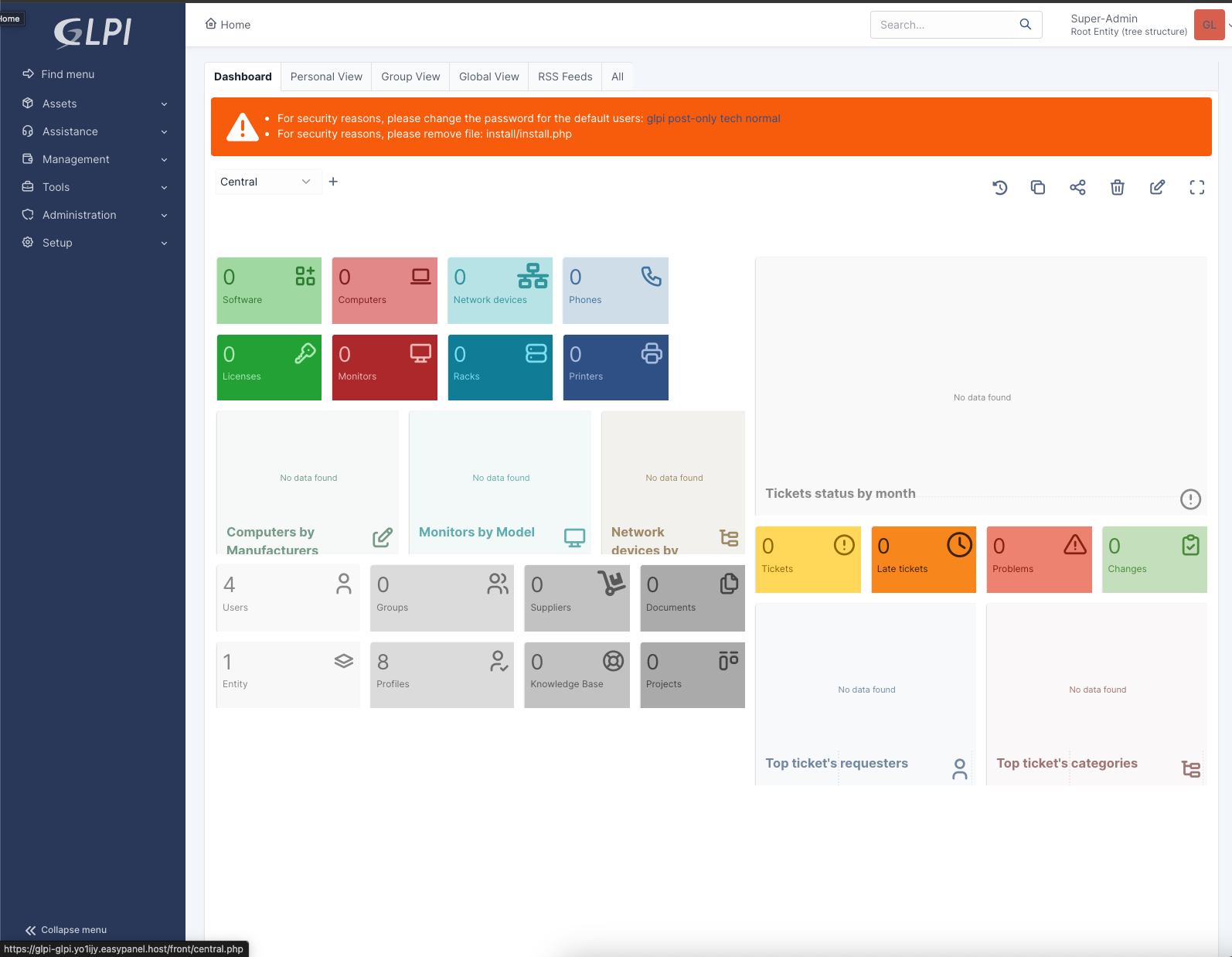
A closer look at GLPI.

GLPI screenshot 1

Setup time

A few minutes

Deployment

Your own server

Services

2 connected services

Why GLPI

Everything you need, running where you choose.

Get the full GLPI experience with Easypanel handling the repetitive infrastructure work around it.

Asset Inventory Management
Track and manage hardware, software, and other IT assets effectively.
Ticketing System
Manage user requests, incidents, and changes through an intuitive help desk interface.
Reporting and Statistics
Generate detailed reports to analyze IT performance and identify improvement areas.
Plugin Support
Enhance GLPI with a variety of plugins developed by the community.
User and Group Management
Manage roles and permissions to ensure secure access control.
Multi-Language Support
Available in multiple languages to cater to global organizations.
How it works

From template to live app in three steps.

Easypanel turns the template into real services, storage, and domains on the server you already control.

Already have Easypanel? Open your dashboard at the URL or IP of your own installation.

Installation guide
1
Open your dashboard
Visit the URL or IP of your Easypanel installation and choose the target project.
2
Choose GLPI
Open Templates, select GLPI, then review its service names and configuration.
3
Deploy and open your app
Easypanel starts every service and provisions an HTTPS domain for you.
Installation options
The template asks for these values before creating your services.
OptionDefaultRequired

App Service Name

glpiRequired

App Service Image

diouxx/glpi:9.1.4Required
Resources
Project documentation and source code.
Latest template update
Jul 21, 2025

Version bumped to 9.1.4

Questions

Deploy with confidence.

The template handles the application setup while Easypanel keeps the infrastructure understandable and under your control.

Keep exploring

Related templates

Browse all
Kimai logo
Kimai
Kimai is an open-source time-tracking solution designed for freelancers, small businesses, and enterprises to manage time-tracking needs efficiently. It enables users to track work hours, manage projects, and create accurate reports and invoices based on time entries. With a focus on simplicity and flexibility, Kimai is ideal for organizations looking to improve productivity, manage employee timesheets, and handle client billing without the complexity of traditional ERP systems. Kimai offers a modular architecture, allowing for easy customization to meet unique requirements, and it supports multi-user environments with permissions to manage data access.
View template
iTop logo
iTop
iTop is a self-hosted, open-source IT service management (ITSM) solution designed for businesses and organizations to manage their IT assets, incidents, and workflows efficiently. It provides a modern web interface for tracking and organizing IT infrastructure, support tickets, change requests, and service catalogs. iTop includes role-based user management, real-time notifications, and detailed reporting tools to help IT teams maintain operational efficiency. It supports multiple authentication methods, including LDAP and SAML, making it suitable for enterprise environments. Additionally, iTop offers API access for integration with third-party tools and automation of IT processes. Its containerized deployment ensures scalability and easy management.
View template
Snipe-IT logo
Snipe-IT
Snipe-IT is a powerful, open-source IT asset management system designed to help organizations efficiently manage and track their IT assets. From laptops to licenses, Snipe-IT provides a centralized platform to store, monitor, and manage asset information securely. Unlike traditional asset management systems, Snipe-IT is modern, intuitive, and built for ease of use. It features detailed reporting, asset auditing, and check-in/check-out functionality, ensuring accountability and accuracy for IT teams. Snipe-IT also supports role-based user management and integrates seamlessly with LDAP and SMTP for user authentication and notifications. Whether you're managing 10 or 10,000 assets, Snipe-IT offers the tools you need to stay organized and improve IT workflow. With robust API support, it can integrate with third-party systems for automation and enhanced reporting. Ideal for businesses of all sizes, Snipe-IT makes IT asset management easy and effective.
View template
GLPI logo
Ready to deploy GLPI?
Open your own Easypanel dashboard, choose GLPI from Templates, and review the deployment options.