All templates

Deploy ioBroker on your own server.

ioBroker logo

ioBroker is a powerful open-source IoT platform that allows you to connect different smart home systems and devices into one platform. It supports a wide range of protocols and devices, making it a versatile solution for home automation.

Your infrastructureAutomatic HTTPSNo lock-in

Screenshots

A closer look at ioBroker.
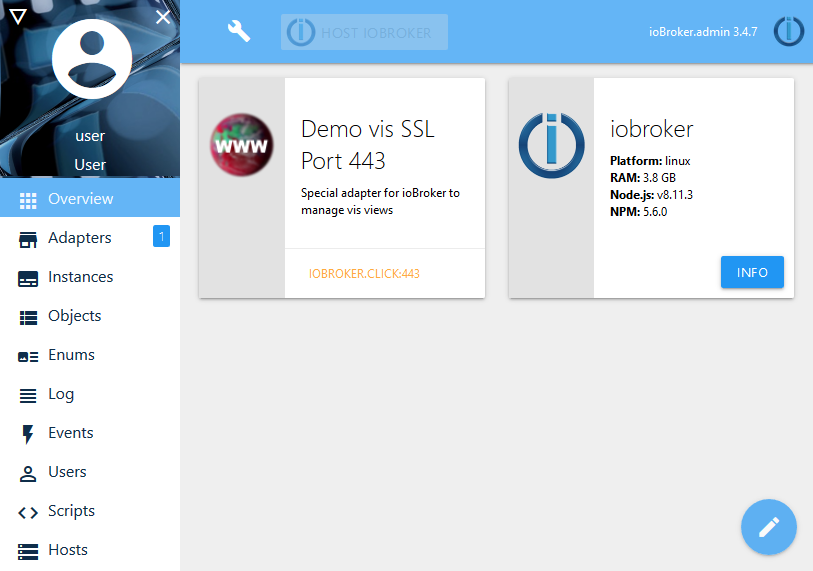
ioBroker screenshot 1

Setup time

A few minutes

Deployment

Your own server

Services

1 connected service

Why ioBroker

Everything you need, running where you choose.

Get the full ioBroker experience with Easypanel handling the repetitive infrastructure work around it.

Multi-Protocol Support
Connect devices using various protocols and standards
Visualization
Create custom dashboards and visualizations
Scripting
Advanced scripting capabilities for custom automation
History & Logging
Store and analyze historical data
Mobile Access
Access your smart home from anywhere using mobile apps
Backup & Restore
Easy backup and restore functionality
How it works

From template to live app in three steps.

Easypanel turns the template into real services, storage, and domains on the server you already control.

Already have Easypanel? Open your dashboard at the URL or IP of your own installation.

Installation guide
1
Open your dashboard
Visit the URL or IP of your Easypanel installation and choose the target project.
2
Choose ioBroker
Open Templates, select ioBroker, then review its service names and configuration.
3
Deploy and open your app
Easypanel starts every service and provisions an HTTPS domain for you.
Installation options
The template asks for these values before creating your services.
OptionDefaultRequired

App Service Name

iobrokerRequired

App Service Image

buanet/iobroker:v11.1.0Required
Resources
Project documentation and source code.
Latest template update
May 1, 2026

Version bumped to v11.1.0

Questions

Deploy with confidence.

The template handles the application setup while Easypanel keeps the infrastructure understandable and under your control.

Keep exploring

Related templates

Browse all
Gladys Assistant logo
Gladys Assistant
Gladys Assistant is a privacy-first, open-source home automation platform that allows you to control and automate your smart home devices. Built with Node.js, Gladys provides a comprehensive solution for managing IoT devices, creating automation scenarios, and monitoring your home environment. The system supports a wide range of devices including Zigbee, Z-Wave, Bluetooth, WiFi, and more. Gladys stores all data locally in SQLite, ensuring your home automation data remains private. Perfect for home automation enthusiasts looking for a self-hosted alternative to commercial smart home platforms.
View template
Habridge logo
Habridge
Habridge is an open-source software solution that emulates Philips Hue bridges, enabling the integration of various smart devices with home automation systems. It provides a simple yet powerful interface for controlling and managing smart lights, switches, and other IoT devices. Habridge supports a wide range of integrations, including Amazon Alexa, Google Home, and custom APIs, allowing users to create a seamless smart home experience. With its focus on flexibility and ease of use, Habridge empowers users to control their home automation setup with precision and efficiency.
View template
OpenHAB logo
OpenHAB
OpenHAB is an open-source automation software designed to integrate and control smart home devices from various manufacturers. Written in Java, it enables you to create rules, manage devices, and automate processes within your smart home ecosystem. The platform provides a flexible and modular approach, allowing integration with hundreds of devices and technologies through add-ons. OpenHAB features a powerful rule engine, a unified user interface, and supports various communication protocols such as Z-Wave, Zigbee, and MQTT. It is highly customizable, secure, and community-driven, offering extensive documentation and support. OpenHAB supports real-time updates, is mobile-friendly, and can be deployed on multiple platforms including Docker and Kubernetes. Additional features include voice control integration, presence detection, and support for custom scripts.
View template
ioBroker logo
Ready to deploy ioBroker?
Open your own Easypanel dashboard, choose ioBroker from Templates, and review the deployment options.