Deploy Karakeep on your own server.

Knowledge management system that helps you collect, search, and retrieve information efficiently.
Your infrastructureAutomatic HTTPSNo lock-in
Screenshots
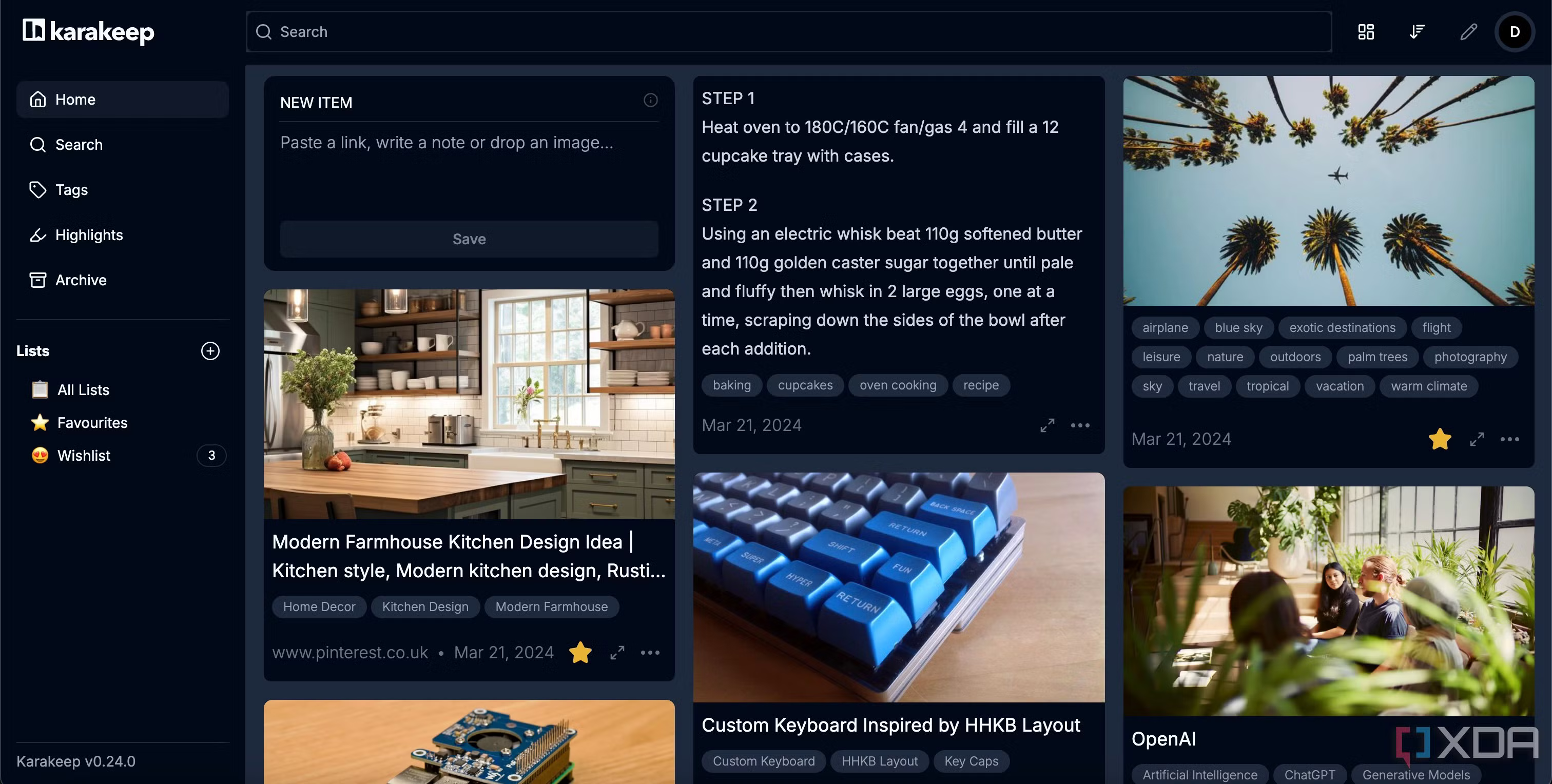
A closer look at Karakeep.
Setup time
A few minutes
Deployment
Your own server
Services
3 connected services
Why Karakeep
Everything you need, running where you choose.
Get the full Karakeep experience with Easypanel handling the repetitive infrastructure work around it.
Document Management
Store and organize documents, notes, and web content.
Full-Text Search
Find content quickly with powerful search capabilities.
Web Scraping
Capture and save content directly from websites.
OpenAI Integration
Optional AI capabilities with OpenAI API integration.
Efficient Knowledge Management
Easily collect, organize, and retrieve your information in one centralized place.
Powerful Search
Advanced search capabilities with Meilisearch integration for fast and accurate results.
How it works
From template to live app in three steps.
Easypanel turns the template into real services, storage, and domains on the server you already control.
Already have Easypanel? Open your dashboard at the URL or IP of your own installation.
Installation guide1
Open your dashboard
Visit the URL or IP of your Easypanel installation and choose the target project.
2
Choose Karakeep
Open Templates, select Karakeep, then review its service names and configuration.
3
Deploy and open your app
Easypanel starts every service and provisions an HTTPS domain for you.
Installation options
The template asks for these values before creating your services.
| Option | Default | Required |
|---|---|---|
Service Name | karakeep | Required |
App Service Image | ghcr.io/karakeep-app/karakeep:0.31.0 | Required |
Chrome Image | gcr.io/zenika-hub/alpine-chrome:123 | Required |
Meilisearch Image | getmeili/meilisearch:v1.15.2 | Required |
OpenAI API Key | Set during install | Required |
Before you deploy
Please provide the OpenAI API Key and Sign Up for the user account.
Resources
Project documentation and source code.
Latest template update
May 8, 2026
Version bumped to 0.31.0
Questions
Deploy with confidence.
The template handles the application setup while Easypanel keeps the infrastructure understandable and under your control.
Keep exploring
Browse allRelated templates

Khoj
Khoj is an AI-powered personal search and chat application that helps you find and organize your personal knowledge. It supports various AI models, web search integration, and code execution capabilities.
View template

Glass Keep
Glass Keep is a lightweight, self-hosted note-taking and organization application designed for personal knowledge management. It provides a clean, intuitive interface for creating, organizing, and managing notes, thoughts, and ideas. Glass Keep features markdown support, rich text editing, categories, tags, and powerful search capabilities to help you find information quickly. Built with Node.js and SQLite, it offers fast performance and easy deployment without requiring complex database setup. All your notes are stored locally in a SQLite database, ensuring privacy and complete control over your data. Perfect for individuals who want a simple, fast, and private note-taking solution without the complexity of larger systems.
View template

Poznote
Poznote is a lightweight, self-hosted note-taking application designed for personal knowledge management and quick note capture. It provides a simple, clean interface for creating, organizing, and managing notes without unnecessary complexity. Poznote uses SQLite for data storage, making it easy to deploy without requiring external database setup. The application features secure authentication, markdown support, and fast search capabilities to help you find information quickly. All your notes are stored locally in a SQLite database file, ensuring privacy and complete control over your data. Perfect for individuals who want a straightforward, fast, and private note-taking solution that can be accessed from any browser.
View template
Ready to deploy Karakeep?
Open your own Easypanel dashboard, choose Karakeep from Templates, and review the deployment options.