All templates

Deploy KeeWeb on your own server.

KeeWeb logo

KeeWeb is a modern, fast, and self-hosted password manager designed for individuals and teams. It provides a sleek, responsive user interface for managing and securing your passwords efficiently. KeeWeb supports importing and syncing password databases from various sources such as Dropbox, OneDrive, or local storage. It offers seamless…

Your infrastructureAutomatic HTTPSNo lock-in

Screenshots

A closer look at KeeWeb.

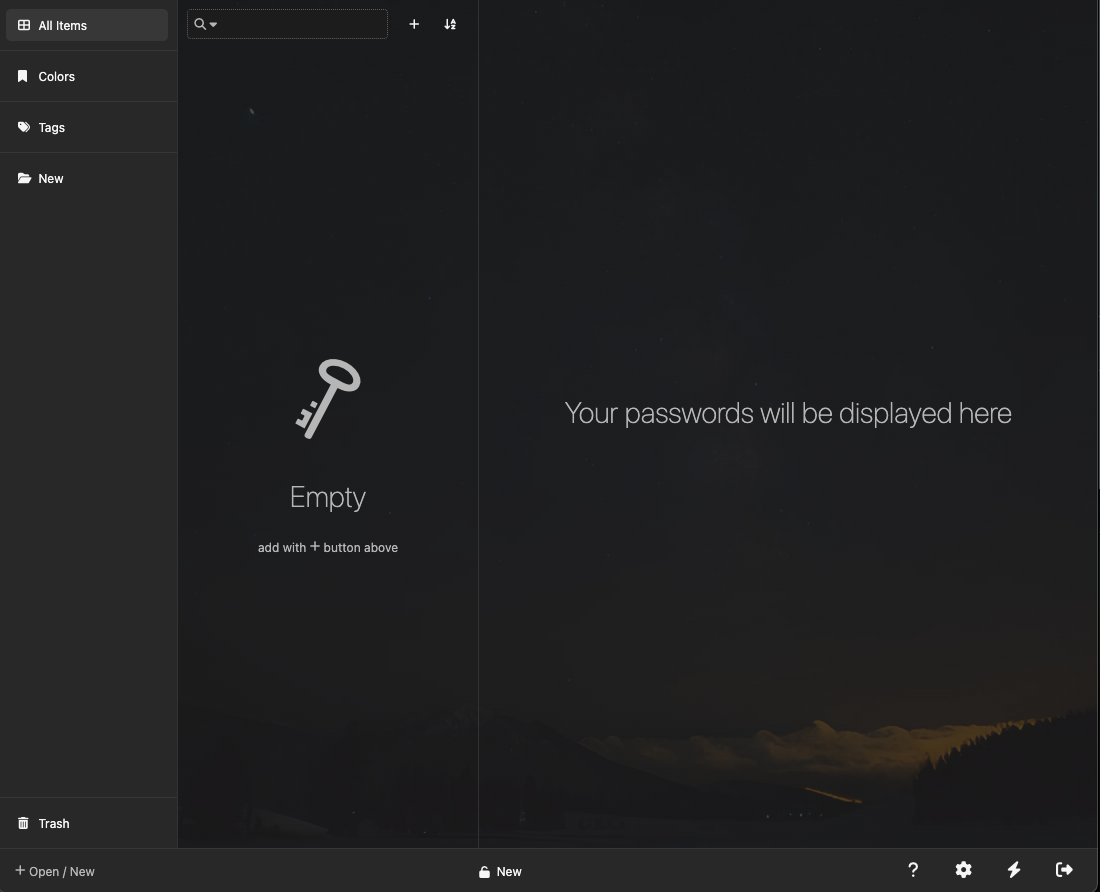
KeeWeb screenshot 1

Setup time

A few minutes

Deployment

Your own server

Services

1 connected service

Why KeeWeb

Everything you need, running where you choose.

Get the full KeeWeb experience with Easypanel handling the repetitive infrastructure work around it.

Powerful Search Functionality
KeeWeb includes a robust search feature to quickly locate and manage your saved passwords, making it efficient to access the information you need.
Offline Access
KeeWeb allows you to access and manage your password database offline, providing uninterrupted service even without an internet connection.
Customizable User Interface
KeeWeb offers a fully customizable interface, allowing users to tweak themes, layouts, and display preferences to match their needs.
Advanced Security Features
KeeWeb includes advanced security settings like auto-lock, database keyfile support, and integration with hardware security keys for enhanced protection.
Secure Password Management
KeeWeb offers end-to-end encryption to ensure that your passwords and sensitive data remain safe and secure, whether stored locally or in the cloud.
Cross-Platform Compatibility
KeeWeb provides a consistent experience across web and desktop applications, allowing you to manage your passwords seamlessly on any device.
How it works

From template to live app in three steps.

Easypanel turns the template into real services, storage, and domains on the server you already control.

Already have Easypanel? Open your dashboard at the URL or IP of your own installation.

Installation guide
1
Open your dashboard
Visit the URL or IP of your Easypanel installation and choose the target project.
2
Choose KeeWeb
Open Templates, select KeeWeb, then review its service names and configuration.
3
Deploy and open your app
Easypanel starts every service and provisions an HTTPS domain for you.
Installation options
The template asks for these values before creating your services.
OptionDefaultRequired

App Service Name

keewebRequired

App Service Image

ghcr.io/keeweb/keeweb:1.19.0-amd64Required
Resources
Project documentation and source code.
Latest template update
Jul 22, 2025

Version bumped to 1.19.0-amd64

Questions

Deploy with confidence.

The template handles the application setup while Easypanel keeps the infrastructure understandable and under your control.

Keep exploring

Related templates

Browse all
Hemmelig logo
Hemmelig
Hemmelig is a secure, self-hosted secret sharing platform that allows you to share sensitive information like passwords, API keys, and confidential documents safely. Built with security in mind, Hemmelig provides end-to-end encryption, expiration dates, and access controls to ensure your secrets remain protected. Perfect for teams, developers, and organizations who need to share sensitive information securely without relying on external services.
View template
Passky Server logo
Passky Server
Passky is a simple, modern, lightweight, open source and secure password manager. It allows you to securely store and manage your passwords, ensuring your sensitive credentials remain protected. This self-hosted server component works with the Passky clients (web, desktop, and mobile apps) to provide a complete password management solution that puts you in control of your data.
View template
Vaultwarden logo
Vaultwarden
Vaultwarden is an unofficial Bitwarden server implementation designed for self-hosted deployments. It is written in Rust and is compatible with the official Bitwarden clients. This application is ideal for individuals, families, and smaller organizations who find the official resource-heavy service undesirable. Vaultwarden supports a wide range of features including personal and organization vault support, password sharing and access control, file attachments, two-step login via email, Duo, YubiKey, and FIDO2 WebAuthn, and many more. It also supports live sync for desktop/browser clients/extensions and mobile clients (Android/iOS). However, it does not prioritize the development of features mainly useful to larger organizations such as single sign-on and directory syncing.
View template
KeeWeb logo
Ready to deploy KeeWeb?
Open your own Easypanel dashboard, choose KeeWeb from Templates, and review the deployment options.