All templates

Deploy LiteCart on your own server.

LiteCart logo

LiteCart is a free and open-source e-commerce platform that provides a complete solution for creating and managing online stores. It features a user-friendly interface, customizable themes, and essential e-commerce functionality including product management, order processing, and customer management. LiteCart is built with PHP and MySQL,…

Your infrastructureAutomatic HTTPSNo lock-in

Screenshots

A closer look at LiteCart.
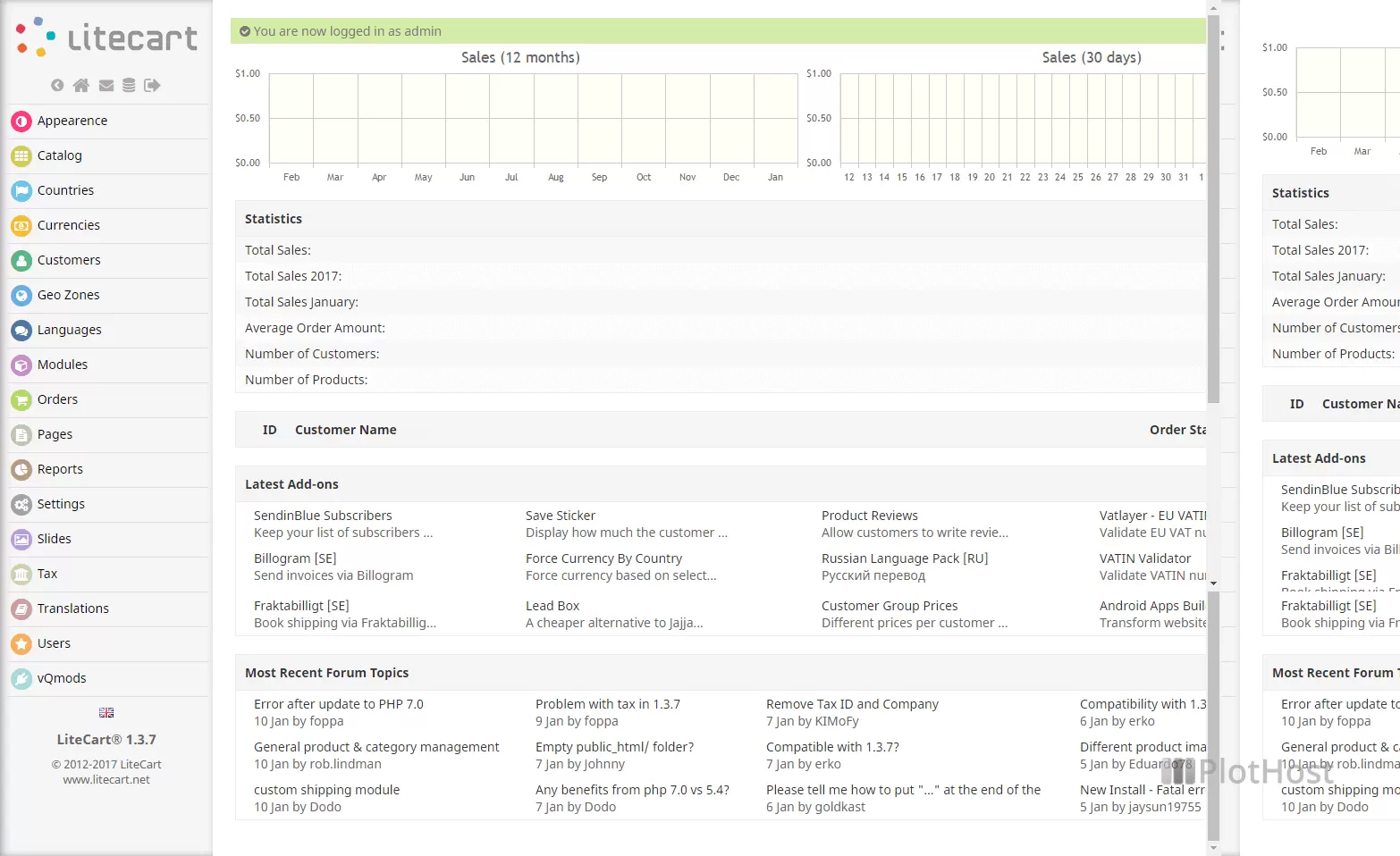
LiteCart screenshot 1

Setup time

A few minutes

Deployment

Your own server

Services

1 connected service

Why LiteCart

Everything you need, running where you choose.

Get the full LiteCart experience with Easypanel handling the repetitive infrastructure work around it.

Product Management
Manage products with detailed information, categories, and inventory tracking.
Order Processing
Process orders with payment integration, shipping options, and order status tracking.
Customer Management
Manage customers with profiles, addresses, and order history.
Payment Integration
Integrate with popular payment gateways for secure transactions.
Shipping Integration
Integrate with shipping carriers for accurate shipping calculations.
User-Friendly
Intuitive interface and easy-to-use admin panel for managing your online store.
How it works

From template to live app in three steps.

Easypanel turns the template into real services, storage, and domains on the server you already control.

Already have Easypanel? Open your dashboard at the URL or IP of your own installation.

Installation guide
1
Open your dashboard
Visit the URL or IP of your Easypanel installation and choose the target project.
2
Choose LiteCart
Open Templates, select LiteCart, then review its service names and configuration.
3
Deploy and open your app
Easypanel starts every service and provisions an HTTPS domain for you.
Installation options
The template asks for these values before creating your services.
OptionDefaultRequired

App Service Name

litecartRequired

App Service Image

shurco/litecart:v0.2.6Required
Resources
Project documentation and source code.
Latest template update
May 4, 2026

Version bumped to v0.2.6

Questions

Deploy with confidence.

The template handles the application setup while Easypanel keeps the infrastructure understandable and under your control.

Keep exploring

Related templates

Browse all
Prestashop logo
Prestashop
Prestashop is an open-source e-commerce platform that empowers businesses to build and manage their online stores. It provides a user-friendly interface, a robust product catalog system, order management, and customizable themes, making it an ideal choice for merchants of all sizes. Prestashop supports multiple payment gateways, multilingual and multi-currency features, and SEO optimization to ensure a global reach and enhanced online visibility. Additionally, it offers a vibrant marketplace for modules and themes, enabling seamless customization and integration with third-party services.
View template
DrawDB logo
DrawDB
DrawDB is a free, simple, and intuitive online database schema editor and SQL generator. It provides a robust and user-friendly database entity relationship (ER) editor that runs directly in your browser. With DrawDB, you can build database diagrams with a few clicks, export SQL scripts, customize your editor, and manage database schemas without creating an account. The tool supports multiple database types including MySQL, PostgreSQL, SQLite, SQL Server, and more.
View template
QloApps logo
QloApps
QloApps is a comprehensive hotel booking and property management system built on PrestaShop. It provides a complete solution for hoteliers to manage their properties, bookings, and customers. The system includes features like room management, booking engine, customer management, and payment processing. QloApps is designed to help hotels streamline their operations and improve guest experience.
View template
LiteCart logo
Ready to deploy LiteCart?
Open your own Easypanel dashboard, choose LiteCart from Templates, and review the deployment options.