All templates

Deploy LiveStreamDVR on your own server.

LiveStreamDVR logo

LiveStreamDVR (formerly TwitchAutomator) is a powerful tool for automatically recording and archiving live streams from Twitch. It provides a web interface to manage recordings, schedule streams to record, and organize your VOD library.

Your infrastructureAutomatic HTTPSNo lock-in

Screenshots

A closer look at LiveStreamDVR.
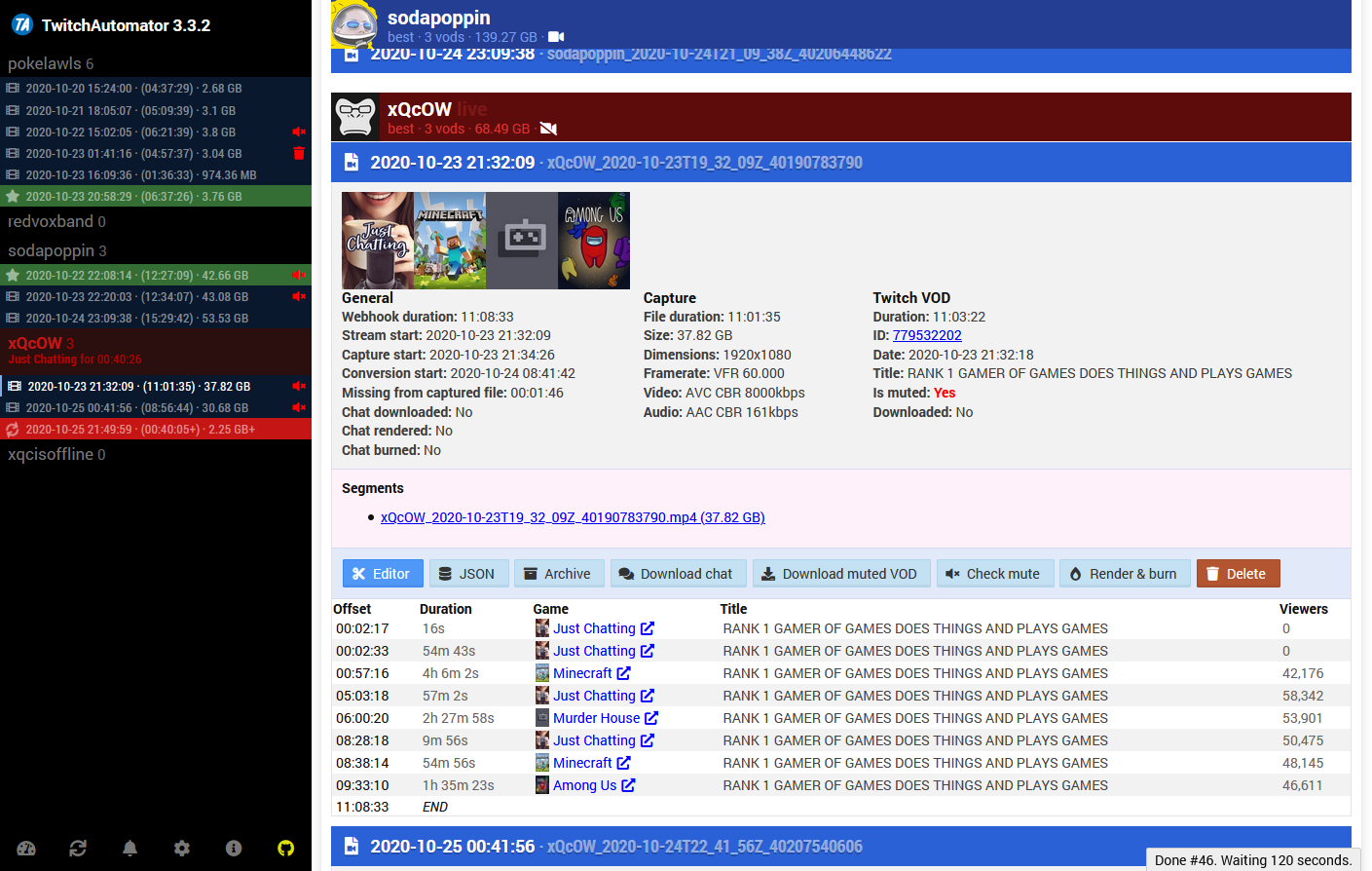
LiveStreamDVR screenshot 1

Setup time

A few minutes

Deployment

Your own server

Services

1 connected service

Why LiveStreamDVR

Everything you need, running where you choose.

Get the full LiveStreamDVR experience with Easypanel handling the repetitive infrastructure work around it.

Stream Recording
Record live streams in their original quality.
Channel Management
Add and manage multiple Twitch channels.
Recording Schedule
Set up automatic recording schedules.
Storage Options
Configure storage locations and manage space.
Web Dashboard
Monitor and control recordings through a web interface.
Automated Recording
Automatically record live streams from your favorite Twitch channels.
How it works

From template to live app in three steps.

Easypanel turns the template into real services, storage, and domains on the server you already control.

Already have Easypanel? Open your dashboard at the URL or IP of your own installation.

Installation guide
1
Open your dashboard
Visit the URL or IP of your Easypanel installation and choose the target project.
2
Choose LiveStreamDVR
Open Templates, select LiveStreamDVR, then review its service names and configuration.
3
Deploy and open your app
Easypanel starts every service and provisions an HTTPS domain for you.
Installation options
The template asks for these values before creating your services.
OptionDefaultRequired

App Service Name

livestreamdvrRequired

App Service Image

mrbrax/twitchautomator:masterRequired
Resources
Project documentation and source code.
Latest template update
Apr 9, 2024

First Release

Questions

Deploy with confidence.

The template handles the application setup while Easypanel keeps the infrastructure understandable and under your control.

Keep exploring

Related templates

Browse all
ErsatzTV logo
ErsatzTV
ErsatzTV is a modern, web-based IPTV server that creates custom TV channels from your local media library. It streams your movies, TV shows, and other content as continuous TV channels that can be watched on any IPTV-compatible device or application. ErsatzTV provides a sophisticated scheduling system, allowing you to create program guides, manage commercial breaks, and simulate a real TV experience with your personal media collection. Perfect for home entertainment setups, media centers, and creating personalized TV channels from your existing content library.
View template
NodeCast TV
NodeCast TV is a self-hosted media casting and streaming application that allows you to cast and stream media content to various devices. Built with Node.js, NodeCast TV provides a simple and efficient way to manage and stream your media library. It features a web-based interface accessible on port 3000 and stores application data in a persistent volume for reliable operation. Perfect for home media servers and self-hosting enthusiasts looking for a lightweight media casting solution.
View template
Plex logo
Plex
Plex Media Server is a powerful app that makes it easy to manage and stream your media collection to all your devices, anytime, anywhere. With Plex, you can stream your video, music, and photo collections from your phone, tablet, gaming console, smart TV, or any other favorite streaming device. The app is designed to work with three types of networking: bridge, host, and macvlan, each offering a unique way to connect your media server to your devices. Plex also offers advanced features like hardware transcoding support for Intel Quick Sync, making it a versatile choice for all your media streaming needs.
View template
LiveStreamDVR logo
Ready to deploy LiveStreamDVR?
Open your own Easypanel dashboard, choose LiveStreamDVR from Templates, and review the deployment options.