All templates

Deploy Maildev on your own server.

Maildev logo

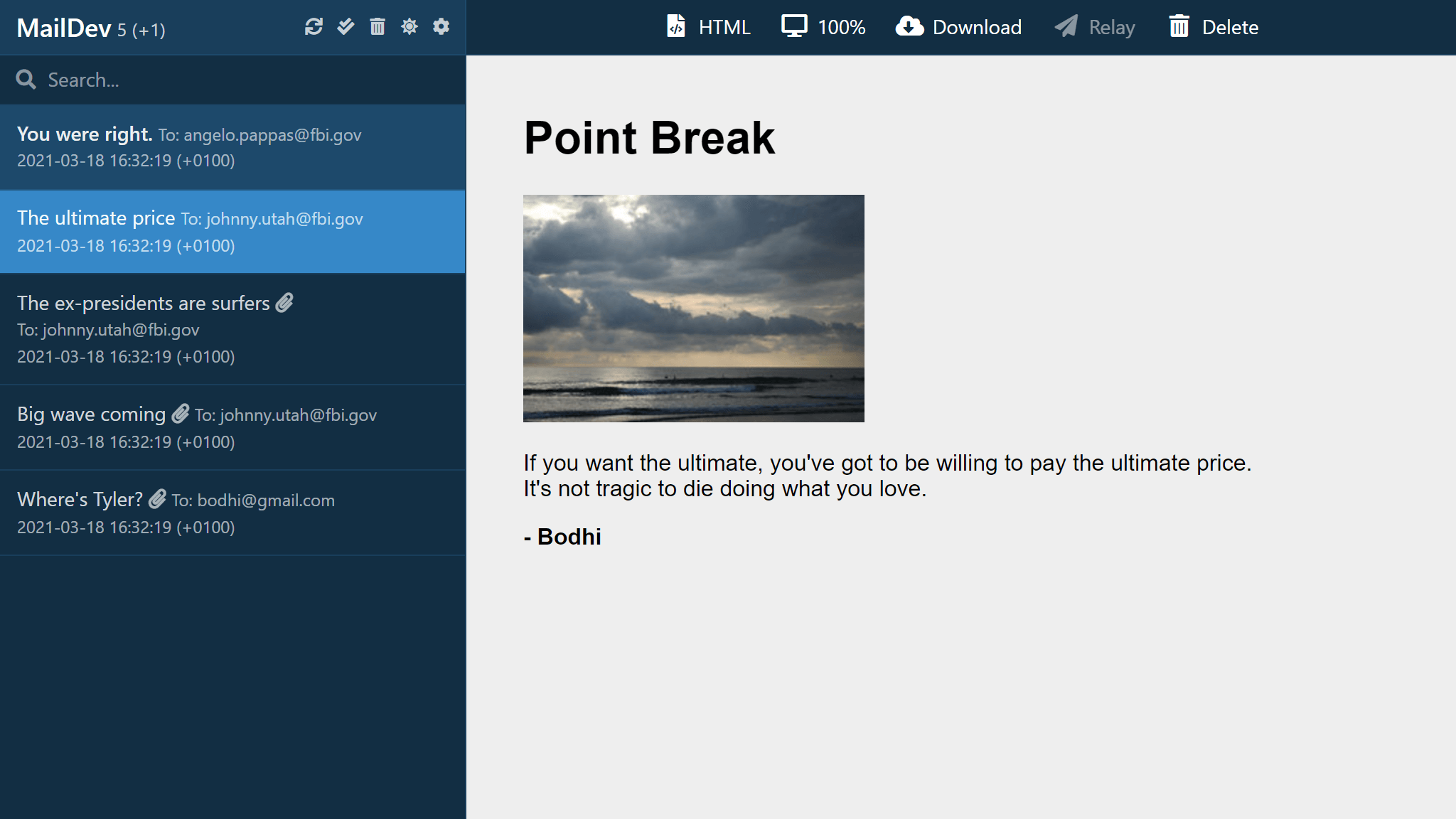
Maildev is a simple, self-hosted SMTP server designed for testing and debugging emails in development environments. It captures all outgoing emails and provides a web-based UI to view, inspect, and test them. Maildev supports real-time email updates, allowing developers to see emails as they are sent. It also includes an API for…

Your infrastructureAutomatic HTTPSNo lock-in

Screenshots

A closer look at Maildev.

Maildev screenshot 1

Setup time

A few minutes

Deployment

Your own server

Services

1 connected service

Why Maildev

Everything you need, running where you choose.

Get the full Maildev experience with Easypanel handling the repetitive infrastructure work around it.

Real-Time Email Monitoring
Maildev updates emails in real-time, allowing developers to see messages instantly as they are sent from their applications.
Multiple Inbox Support
Maildev supports multiple email inboxes, making it useful for testing scenarios that require sending and receiving emails across different addresses.
SMTP Server for Local Development
Maildev provides an SMTP server that can be configured in local applications to capture outgoing emails without external email services.
HTML and Plain Text Email Rendering
Emails sent to Maildev can be viewed in both HTML and plain text formats, ensuring correct rendering across different email clients.
Docker and Kubernetes Ready
Maildev can be easily deployed using Docker or Kubernetes, making it a convenient choice for modern development workflows.
Email Testing Without Spam
Maildev captures all outgoing emails, preventing them from being sent to real recipients, making it ideal for development and testing environments.
How it works

From template to live app in three steps.

Easypanel turns the template into real services, storage, and domains on the server you already control.

Already have Easypanel? Open your dashboard at the URL or IP of your own installation.

Installation guide
1
Open your dashboard
Visit the URL or IP of your Easypanel installation and choose the target project.
2
Choose Maildev
Open Templates, select Maildev, then review its service names and configuration.
3
Deploy and open your app
Easypanel starts every service and provisions an HTTPS domain for you.
Installation options
The template asks for these values before creating your services.
OptionDefaultRequired

App Service Name

maildevRequired

App Service Image

maildev/maildev:2.2.1Required
Resources
Project documentation and source code.
Latest template update
Jun 5, 2025

Update to 2.2.1

Questions

Deploy with confidence.

The template handles the application setup while Easypanel keeps the infrastructure understandable and under your control.

Maildev logo
Ready to deploy Maildev?
Open your own Easypanel dashboard, choose Maildev from Templates, and review the deployment options.