All templates

Deploy Medama on your own server.

Medama logo

Medama Analytics is an open-source project dedicated to providing self-hostable, cookie-free website analytics. With a lightweight tracker of less than 1KB, it aims to offer useful analytics while prioritising user privacy.

Your infrastructureAutomatic HTTPSNo lock-in

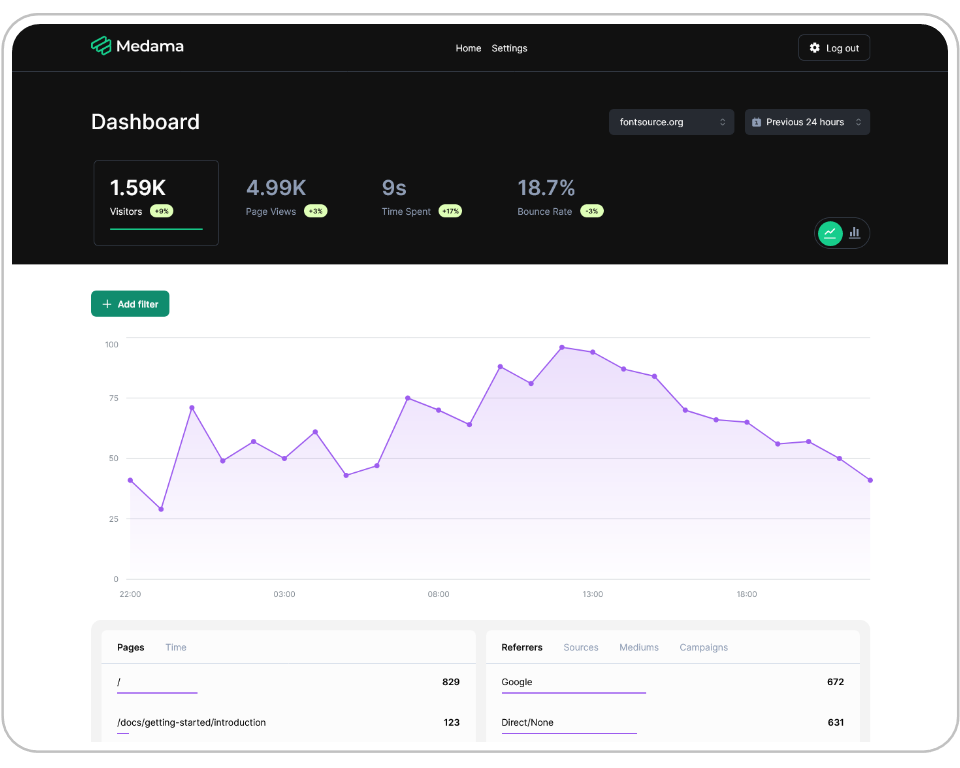
Screenshots

A closer look at Medama.

Medama screenshot 1

Setup time

A few minutes

Deployment

Your own server

Services

1 connected service

Why Medama

Everything you need, running where you choose.

Get the full Medama experience with Easypanel handling the repetitive infrastructure work around it.

Cookie-Free Tracking
Tracks website analytics without using cookies, ensuring user privacy.
Lightweight Tracker
Tracker script is less than 1KB, minimizing load on your website.
Open Source
Source code is available for anyone to inspect, modify, and contribute to.
Self-Hosting
Can be deployed on your own servers, giving you full control over your data.
Essential Analytics
Provides key metrics to help you understand and optimize your website traffic.
Privacy Focused
Prioritizes user privacy by providing cookie-free analytics.
How it works

From template to live app in three steps.

Easypanel turns the template into real services, storage, and domains on the server you already control.

Already have Easypanel? Open your dashboard at the URL or IP of your own installation.

Installation guide
1
Open your dashboard
Visit the URL or IP of your Easypanel installation and choose the target project.
2
Choose Medama
Open Templates, select Medama, then review its service names and configuration.
3
Deploy and open your app
Easypanel starts every service and provisions an HTTPS domain for you.
Installation options
The template asks for these values before creating your services.
OptionDefaultRequired

App Service Name

medamaRequired

App Service Image

ghcr.io/medama-io/medama:v0.6.2Required
Resources
Project documentation and source code.
Latest template update
May 4, 2026

Version bumped to v0.6.2

Questions

Deploy with confidence.

The template handles the application setup while Easypanel keeps the infrastructure understandable and under your control.

Keep exploring

Related templates

Browse all
Plausible logo
Plausible
Plausible is a simple, lightweight, and open-source web analytics tool that serves as a privacy-friendly alternative to Google Analytics. It is designed to be intuitive and easy to use, providing essential insights about your website's traffic on a single page, without the need for complex menus or custom reports. The Plausible script is 45 times smaller than Google Analytics, ensuring your site loads faster and contributes to a greener web. It respects user privacy by not using cookies or collecting personal data, and all data processing is carried out anonymously within the EU. Plausible also allows you to track goal conversions, revenue, and campaigns, segment your audience, and analyze referral sources. You can share your stats publicly or privately, invite team members, and even import your historical stats from Google Analytics. It's a powerful tool for understanding your website's performance while respecting user privacy.
View template
Offen logo
Offen
Offen is a fair and open alternative to common web analytics tools. It gives users access to their data and respects their privacy while providing website owners with the insights they need.
View template
Swetrix logo
Swetrix
Swetrix is a powerful, privacy-focused analytics platform that provides comprehensive website and application analytics. Built with modern technologies, it offers real-time data collection, beautiful dashboards, and detailed insights into user behavior. Features include event tracking, performance monitoring, user session analysis, and customizable reports. Self-hosted solution that ensures complete data privacy and control while providing enterprise-grade analytics capabilities.
View template
Medama logo
Ready to deploy Medama?
Open your own Easypanel dashboard, choose Medama from Templates, and review the deployment options.