All templates

Deploy Monica on your own server.

Monica logo

OfficeLife is an all-in-one tool designed to manage a company efficiently. It serves as your personal CRM, helping you organize and follow-up on your social interactions, thereby strengthening your relationships. With Monica, you can easily log and remember important details about your friends, family, and colleagues. It allows you to…

Your infrastructureAutomatic HTTPSNo lock-in

Screenshots

A closer look at Monica.

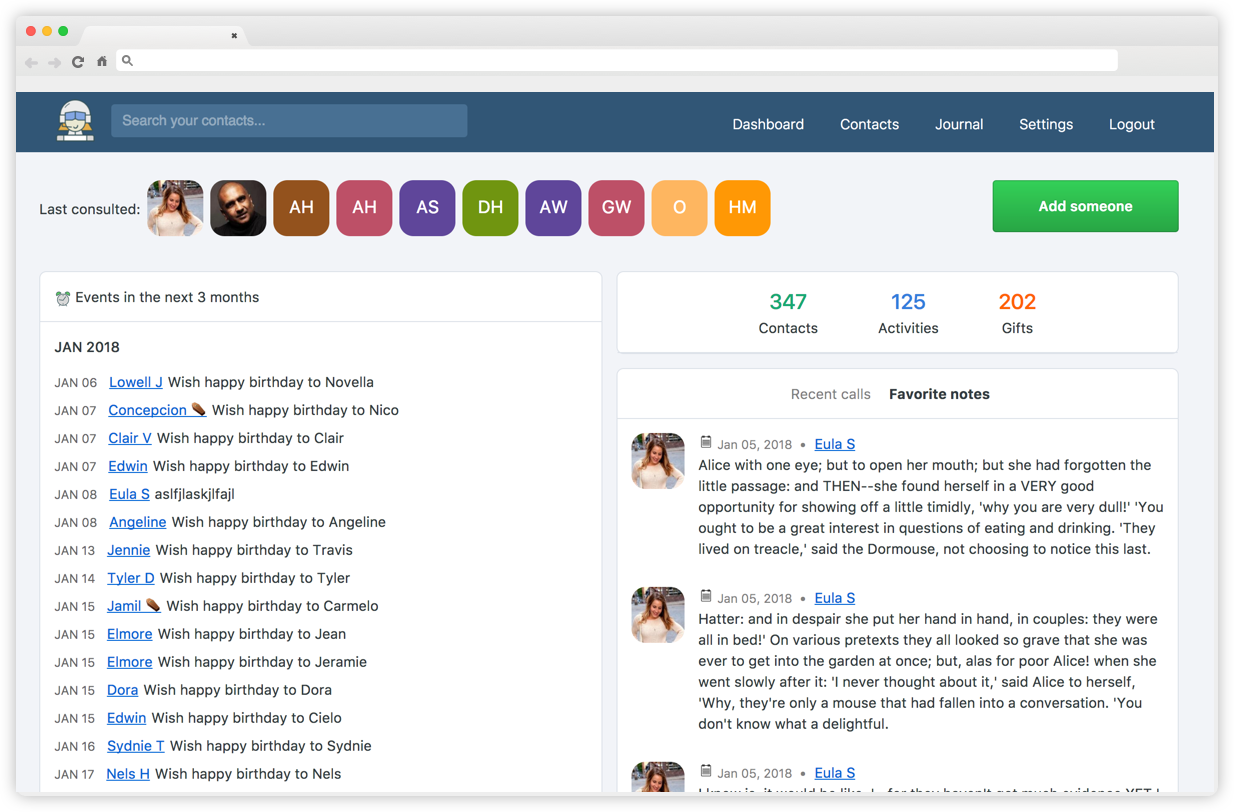
Monica screenshot 1

Setup time

A few minutes

Deployment

Your own server

Services

3 connected services

Why Monica

Everything you need, running where you choose.

Get the full Monica experience with Easypanel handling the repetitive infrastructure work around it.

Contact Management
OfficeLife allows you to add and manage contacts, define relationships between contacts, and manage debts. It also provides the ability to add notes to a contact and record how you met someone.
Reminders and Activities
With OfficeLife, you can set automatic reminders for birthdays and stay in touch with a contact by sending reminders at a given interval. It also allows you to manage activities with a contact.
Gifts and Tasks
OfficeLife provides features for managing gifts given and received and ideas for gifts. It also allows you to manage tasks.
Journal and Document Upload
OfficeLife includes a basic journal feature that allows you to record how your day went. It also allows you to upload documents and photos.
Data Export and Import
OfficeLife provides features for exporting and importing data. You can export contacts as vCards and define custom genders and activity types.
Strengthen Your Relationships
OfficeLife, our new open source product, is designed to help you manage your personal relationships more effectively. It allows you to log and remember important details about your loved ones, helping you to be a better friend, family member, or spouse.
How it works

From template to live app in three steps.

Easypanel turns the template into real services, storage, and domains on the server you already control.

Already have Easypanel? Open your dashboard at the URL or IP of your own installation.

Installation guide
1
Open your dashboard
Visit the URL or IP of your Easypanel installation and choose the target project.
2
Choose Monica
Open Templates, select Monica, then review its service names and configuration.
3
Deploy and open your app
Easypanel starts every service and provisions an HTTPS domain for you.
Installation options
The template asks for these values before creating your services.
OptionDefaultRequired

App Service Name

monicaRequired

App Service Image

monica:5.0-apacheRequired

Redis Service Name

monica-redisRequired

Database Service Name

monica-dbRequired

Database Type

MariaDB / MySQLRequired

Database Prefix

Optional

Database use utf8mb4

trueOptional

Disable Signup

trueOptional

Check Version

trueOptional
Resources
Project documentation and source code.
Latest template update
Jun 5, 2025

Update to 5.0-apache

Questions

Deploy with confidence.

The template handles the application setup while Easypanel keeps the infrastructure understandable and under your control.

Monica logo
Ready to deploy Monica?
Open your own Easypanel dashboard, choose Monica from Templates, and review the deployment options.