All templates

Deploy Ocular on your own server.

Ocular logo

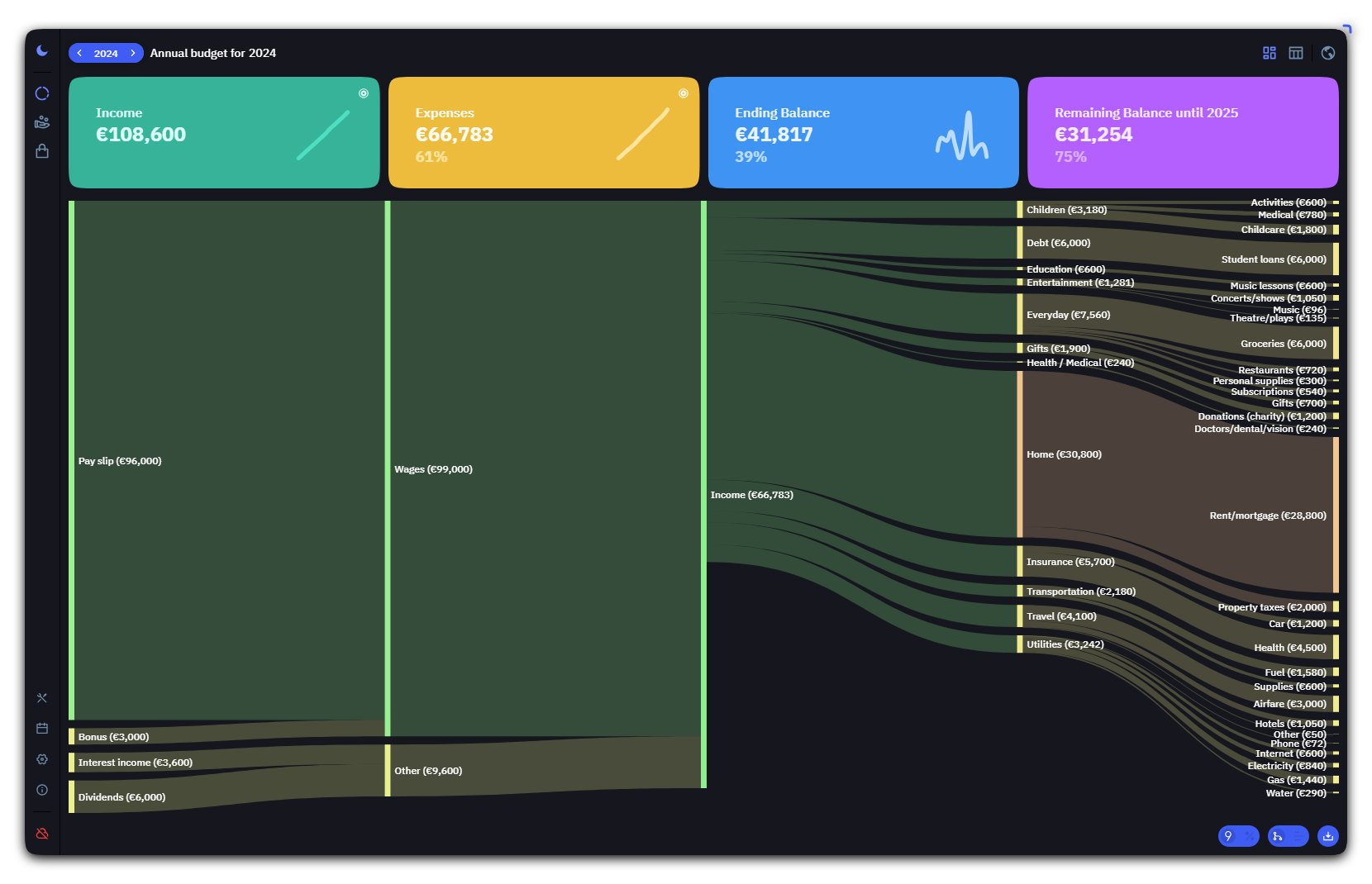
Ocular is a self-hosted budget and finance app with dashboards, charts, multi-year tracking, imports, and authentication. This template runs the official container image, which bundles the static UI (Caddy) and the Genesis API backend, with persistent data under /data/genesis.

Your infrastructureAutomatic HTTPSNo lock-in

Screenshots

A closer look at Ocular.

Ocular screenshot 1

Setup time

A few minutes

Deployment

Your own server

Services

1 connected service

Why Ocular

Everything you need, running where you choose.

Get the full Ocular experience with Easypanel handling the repetitive infrastructure work around it.

Multi-year budgets
Track and carry budgets across years with flexible financial calendars.
Import and export
Bring data from common formats and export your work as JSON.
Genesis backend
API and authentication via the bundled Genesis server (JWT configurable).
Budget clarity
Dashboards and analytics help you understand spending and plans over time.
Self-hosted
Keep financial data on infrastructure you control.
Official image
Uses the published GHCR image maintained by the project.
How it works

From template to live app in three steps.

Easypanel turns the template into real services, storage, and domains on the server you already control.

Already have Easypanel? Open your dashboard at the URL or IP of your own installation.

Installation guide
1
Open your dashboard
Visit the URL or IP of your Easypanel installation and choose the target project.
2
Choose Ocular
Open Templates, select Ocular, then review its service names and configuration.
3
Deploy and open your app
Easypanel starts every service and provisions an HTTPS domain for you.
Installation options
The template asks for these values before creating your services.
OptionDefaultRequired

App Service Name

ocularRequired

Ocular Image

ghcr.io/simonwep/ocular:v2.3.0Required

JWT token expiration (ms)

Set during installOptional

Allow JWT cookie over HTTP (not recommended behind HTTPS)

falseOptional

Initial users (Genesis format)

Comma-separated list of username!:password entries. Leave empty to create a single admin user with a random password.

Optional
Latest template update
Apr 6, 2026

Initial template release

Questions

Deploy with confidence.

The template handles the application setup while Easypanel keeps the infrastructure understandable and under your control.

Keep exploring

Related templates

Browse all
ExpenseOwl logo
ExpenseOwl
ExpenseOwl is a simple, self-hosted expense tracker designed for quick expense entry and essential tracking features. Built with a modern UI and user-friendly interface, it makes managing your personal finances straightforward and efficient. The application focuses on simplicity and ease of use, allowing you to quickly log expenses, categorize spending, and track your budget without complexity. ExpenseOwl stores all your financial data securely with persistent storage, ensuring your expense history is always available. Perfect for individuals who want a lightweight, privacy-focused expense tracking solution without the overhead of complex financial management software. The application can be used with simple file-based storage or connected to a PostgreSQL database for more advanced data management needs.
View template
Budge
Budge is a personal finance management application that helps you track your expenses, manage budgets, and monitor your financial goals. It provides a user-friendly interface for managing your personal finances.
View template
Monetr logo
Monetr
Monetr is a self-hosted personal finance management application that helps you track your spending, manage budgets, and gain insights into your financial habits. Built with modern architecture, Monetr provides a comprehensive solution for managing your personal finances with features like transaction tracking, budget management, spending analysis, and financial goal setting. The system uses PostgreSQL for data persistence and Valkey (Redis-compatible) for caching and session management. Perfect for individuals looking for a self-hosted alternative to commercial personal finance applications.
View template
Ocular logo
Ready to deploy Ocular?
Open your own Easypanel dashboard, choose Ocular from Templates, and review the deployment options.