All templates

Deploy Odoo on your own server.
Odoo logo

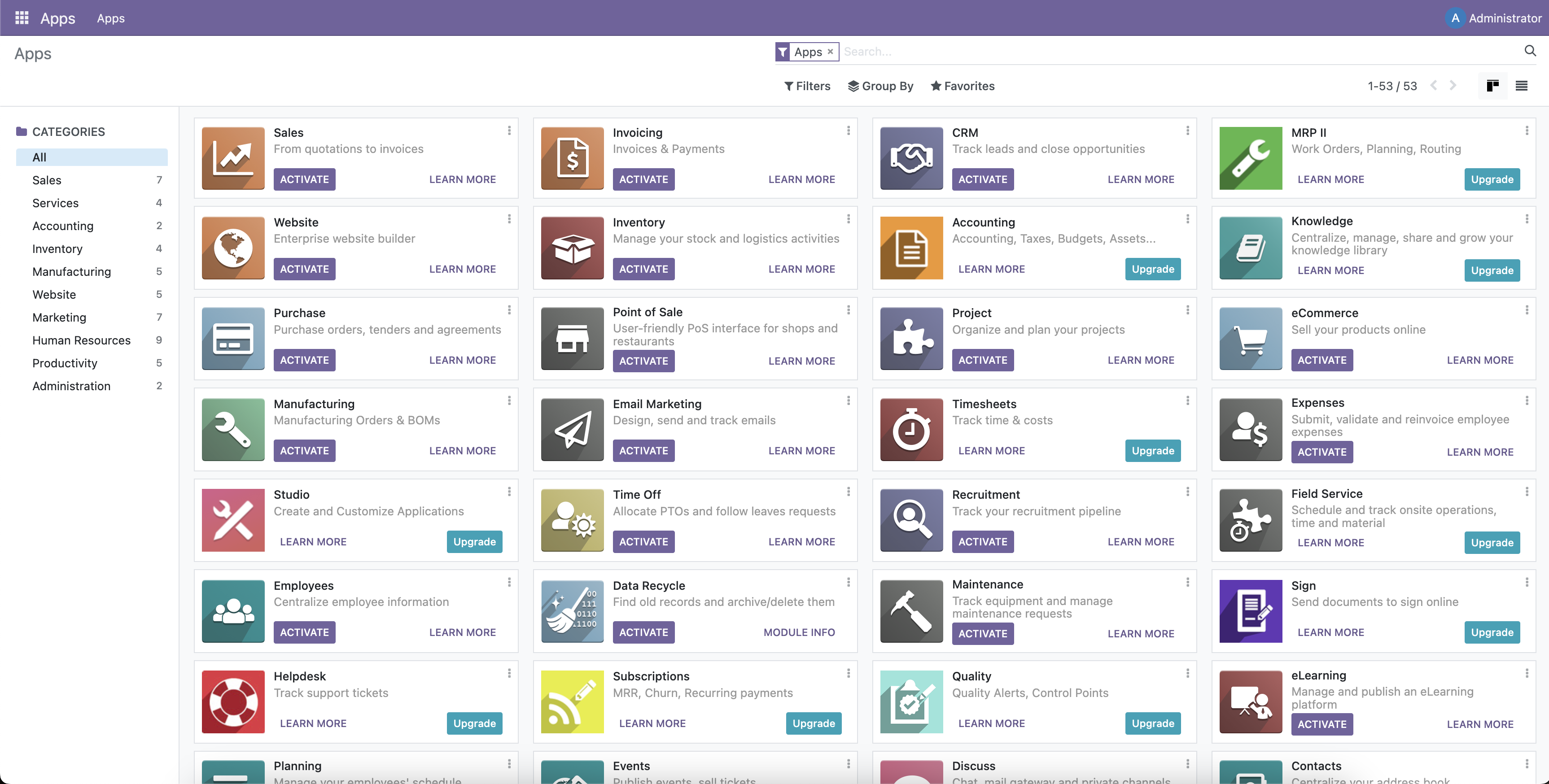
Odoo is a comprehensive, integrated software platform designed to streamline and automate your business operations. It offers a suite of open-source business applications that cover all your company needs, from sales and services integration to operations management, website building, financial management, and marketing. Odoo's unique…

Your infrastructureAutomatic HTTPSNo lock-in

Screenshots

A closer look at Odoo.

Odoo screenshot 1

Setup time

A few minutes

Deployment

Your own server

Services

2 connected services

Why Odoo

Everything you need, running where you choose.

Get the full Odoo experience with Easypanel handling the repetitive infrastructure work around it.

Sales and CRM
Boost your sales with Odoo's CRM and POS solutions. Manage your sales pipeline, track opportunities, and close deals more effectively.
Service Integration
Integrate your services with Odoo's Project, Timesheet, and Helpdesk apps. Manage your projects, track time, and provide excellent customer service.
Operations Management
Streamline your operations with Odoo's Inventory, MRP, and Purchase apps. Manage your inventory, manufacturing processes, and purchases efficiently.
Website and eCommerce
Build stunning websites and manage your online store with Odoo's Website Builder and eCommerce apps. Create a strong online presence and sell your products online.
Finance Management
Manage your finances with Odoo's Invoicing and Accounting apps. Keep track of your invoices and manage your accounts effectively.
Marketing
Amplify your marketing with Odoo's Email Marketing and Marketing Automation apps. Reach out to your customers and automate your marketing campaigns.
How it works

From template to live app in three steps.

Easypanel turns the template into real services, storage, and domains on the server you already control.

Already have Easypanel? Open your dashboard at the URL or IP of your own installation.

Installation guide
1
Open your dashboard
Visit the URL or IP of your Easypanel installation and choose the target project.
2
Choose Odoo
Open Templates, select Odoo, then review its service names and configuration.
3
Deploy and open your app
Easypanel starts every service and provisions an HTTPS domain for you.
Installation options
The template asks for these values before creating your services.
OptionDefaultRequired

App Service Name

odooRequired

App Service Image

odoo:19.0Required

Database Service Name

odoo-dbOptional
Resources
Project documentation and source code.
Latest template update
Dec 29, 2025

Version bumped to 19.0

Questions

Deploy with confidence.

The template handles the application setup while Easypanel keeps the infrastructure understandable and under your control.

Keep exploring

Related templates

Browse all
Dolibarr logo
Dolibarr
Dolibarr ERP/CRM is an open-source platform designed for small to medium-sized enterprises (SMEs) to manage business operations seamlessly. It offers a comprehensive suite of tools for managing customers, invoices, orders, products, projects, and more. With its modular architecture and user-friendly interface, Dolibarr provides flexibility and scalability for businesses looking for an efficient and customizable ERP/CRM solution.
View template
YAO logo
YAO
YAO is a powerful open-source app engine designed to create web services and applications in a matter of minutes. It is versatile and suitable for a variety of use-cases including AI, IoT, Industrial Internet, Connected Vehicles, DevOps, Energy, and Finance. With YAO, you can create a database model, write an interface, and describe the interface using JSON, making it a truly codeless programming experience. It supports running on ARM devices and can be used in IoT, edge computing, and industrial internet. YAO also offers easy-to-use Business Intelligence components and functions, empowering businesses with more possibilities. It has many built-in processes and supports data processing in any form through data flow. The app also features a plug-in mechanism based on GRPC for function expansion using Nodejs, Python, and other languages. YAO also provides a built-in query engine and offers enterprise-level security with permission classification, separation of administrator and employee accounts, and API level permission control.
View template
Grocy logo
Grocy
Grocy is a self-hosted groceries and household management solution. It helps you streamline your daily chores, track inventory, manage shopping lists, plan meals, and keep tabs on household tasks. With Grocy, you can efficiently manage your pantry, reduce waste, and optimize your shopping experience. Grocy provides a user-friendly interface to organize your household activities and track consumables with expiration dates, giving you better control over your time and resources.
View template
Odoo logo
Ready to deploy Odoo?
Open your own Easypanel dashboard, choose Odoo from Templates, and review the deployment options.