All templates

Deploy OneDev on your own server.

OneDev logo

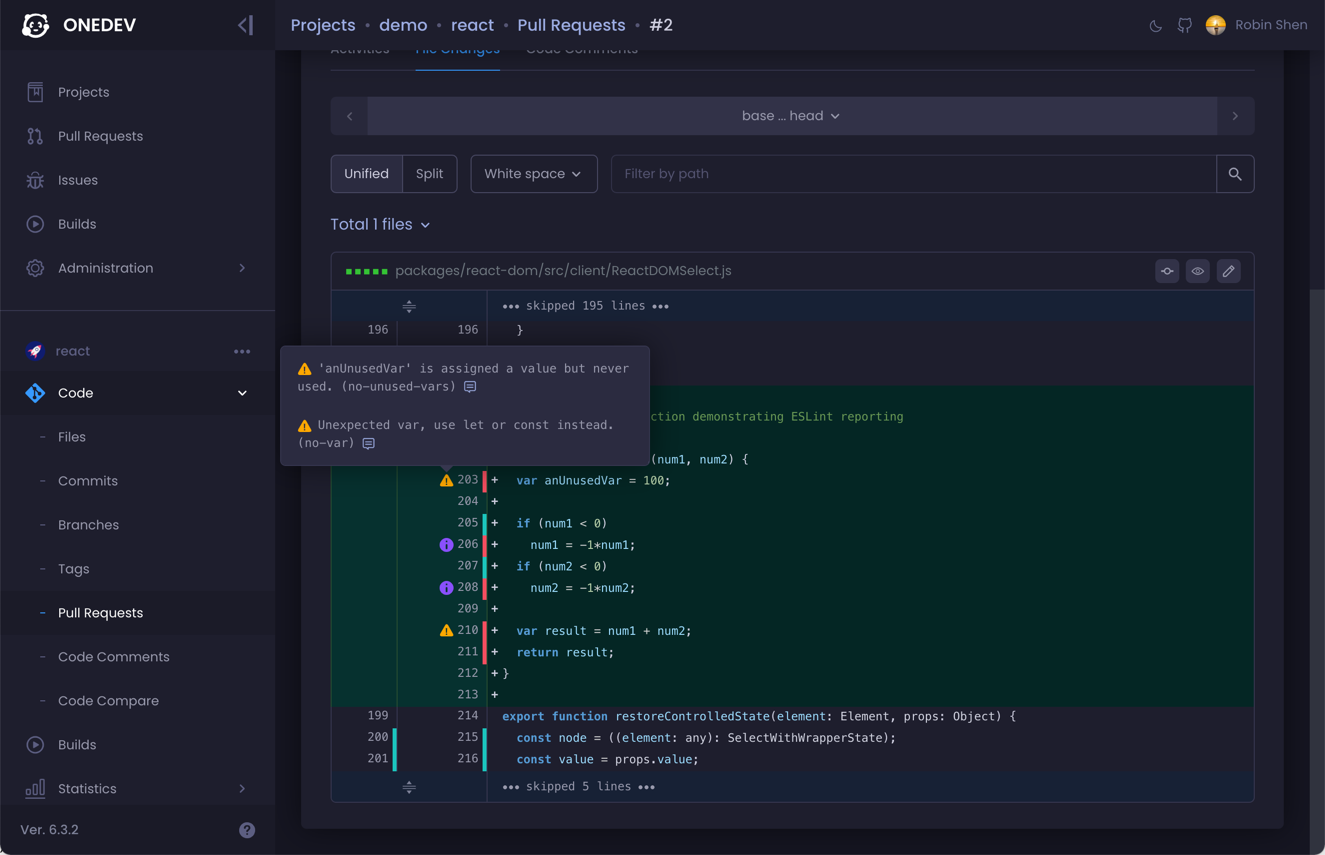
OneDev is a versatile app designed to streamline your project management and development processes. It offers a comprehensive suite of features including pull requests, issue tracking, and build management. With OneDev, you can easily manage your projects, track commits, and handle branches and tags. The app also provides a platform for…

Your infrastructureAutomatic HTTPSNo lock-in

Screenshots

A closer look at OneDev.

OneDev screenshot 1

Setup time

A few minutes

Deployment

Your own server

Services

2 connected services

Why OneDev

Everything you need, running where you choose.

Get the full OneDev experience with Easypanel handling the repetitive infrastructure work around it.

Project Management
OneDev allows you to manage all your projects in one place. You can easily track the progress of your projects, pull requests, issues, and builds.
Pull Requests
OneDev provides a platform where you can easily manage and track the status of your pull requests. It allows you to monitor the progress of your pull requests in real-time.
Issue Tracking
OneDev provides a platform where you can easily manage and track the status of your issues. It allows you to monitor the progress of your issues in real-time.
Build Management
OneDev provides a platform where you can easily manage and track the status of your builds. It allows you to monitor the progress of your builds in real-time.
Efficient Project Management
OneDev is a comprehensive tool that allows you to manage your projects effectively. It provides a platform where you can keep track of all your projects, pull requests, issues, and builds in one place.
Streamlined Workflow
OneDev simplifies your workflow by providing a platform where you can easily manage and track the progress of your projects. It allows you to monitor the status of your projects, pull requests, issues, and builds all in one place.
How it works

From template to live app in three steps.

Easypanel turns the template into real services, storage, and domains on the server you already control.

Already have Easypanel? Open your dashboard at the URL or IP of your own installation.

Installation guide
1
Open your dashboard
Visit the URL or IP of your Easypanel installation and choose the target project.
2
Choose OneDev
Open Templates, select OneDev, then review its service names and configuration.
3
Deploy and open your app
Easypanel starts every service and provisions an HTTPS domain for you.
Installation options
The template asks for these values before creating your services.
OptionDefaultRequired

App Service Name

onedevRequired

App Service Image

1dev/server:15.0.5Required

Database Service Name

onedev-dbRequired
Resources
Project documentation and source code.
Latest template update
May 5, 2026

Version bumped to 15.0.5

Questions

Deploy with confidence.

The template handles the application setup while Easypanel keeps the infrastructure understandable and under your control.

Keep exploring

Related templates

Browse all
Gitea logo
Gitea
Gitea is a lightweight DevOps platform designed to streamline operations from planning to production. It enables the creation and management of repositories, exploration of commit history and code files, review and merging of code commits, and more. Gitea also supports standard Git features, including tags, cherry-picking, hooks, and integrated collaboration tools. It features an integrated CI/CD system, Gitea Actions, that is compatible with GitHub Actions. With Gitea, you can efficiently manage a project's requirements, features, and bugs through issue tasks, labeling, and kanban project boards. It supports more than 20 different kinds of public or private package management. Gitea is an open-source project that accelerates development and collaboration, offering universal compatibility and flexible deployment options. It also provides a powerful built-in CI/CD system and is developed with a focus on security. Gitea can be tailored to your requirements and is integrated with your favorite tools to boost your workflow.
View template
Redmine logo
Redmine
Redmine is an open-source project management and issue-tracking tool. It provides a flexible framework for managing multiple projects and teams, offering features such as Gantt charts, calendar views, and time tracking to keep your projects organized. Redmine supports multiple databases and can be extended through plugins for additional functionality, making it a highly customizable solution for managing tasks, bugs, and collaboration among teams. The tool also includes role-based access control, allowing administrators to assign different permissions to users based on their responsibilities. Redmine integrates with version control systems like Git, Subversion, and Mercurial, enabling developers to track code changes directly from the platform. It supports major platforms including Windows, Linux, and macOS, and can be accessed via a web browser.
View template
Huly logo
Huly
Huly is an all-in-one project management platform and self-hosted alternative to Linear, Jira, Slack, Notion, and Motion. It combines issue tracking, CRM, HRM, ATS (Applicant Tracking), chat, documents, and team collaboration in a single platform. Built on a robust framework for business applications, Huly offers real-time document collaboration with Y.js CRDT, full-text search via Elasticsearch, S3-compatible file storage with MinIO, and event-driven architecture with Redpanda (Kafka). Requires 2+ vCPUs and 8+ GB RAM minimum.
View template
OneDev logo
Ready to deploy OneDev?
Open your own Easypanel dashboard, choose OneDev from Templates, and review the deployment options.