All templates

Deploy Openblocks on your own server.

Openblocks logo

Openblocks is an open-source low code platform designed to help you build internal apps quickly and efficiently. With Openblocks, you can create admin panels, dashboards, approval queues, and client support apps with ease and speed. The platform offers over 50 built-in UI components, allowing you to build beautiful, functional, and…

Your infrastructureAutomatic HTTPSNo lock-in

Screenshots

A closer look at Openblocks.
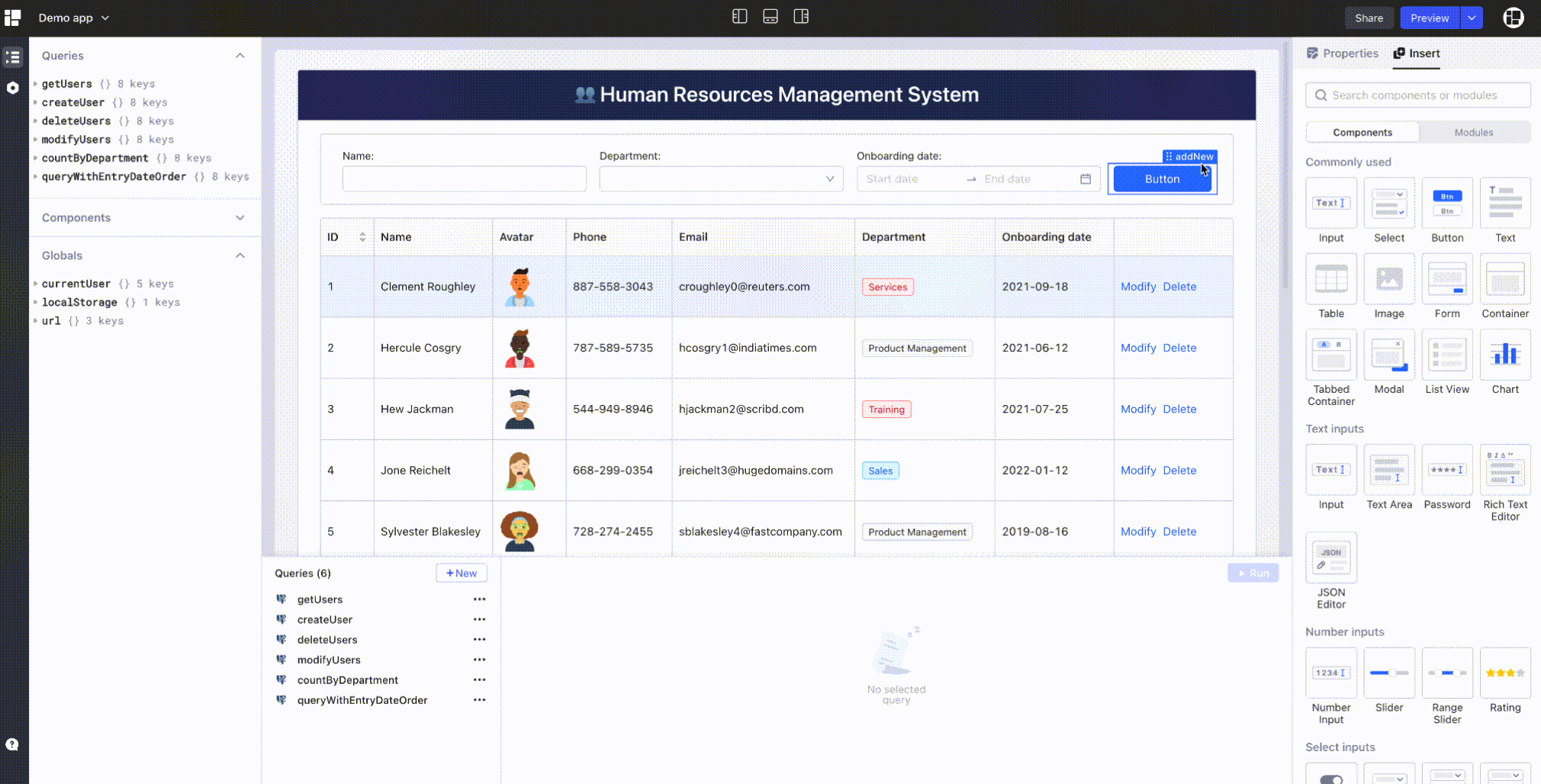
Openblocks screenshot 1

Setup time

A few minutes

Deployment

Your own server

Services

1 connected service

Why Openblocks

Everything you need, running where you choose.

Get the full Openblocks experience with Easypanel handling the repetitive infrastructure work around it.

Low Code Platform
Openblocks is an open-source low code platform that enables you to build admin panels, dashboards, approval queues, and client support apps with ease and speed.
UI Components
Openblocks offers over 50 built-in UI components that you can use to build beautiful, functional, and user-friendly apps. You can also customize new components and embed them seamlessly into your app.
Data Source Connectivity
Openblocks can connect to any data sources without limitation. It supports most databases and any REST API platform, allowing for the full integration of heterogeneous data.
JavaScript Extension
Openblocks is a developer-first platform that allows you to extend built-in components using JavaScript. You can write JavaScript code everywhere to access and manipulate data, and leverage external JavaScript libraries for more functionality.
Security Features
Openblocks offers robust security features, including role-based access control and audit logs. It also allows for self-hosting, giving you total control over your resources and ensuring data is stored securely.
Efficient App Development
Openblocks is a developer-friendly platform that significantly reduces the work required to build an app. With its drag-and-drop feature, you can create functional and user-friendly apps quickly, allowing you to focus more on business logic.
How it works

From template to live app in three steps.

Easypanel turns the template into real services, storage, and domains on the server you already control.

Already have Easypanel? Open your dashboard at the URL or IP of your own installation.

Installation guide
1
Open your dashboard
Visit the URL or IP of your Easypanel installation and choose the target project.
2
Choose Openblocks
Open Templates, select Openblocks, then review its service names and configuration.
3
Deploy and open your app
Easypanel starts every service and provisions an HTTPS domain for you.
Installation options
The template asks for these values before creating your services.
OptionDefaultRequired

App Service Name

openblocksRequired

App Service Image

openblocksdev/openblocks-ce:1.1.8Required
Resources
Project documentation and source code.
Latest template update
Feb 21, 2023

first release

Questions

Deploy with confidence.

The template handles the application setup while Easypanel keeps the infrastructure understandable and under your control.

Keep exploring

Related templates

Browse all
JumpServer logo
JumpServer
JumpServer is an open-source, enterprise-grade bastion host and privileged access management (PAM) solution. It provides secure access to servers, databases, and other IT resources through a web-based interface. JumpServer supports multiple authentication methods, session recording, command auditing, and fine-grained access control. It's designed to help organizations manage and monitor privileged access to critical infrastructure while maintaining security compliance and audit trails.
View template
Atheos logo
Atheos
Atheos is a self-hosted browser-based cloud IDE, updated from Codiad IDE with a modern approach to web development. This lightweight development environment provides fast, interactive coding without the massive overhead of desktop editors. Atheos features built-in Git integration, a comprehensive plugin system, multi-user support with permissions, and supports multiple programming languages. Perfect for developers who want a complete IDE that runs entirely in the browser with minimal server requirements and maximum functionality.
View template
Grist logo
Grist
Grist is an open-source, customizable data management platform that combines the power of a spreadsheet with the structure of a database. Designed for teams and individuals who need to organize, analyze, and share information, Grist offers a flexible and collaborative environment for data management. It supports relational data linking, allowing users to create complex, connected data tables, and provides tools for custom views, formulas, and dashboards. Grist’s user-friendly interface empowers users to build powerful applications without requiring extensive coding knowledge.
View template
Openblocks logo
Ready to deploy Openblocks?
Open your own Easypanel dashboard, choose Openblocks from Templates, and review the deployment options.