All templates

Deploy Passbolt on your own server.

Passbolt logo

Passbolt is a security-first, open source password manager designed for teams and businesses. It is trusted by thousands of organizations worldwide, including Fortune 500 companies, defense industry, universities, startups, and many others. The app puts security first, with top penetration testers regularly assessing its software. It…

Your infrastructureAutomatic HTTPSNo lock-in

Screenshots

A closer look at Passbolt.
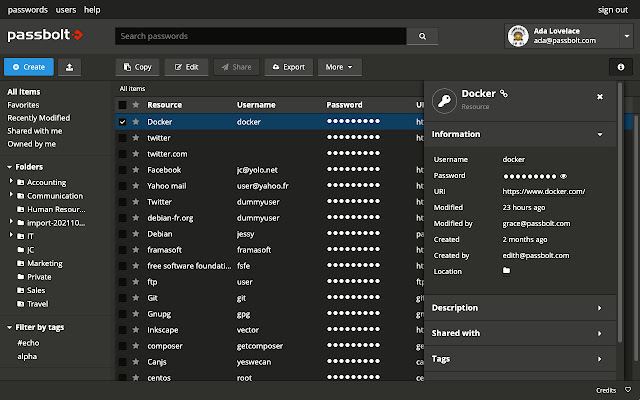
Passbolt screenshot 1

Setup time

A few minutes

Deployment

Your own server

Services

2 connected services

Why Passbolt

Everything you need, running where you choose.

Get the full Passbolt experience with Easypanel handling the repetitive infrastructure work around it.

User-Owned Secret Keys and End-to-End Encryption
Passbolt supports user-owned secret keys and end-to-end encryption, even in complex scenarios. This ensures that your data is always secure.
Granular Access Controls
Passbolt provides unparalleled granularity for both access controls and encrypted data. This allows you to manage who has access to what information and when.
Real-Time Password Syncing
Passbolt can be used from your browser or mobile phone, and sharing happens in real time. This means that you can access your passwords from any device, at any time.
Developer-Friendly
Passbolt allows developers to retrieve, store, and share passwords programmatically with the JSON API. This makes it easy to automate tasks at scale.
Unparalleled Security
Passbolt is a password manager that prioritizes security above all else. It is regularly assessed by top penetration testers and the findings are made public. This transparency ensures that you can trust Passbolt with your most sensitive information.
Built for Team Collaboration
Unlike most password managers that focus on individual users, Passbolt is designed to meet the needs of organizations and teams. It allows you to securely share your credentials and provides powerful auditing tools for power users.
How it works

From template to live app in three steps.

Easypanel turns the template into real services, storage, and domains on the server you already control.

Already have Easypanel? Open your dashboard at the URL or IP of your own installation.

Installation guide
1
Open your dashboard
Visit the URL or IP of your Easypanel installation and choose the target project.
2
Choose Passbolt
Open Templates, select Passbolt, then review its service names and configuration.
3
Deploy and open your app
Easypanel starts every service and provisions an HTTPS domain for you.
Installation options
The template asks for these values before creating your services.
OptionDefaultRequired

App Service Name

passboltRequired

App Service Image

passbolt/passbolt:5.11.0-1-ceRequired

Database Service Name

passbolt-dbRequired
Resources
Project documentation and source code.
Latest template update
May 5, 2026

Update to 5.11.0

Questions

Deploy with confidence.

The template handles the application setup while Easypanel keeps the infrastructure understandable and under your control.

Passbolt logo
Ready to deploy Passbolt?
Open your own Easypanel dashboard, choose Passbolt from Templates, and review the deployment options.