All templates

Deploy PeerTube on your own server.

PeerTube logo

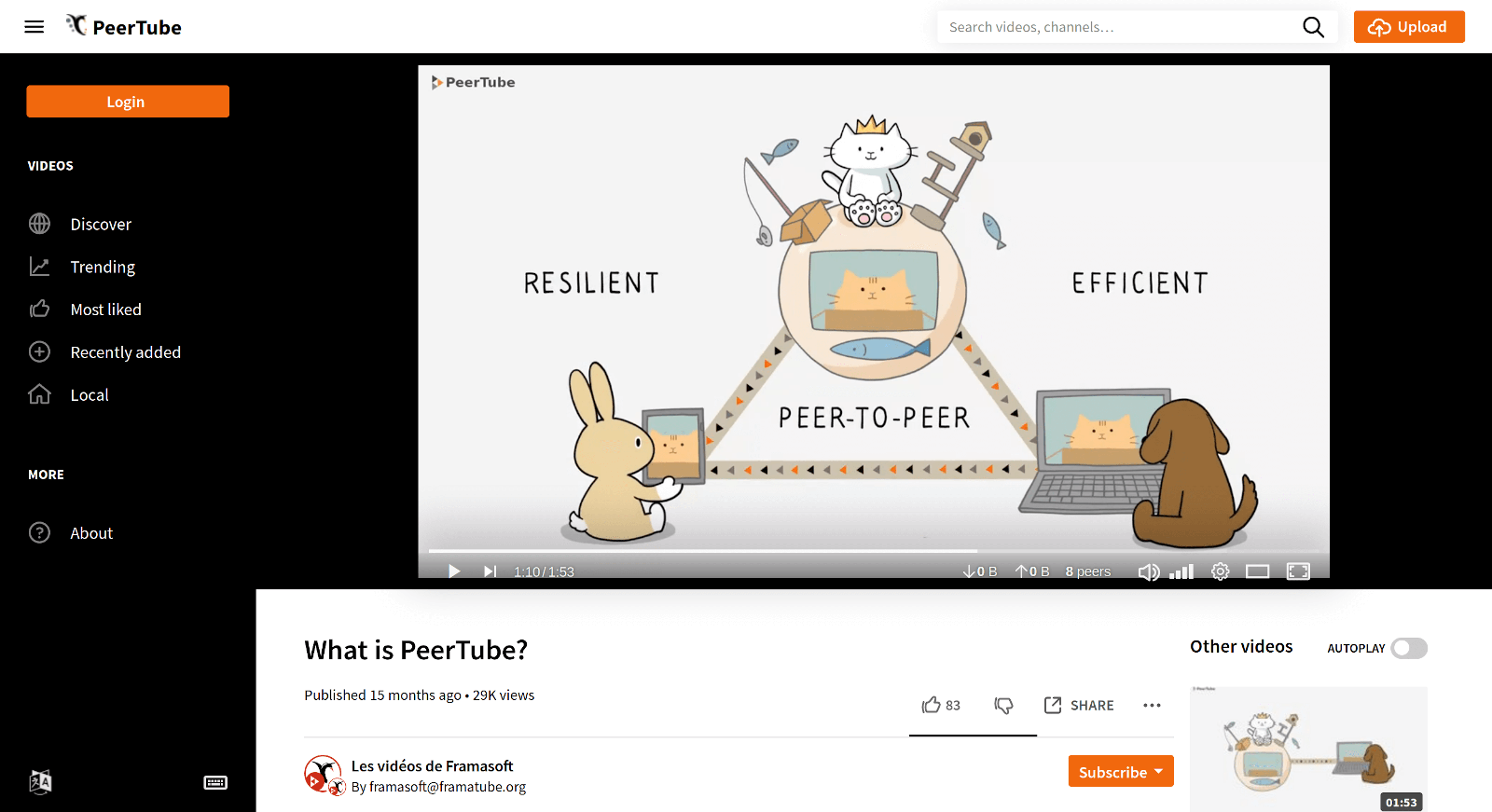
PeerTube is a revolutionary video sharing tool developed by Framasoft, a French non-profit organization. It offers an alternative to mainstream video platforms, allowing you to establish your own video platform with complete independence. Unlike other platforms, PeerTube doesn't rely on opaque algorithms or obscure moderation policies.…

Your infrastructureAutomatic HTTPSNo lock-in

Screenshots

A closer look at PeerTube.
PeerTube screenshot 1

Setup time

A few minutes

Deployment

Your own server

Services

3 connected services

Why PeerTube

Everything you need, running where you choose.

Get the full PeerTube experience with Easypanel handling the repetitive infrastructure work around it.

Video Sharing
PeerTube is a tool for sharing online videos. It allows you to publish your own videos and browse content from a network of over 1,000 platforms.
Platform Creation
With PeerTube, you can create your own video platform, managed and moderated by you. This gives you complete control over your content and its moderation.
Interconnected Platforms
PeerTube allows platforms to be connected to each other, creating a network of platforms that are both autonomous and interconnected.
Privacy Focused
PeerTube does not depend on any advertising and does not track you. Your privacy is respected and protected.
Open Source
PeerTube is free and open-source. You can help improve PeerTube with your ideas, suggestions, or by modifying the source code yourself.
Independence
PeerTube gives you the freedom to create your own video platform, free from opaque algorithms or obscure moderation policies. The platforms you visit are built, managed, and moderated by their owners, ensuring complete independence.
How it works

From template to live app in three steps.

Easypanel turns the template into real services, storage, and domains on the server you already control.

Already have Easypanel? Open your dashboard at the URL or IP of your own installation.

Installation guide
1
Open your dashboard
Visit the URL or IP of your Easypanel installation and choose the target project.
2
Choose PeerTube
Open Templates, select PeerTube, then review its service names and configuration.
3
Deploy and open your app
Easypanel starts every service and provisions an HTTPS domain for you.
Installation options
The template asks for these values before creating your services.
OptionDefaultRequired

Admin Mail

Required

SMTP Hostname

Optional

SMTP Port

25Optional

SMTP Username

Optional

SMTP Password

Set during installOptional

SMTP From

[email protected]Optional

SMTP TLS

falseOptional

SMTP Disable STARTTLS

falseOptional

Signup Enabled

trueOptional

Transcoding Enabled

trueOptional

Contact Form Enabled

trueOptional

App Service Name

peertubeRequired

App Service Image

chocobozzz/peertube:v8.1.5Required

Database Service Name

peertube-dbRequired

Redis Service Name

peertube-redisRequired
Resources
Project documentation and source code.
Latest template update
May 5, 2026

Version bumped to v8.1.5

Questions

Deploy with confidence.

The template handles the application setup while Easypanel keeps the infrastructure understandable and under your control.

Keep exploring

Related templates

Browse all
AllTube logo
AllTube
AllTube Download is an application designed to facilitate the downloading of videos from YouTube. It provides an HTML GUI for youtube-dl, a command-line program to download videos from YouTube and other video sites. The app allows users to download videos directly to their server, making it easy to access and manage their favorite content. AllTube supports various configurations and can be customized according to user preferences. It also offers a JSON API, which returns a JSON object generated by youtube-dl, providing detailed information about the video. The app is lightweight and efficient, making it a great choice for those who frequently download videos from YouTube.
View template
Handbrake Web logo
Handbrake Web
Handbrake Web is a self-hosted video transcoding solution that provides a web-based interface for managing and processing video encoding jobs using the powerful HandBrake video transcoder. The application features a distributed architecture with a central server for job management and dedicated workers for processing, allowing you to scale encoding capacity by adding more workers. The web interface enables you to upload videos, configure encoding presets, monitor job progress, and manage your transcoding queue from any browser. Handbrake Web supports all the encoding formats and options available in HandBrake, including H.264, H.265/HEVC, VP9, and AV1 codecs, as well as various container formats like MP4, MKV, and WebM. The worker-based architecture allows for parallel processing of multiple videos and can leverage hardware acceleration when available. Perfect for media enthusiasts who need to convert video collections to different formats, content creators preparing videos for multiple platforms, home server administrators managing media libraries, or anyone who needs a reliable self-hosted solution for batch video transcoding without installing desktop applications.
View template
Pigeon Pod logo
Pigeon Pod
Pigeon Pod is a self-hosted application that converts YouTube channels or playlists into podcast feeds. It supports automatic syncing of new uploads, backfilling historical content, media downloads, and secure RSS feeds compatible with standard podcast players. Built with Spring Boot, Pigeon Pod provides a web interface for managing YouTube subscriptions and generates podcast-compatible RSS feeds that work with any standard podcast player. Perfect for podcast enthusiasts who want to listen to YouTube content as podcasts while maintaining complete control over their data and subscriptions.
View template
PeerTube logo
Ready to deploy PeerTube?
Open your own Easypanel dashboard, choose PeerTube from Templates, and review the deployment options.