All templates

Deploy Pgadmin on your own server.

Pgadmin logo

PGAdmin is a popular open-source administration and management tool for PostgreSQL databases. It provides a web-based interface to interact with PostgreSQL databases, allowing users to create, modify, and manage databases, tables, roles, and queries with ease. PGAdmin supports advanced query execution, database performance analysis, and…

Your infrastructureAutomatic HTTPSNo lock-in

Screenshots

A closer look at Pgadmin.

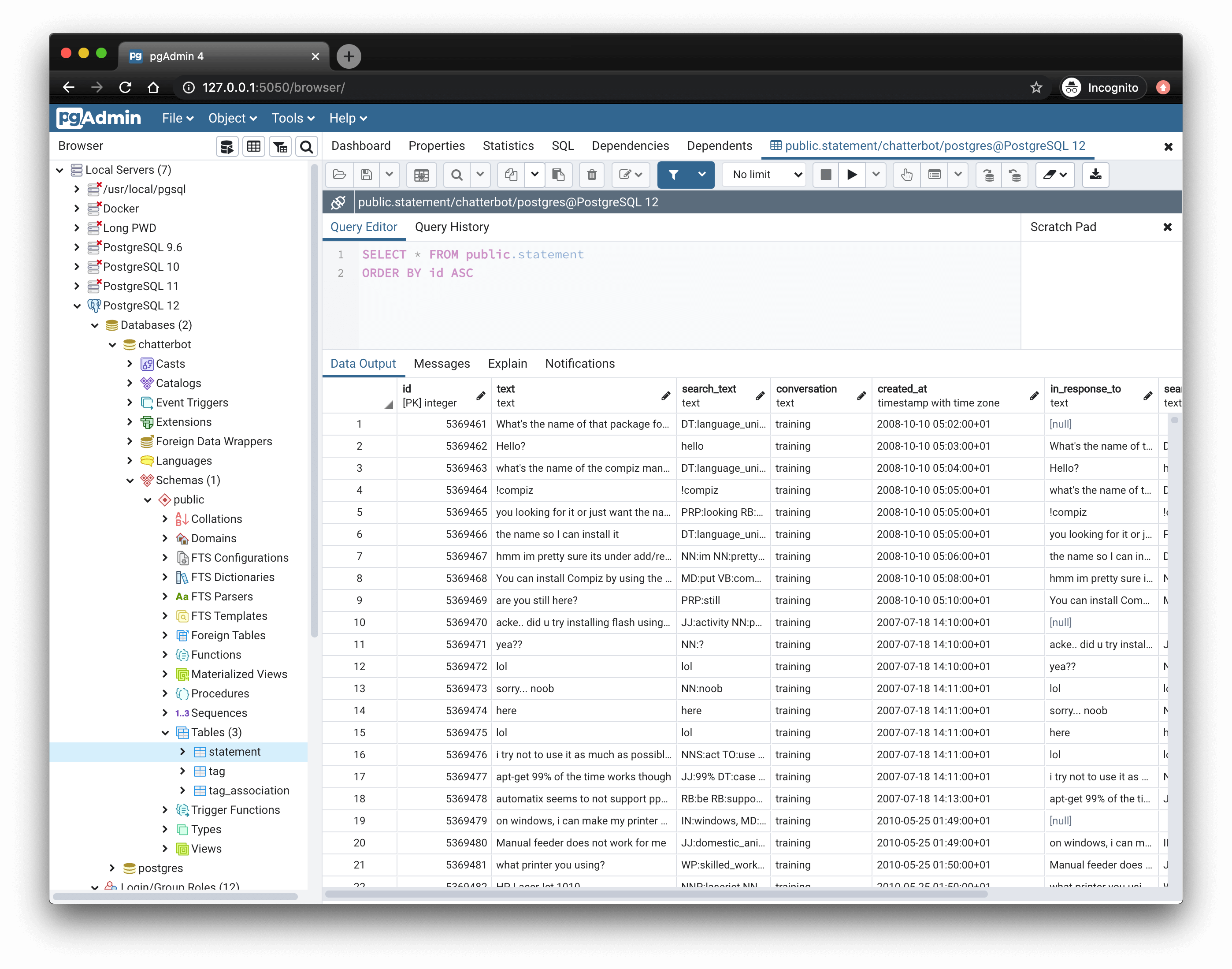
Pgadmin screenshot 1

Setup time

A few minutes

Deployment

Your own server

Services

1 connected service

Why Pgadmin

Everything you need, running where you choose.

Get the full Pgadmin experience with Easypanel handling the repetitive infrastructure work around it.

Query Tool
PGAdmin includes an advanced SQL query tool that supports syntax highlighting, query formatting, and execution plan visualization.
Database Designer (ERD)
This feature allows users to visualize database schema relationships with an entity-relationship diagram (ERD) builder.
Backup and Restore
PGAdmin provides tools to schedule and perform database backups and restorations, ensuring data safety and recovery options.
Server Monitoring
Users can monitor database performance and resource usage through PGAdmin's built-in dashboard, helping identify slow queries and bottlenecks.
Multi-Database Support
PGAdmin supports managing multiple PostgreSQL servers from a single interface, making it ideal for large-scale database environments.
Web-Based Database Administration
PGAdmin provides a powerful web-based interface for managing PostgreSQL databases, making it accessible from anywhere without needing a desktop client installation.
How it works

From template to live app in three steps.

Easypanel turns the template into real services, storage, and domains on the server you already control.

Already have Easypanel? Open your dashboard at the URL or IP of your own installation.

Installation guide
1
Open your dashboard
Visit the URL or IP of your Easypanel installation and choose the target project.
2
Choose Pgadmin
Open Templates, select Pgadmin, then review its service names and configuration.
3
Deploy and open your app
Easypanel starts every service and provisions an HTTPS domain for you.
Installation options
The template asks for these values before creating your services.
OptionDefaultRequired

App Service Name

pgadminRequired

App Service Image

dpage/pgadmin4:9.14Required

Default Email

[email protected]Required

Default Password

Set during installRequired
Resources
Project documentation and source code.
Latest template update
May 5, 2026

Version bumped to 9.14

Questions

Deploy with confidence.

The template handles the application setup while Easypanel keeps the infrastructure understandable and under your control.

Keep exploring

Related templates

Browse all
PostgresUS logo
PostgresUS
PostgresUS is a self-hosted PostgreSQL management and administration tool that provides a web-based interface for managing PostgreSQL databases. The application offers a user-friendly dashboard for database operations, query execution, schema management, and database administration tasks. With its intuitive interface, PostgresUS makes it easy to interact with PostgreSQL databases without requiring command-line tools or complex database management software. The application supports multiple database connections, query building, data visualization, and common database administration operations. Perfect for database administrators who need a simple web interface for PostgreSQL management, developers looking for a lightweight database tool, teams requiring a self-hosted alternative to cloud database management platforms, or anyone who wants a convenient way to manage PostgreSQL databases through a browser.
View template
PgHero
PgHero is a powerful performance dashboard for PostgreSQL databases that provides real-time insights into query performance, slow queries, index usage, and database health metrics. It helps database administrators and developers optimize their PostgreSQL databases by identifying performance bottlenecks, unused indexes, and query patterns. The dashboard features an intuitive web interface with detailed analytics and recommendations for database optimization.
View template
PgBackWeb logo
PgBackWeb
PgBackWeb is a comprehensive web-based backup solution for PostgreSQL databases. It provides an intuitive interface to manage, schedule, and monitor PostgreSQL backups with support for multiple backup destinations including local storage and S3-compatible object storage. The application allows you to configure automated backup schedules, manage retention policies, and restore databases through a user-friendly web interface. PgBackWeb ensures your PostgreSQL databases are safely backed up with encryption support, making it an essential tool for database administrators who need reliable backup management without complex command-line operations. It supports multiple PostgreSQL instances and provides detailed backup logs and notifications.
View template
Pgadmin logo
Ready to deploy Pgadmin?
Open your own Easypanel dashboard, choose Pgadmin from Templates, and review the deployment options.