All templates

Deploy Plane on your own server.

Plane logo

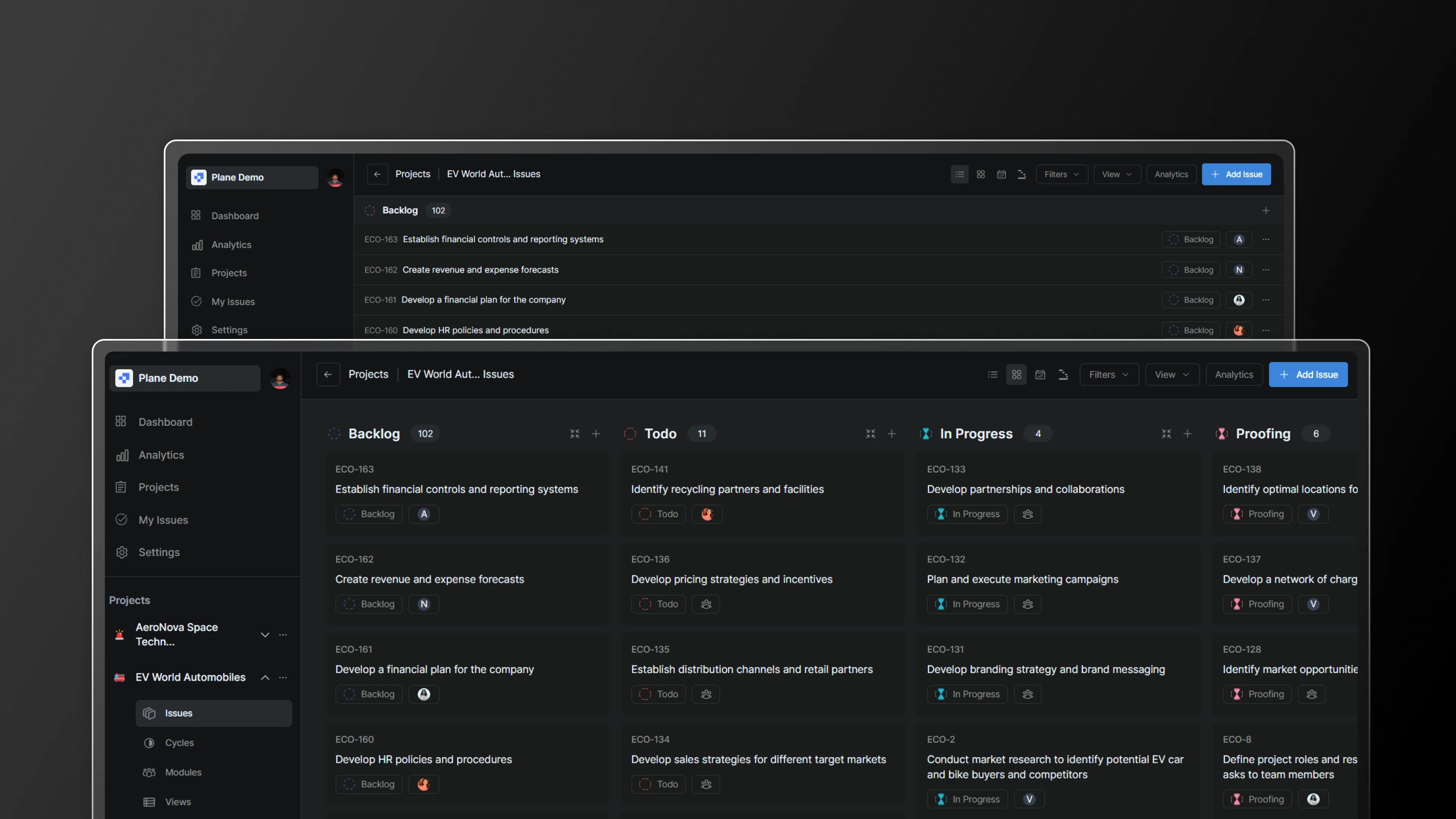
Plane is an open-source project management tool designed to help teams manage tasks, sprints, and product roadmaps efficiently. It offers features like issue tracking, cycles, modules, custom views, pages, and real-time analytics.

Your infrastructureAutomatic HTTPSNo lock-in

Screenshots

A closer look at Plane.

Plane screenshot 1

Setup time

A few minutes

Deployment

Your own server

Services

1 connected service

Why Plane

Everything you need, running where you choose.

Get the full Plane experience with Easypanel handling the repetitive infrastructure work around it.

One-click deployment
Skip manual Docker setup. Easypanel creates and connects the services this app needs.
Your server, your data
Run the application on infrastructure you control, without giving up a polished deployment workflow.
Production-ready defaults
Persistent storage, domains, HTTPS, and environment variables are configured from one guided form.
How it works

From template to live app in three steps.

Easypanel turns the template into real services, storage, and domains on the server you already control.

Already have Easypanel? Open your dashboard at the URL or IP of your own installation.

Installation guide
1
Open your dashboard
Visit the URL or IP of your Easypanel installation and choose the target project.
2
Choose Plane
Open Templates, select Plane, then review its service names and configuration.
3
Deploy and open your app
Easypanel starts every service and provisions an HTTPS domain for you.
Installation options
The template asks for these values before creating your services.
OptionDefaultRequired

Service Name

planeRequired
Resources
Project documentation and source code.
Latest template update
Dec 30, 2025

Updated Plane to v1.2.1

Questions

Deploy with confidence.

The template handles the application setup while Easypanel keeps the infrastructure understandable and under your control.

Keep exploring

Related templates

Browse all
Redmine logo
Redmine
Redmine is an open-source project management and issue-tracking tool. It provides a flexible framework for managing multiple projects and teams, offering features such as Gantt charts, calendar views, and time tracking to keep your projects organized. Redmine supports multiple databases and can be extended through plugins for additional functionality, making it a highly customizable solution for managing tasks, bugs, and collaboration among teams. The tool also includes role-based access control, allowing administrators to assign different permissions to users based on their responsibilities. Redmine integrates with version control systems like Git, Subversion, and Mercurial, enabling developers to track code changes directly from the platform. It supports major platforms including Windows, Linux, and macOS, and can be accessed via a web browser.
View template
Huly logo
Huly
Huly is an all-in-one project management platform and self-hosted alternative to Linear, Jira, Slack, Notion, and Motion. It combines issue tracking, CRM, HRM, ATS (Applicant Tracking), chat, documents, and team collaboration in a single platform. Built on a robust framework for business applications, Huly offers real-time document collaboration with Y.js CRDT, full-text search via Elasticsearch, S3-compatible file storage with MinIO, and event-driven architecture with Redpanda (Kafka). Requires 2+ vCPUs and 8+ GB RAM minimum.
View template
Kimai logo
Kimai
Kimai is an open-source time-tracking solution designed for freelancers, small businesses, and enterprises to manage time-tracking needs efficiently. It enables users to track work hours, manage projects, and create accurate reports and invoices based on time entries. With a focus on simplicity and flexibility, Kimai is ideal for organizations looking to improve productivity, manage employee timesheets, and handle client billing without the complexity of traditional ERP systems. Kimai offers a modular architecture, allowing for easy customization to meet unique requirements, and it supports multi-user environments with permissions to manage data access.
View template
Plane logo
Ready to deploy Plane?
Open your own Easypanel dashboard, choose Plane from Templates, and review the deployment options.