All templates

Deploy Pterodactyl Panel on your own server.

Pterodactyl Panel logo

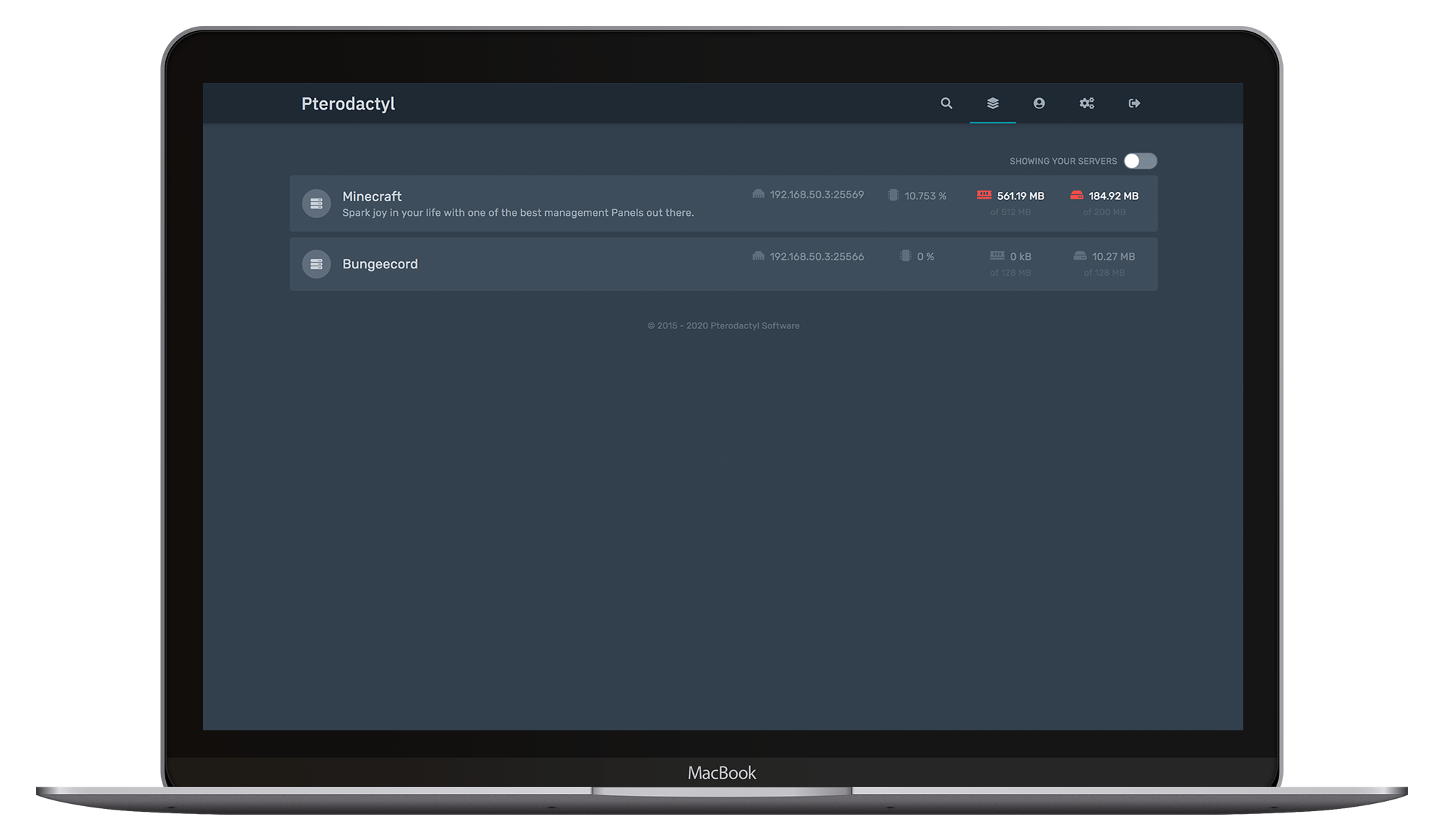
Pterodactyl® is a free, open-source game server management panel that allows you to manage your game servers with ease and efficiency. It is built with PHP, React, and Go, and designed with a focus on security. Pterodactyl runs all game servers in isolated Docker containers, providing a secure environment for each game. It also offers a…

Your infrastructureAutomatic HTTPSNo lock-in

Screenshots

A closer look at Pterodactyl Panel.
Pterodactyl Panel screenshot 1

Setup time

A few minutes

Deployment

Your own server

Services

3 connected services

Why Pterodactyl Panel

Everything you need, running where you choose.

Get the full Pterodactyl Panel experience with Easypanel handling the repetitive infrastructure work around it.

Modern Tooling
Pterodactyl Panel is built on a modern stack, utilizing the best design practices. This makes it easy to jump in and make modifications if needed.
Docker Core
Pterodactyl Panel runs all game servers in isolated Docker containers. This provides environments tailored to each specific game and ensures that resources are used efficiently.
Support for a Variety of Games
Pterodactyl Panel supports a wide variety of games, including Minecraft, Rust, Terraria, Teamspeak, Mumble, Team Fortress 2, Counter Strike: Global Offensive, Garry's Mod, ARK: Survival Evolved, and many more.
Open Source
Pterodactyl Panel is open-source, meaning all of its code is completely accessible and modifiable. This allows for complete transparency and the ability to tailor the software to your specific needs.
Secure Game Server Management
Pterodactyl Panel is designed with security as a priority. It uses bcrypt hashing, AES-256-CBC encryption, and HTTPS support to ensure your game servers are secure. All servers run in isolated Docker containers, limiting attack vectors and providing strict resource limits.
User-Friendly Interface
Pterodactyl Panel offers a beautiful and intuitive user interface. It's designed to be easy to use, saving you from unnecessary stress and frustration.
How it works

From template to live app in three steps.

Easypanel turns the template into real services, storage, and domains on the server you already control.

Already have Easypanel? Open your dashboard at the URL or IP of your own installation.

Installation guide
1
Open your dashboard
Visit the URL or IP of your Easypanel installation and choose the target project.
2
Choose Pterodactyl Panel
Open Templates, select Pterodactyl Panel, then review its service names and configuration.
3
Deploy and open your app
Easypanel starts every service and provisions an HTTPS domain for you.
Installation options
The template asks for these values before creating your services.
OptionDefaultRequired

App Service Name

panelRequired

App Service Image

ghcr.io/pterodactyl/panel:v1.12.2Required

Redis Service Name

panel-redisRequired

Database Service Name

panel-dbRequired
Resources
Project documentation and source code.
Latest template update
May 5, 2026

Version bumped to v1.12.2

Questions

Deploy with confidence.

The template handles the application setup while Easypanel keeps the infrastructure understandable and under your control.

Keep exploring

Related templates

Browse all
Counter-Strike 2 Dedicated Server
Counter-Strike 2 Dedicated Server allows you to host your own CS2 game server with full control over configuration and settings. This self-hosted gaming solution provides a professional-grade server environment for competitive matches, casual gameplay, or private practice sessions. The server supports various game modes including casual, competitive, and deathmatch, with extensive customization options for maps, player limits, server rules, and bot configurations. Features include RCON remote administration, CSTV for broadcasting matches, workshop map support, and comprehensive logging. Perfect for gaming communities, esports teams, or anyone wanting to run their own CS2 server with dedicated resources and low latency.
View template
Minecraft Bedrock Server logo
Minecraft Bedrock Server
The itzg/minecraft-bedrock-server app is designed to provide a seamless Minecraft Server experience for the Bedrock Edition. It automatically downloads the latest stable version of the Minecraft server at startup, ensuring you're always up-to-date with the game's latest features and improvements. The app also allows you to run or upgrade to any specific version or the latest snapshot, giving you full control over your gaming experience. If you're using Minecraft clients on consoles, mobile, or native Windows, the app offers a dedicated Bedrock Server for optimal performance. The standard server port, 19132, will be exposed on your host machine for easy access and gameplay.
View template
Minecraft Server logo
Minecraft Server
The itzg/minecraft-server app is designed to provide a seamless Minecraft Server experience. It automatically downloads the latest stable version of the Minecraft server at startup, ensuring you're always up-to-date with the game's latest features and improvements. The app also allows you to run or upgrade to any specific version or the latest snapshot, giving you full control over your gaming experience. If you're using Minecraft clients on consoles, mobile, or native Windows, the app offers a dedicated Bedrock Server for optimal performance. The standard server port, 25565, will be exposed on your host machine for easy access and gameplay.
View template
Pterodactyl Panel logo
Ready to deploy Pterodactyl Panel?
Open your own Easypanel dashboard, choose Pterodactyl Panel from Templates, and review the deployment options.