All templates

Deploy Redis Insight on your own server.

Redis Insight logo

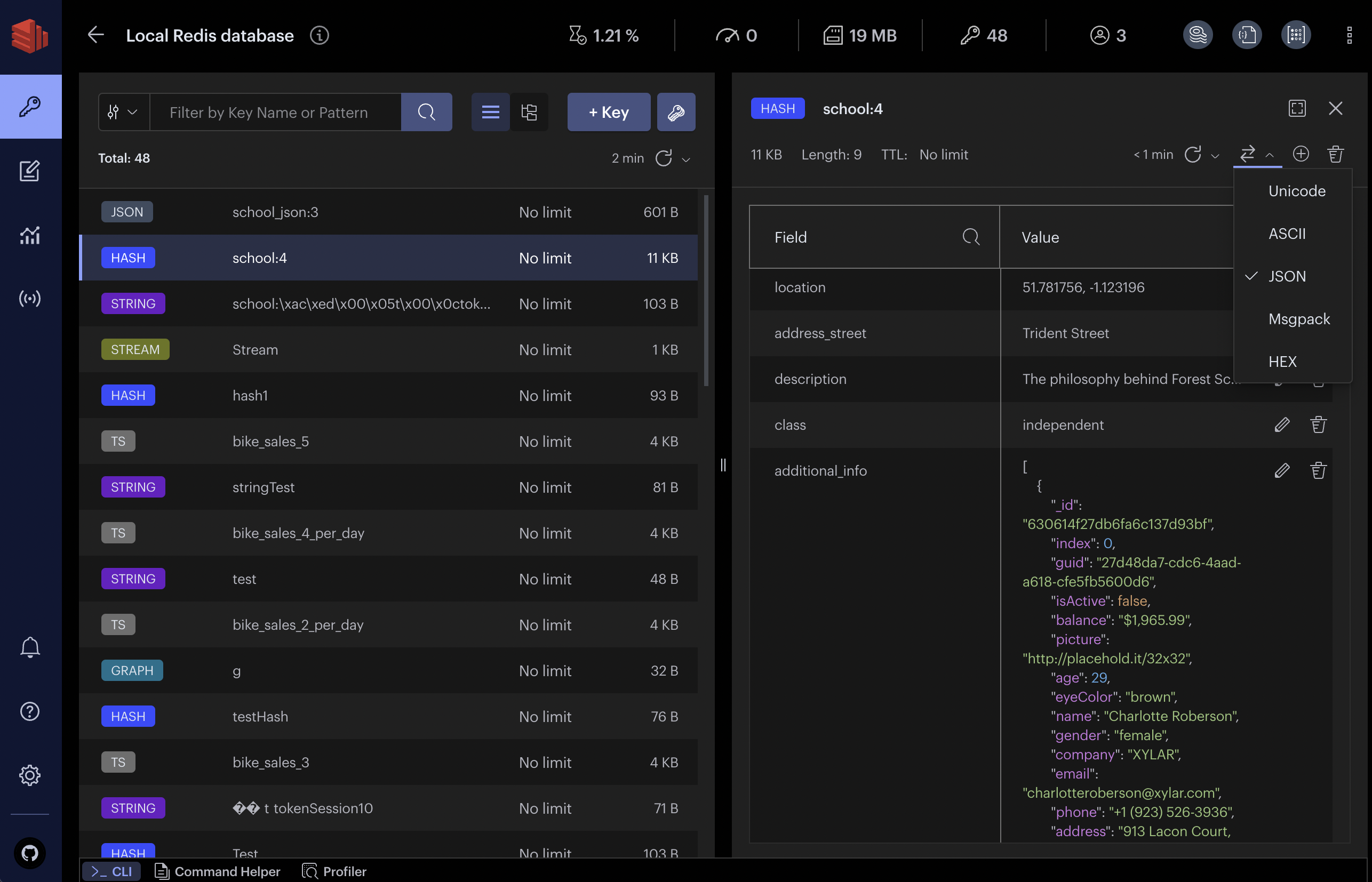
Redis Insight is an ideal tool for developers who build with any Redis deployments and who want to optimize their development process. Redis Insight lets you visually browse and interact with data, take advantage of the advanced command line interface and diagnostic tools, and so much more.

Your infrastructureAutomatic HTTPSNo lock-in

Screenshots

A closer look at Redis Insight.
Redis Insight screenshot 1

Setup time

A few minutes

Deployment

Your own server

Services

1 connected service

Why Redis Insight

Everything you need, running where you choose.

Get the full Redis Insight experience with Easypanel handling the repetitive infrastructure work around it.

Visual Browser
Navigate and manage keys, streams, hashes, sets, and other Redis data types interactively.
Advanced CLI
Run Redis commands with autocomplete, syntax highlighting, and history support.
Performance Insights
Analyze memory usage, latency, and command performance for optimization.
Data Visualization
View data trends, charts, and statistics directly from your Redis instance.
Multi-Deployment Support
Connect to multiple Redis servers, including standalone, clustered, and cloud-managed instances.
Visual Data Exploration
Easily browse, query, and manage Redis data structures through an intuitive graphical interface.
How it works

From template to live app in three steps.

Easypanel turns the template into real services, storage, and domains on the server you already control.

Already have Easypanel? Open your dashboard at the URL or IP of your own installation.

Installation guide
1
Open your dashboard
Visit the URL or IP of your Easypanel installation and choose the target project.
2
Choose Redis Insight
Open Templates, select Redis Insight, then review its service names and configuration.
3
Deploy and open your app
Easypanel starts every service and provisions an HTTPS domain for you.
Installation options
The template asks for these values before creating your services.
OptionDefaultRequired

App Service Name

redisinsightRequired

App Service Image

redis/redisinsight:2.70.1Required
Resources
Project documentation and source code.
Latest template update
Sep 23, 2025

Template Release

Questions

Deploy with confidence.

The template handles the application setup while Easypanel keeps the infrastructure understandable and under your control.

Keep exploring

Related templates

Browse all
Hasura logo
Hasura
Hasura is a powerful Data API Platform that automates the process of building, securing, optimizing, and deploying GraphQL and REST APIs. It eliminates the need for manual API creation, enabling developers to generate APIs effortlessly by connecting to existing databases. This results in rapid, scalable application development. Hasura is compatible with a variety of popular databases, including PostgreSQL, MySQL, and MongoDB, allowing you to build GraphQL APIs on top of your existing databases. It also provides comprehensive tools to secure APIs beyond authentication and authorization. With Hasura, you can accelerate the development of new applications or add new features to an existing application in days instead of weeks. It also helps in fast-tracking cloud migration, frontend and backend modernization, and application re-architecture projects by automating 80% of your API development work.
View template
Illa logo
Illa
Illa Cloud is a revolutionary browser-based code editor designed to streamline and modernize the process of website development. It allows you to code directly within your web browser, either online or offline, eliminating the need for multiple programs. With Illa Cloud, you can test your sites on actual web servers and maintain them with ease after development, making for a fast and intelligent development process. It's not just limited to online use - you can also use it as a desktop code editor, provided you have PHP 7.0+. It comes packed with a multitude of features and plugins to enhance your coding experience, including multiple cursors, 80+ highlighting themes, a find & replace builder, login security, coding assistance, visual code difference display, and database management with the Adminer plugin. The latest version, Illa Cloud 8.1, introduces regex search on find and replace, double click tab to collapse file manager, active line number highlighting, and many more improvements and bug fixes.
View template
Drone Runner logo
Drone Runner
Drone.io is a self-service Continuous Integration platform designed for busy development teams. It automates software build and testing, making it easier for teams to manage their development process. The platform allows for configuration as a code, with pipelines configured through a simple, easy-to-read file committed to your git repository. Each pipeline step is executed inside an isolated Docker container that is automatically downloaded at runtime. Drone.io integrates seamlessly with multiple source code management systems, including GitHub, GitHubEnterprise, Bitbucket, and GitLab. It supports multiple operating systems and architectures, and works with any language, database, or service that runs inside a Docker container. The platform also allows for advanced customization, including custom access controls, approval workflows, secret management, and yaml syntax extensions. Drone.io ensures that every build runs in an isolated Docker container, providing full control and preventing conflicting builds on shared servers.
View template
Redis Insight logo
Ready to deploy Redis Insight?
Open your own Easypanel dashboard, choose Redis Insight from Templates, and review the deployment options.