All templates

Deploy RSS-Bridge on your own server.

RSS-Bridge logo

RSS-Bridge is a self-hosted, open-source tool that generates RSS and Atom feeds for websites that do not provide them natively. It enables users to extract and aggregate content from various web pages, social media platforms, and other online sources into a single, unified RSS feed. This allows users to stay updated with the latest…

Your infrastructureAutomatic HTTPSNo lock-in

Screenshots

A closer look at RSS-Bridge.
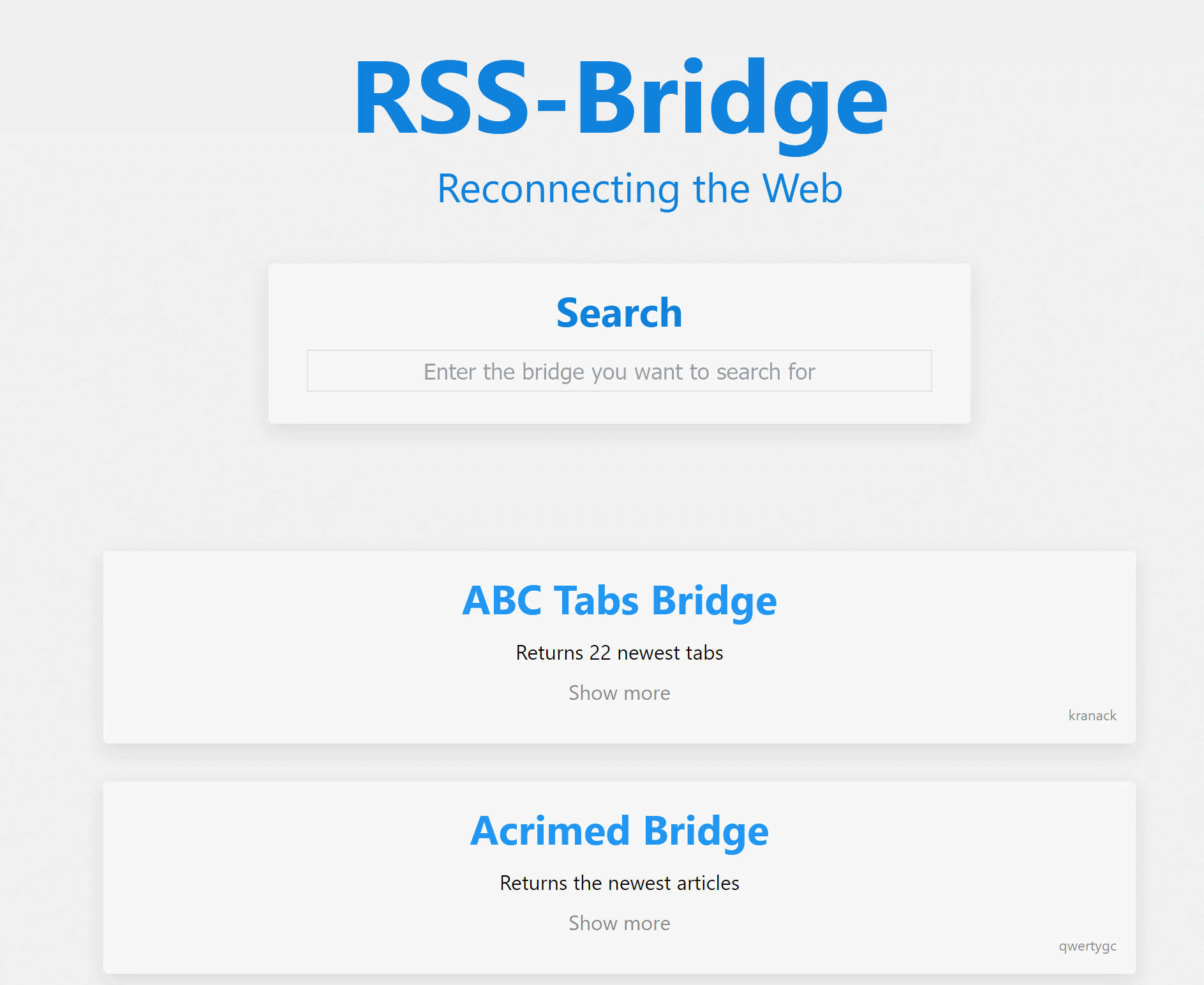
RSS-Bridge screenshot 1

Setup time

A few minutes

Deployment

Your own server

Services

1 connected service

Why RSS-Bridge

Everything you need, running where you choose.

Get the full RSS-Bridge experience with Easypanel handling the repetitive infrastructure work around it.

Multiple Website Connectors
RSS-Bridge supports a wide range of pre-built connectors for popular websites, including news platforms, social media, and blogs, making it easy to generate feeds.
Various Output Formats
The tool provides multiple output formats, including RSS, Atom, JSON, and plaintext, ensuring compatibility with different feed readers and automation tools.
Advanced Feed Customization
Users can apply advanced filtering, keyword-based searches, and content trimming to refine their RSS feeds based on their specific interests.
Lightweight & Fast
RSS-Bridge is designed to be lightweight and efficient, allowing it to run on minimal hardware while delivering real-time updates from various sources.
No API Keys Required
Unlike many third-party services, RSS-Bridge does not require API keys, making it easy to use without complex setup or rate limits.
Generate RSS Feeds for Any Website
RSS-Bridge allows you to create RSS and Atom feeds for websites that do not provide them natively. This ensures you can follow updates from any site in your preferred RSS reader.
How it works

From template to live app in three steps.

Easypanel turns the template into real services, storage, and domains on the server you already control.

Already have Easypanel? Open your dashboard at the URL or IP of your own installation.

Installation guide
1
Open your dashboard
Visit the URL or IP of your Easypanel installation and choose the target project.
2
Choose RSS-Bridge
Open Templates, select RSS-Bridge, then review its service names and configuration.
3
Deploy and open your app
Easypanel starts every service and provisions an HTTPS domain for you.
Installation options
The template asks for these values before creating your services.
OptionDefaultRequired

App Service Name

rss-bridgeRequired

App Service Image

rssbridge/rss-bridge:sha-ac2608aRequired
Resources
Project documentation and source code.
Latest template update
May 5, 2026

Version bumped to sha-ac2608a

Questions

Deploy with confidence.

The template handles the application setup while Easypanel keeps the infrastructure understandable and under your control.

Keep exploring

Related templates

Browse all
Pigeon Pod logo
Pigeon Pod
Pigeon Pod is a self-hosted application that converts YouTube channels or playlists into podcast feeds. It supports automatic syncing of new uploads, backfilling historical content, media downloads, and secure RSS feeds compatible with standard podcast players. Built with Spring Boot, Pigeon Pod provides a web interface for managing YouTube subscriptions and generates podcast-compatible RSS feeds that work with any standard podcast player. Perfect for podcast enthusiasts who want to listen to YouTube content as podcasts while maintaining complete control over their data and subscriptions.
View template
Upvote RSS logo
Upvote RSS
Upvote RSS is a self-hosted RSS feed generator for popular posts from social aggregation sites. It supports Reddit, Hacker News, Lemmy, Lobsters, PieFed, Mbin, and GitHub—build rich RSS feeds with filtering (e.g. average posts per day), embedded media, optional AI summaries (Ollama, OpenAI, Gemini, Anthropic, and more), article content parsing, and top comments. Reddit OAuth env vars are optional and only needed for Reddit-specific feeds; other platforms are configured in the web UI. Cache data under /app/cache for performance across container updates.
View template
Handbrake Web logo
Handbrake Web
Handbrake Web is a self-hosted video transcoding solution that provides a web-based interface for managing and processing video encoding jobs using the powerful HandBrake video transcoder. The application features a distributed architecture with a central server for job management and dedicated workers for processing, allowing you to scale encoding capacity by adding more workers. The web interface enables you to upload videos, configure encoding presets, monitor job progress, and manage your transcoding queue from any browser. Handbrake Web supports all the encoding formats and options available in HandBrake, including H.264, H.265/HEVC, VP9, and AV1 codecs, as well as various container formats like MP4, MKV, and WebM. The worker-based architecture allows for parallel processing of multiple videos and can leverage hardware acceleration when available. Perfect for media enthusiasts who need to convert video collections to different formats, content creators preparing videos for multiple platforms, home server administrators managing media libraries, or anyone who needs a reliable self-hosted solution for batch video transcoding without installing desktop applications.
View template
RSS-Bridge logo
Ready to deploy RSS-Bridge?
Open your own Easypanel dashboard, choose RSS-Bridge from Templates, and review the deployment options.