All templates

Deploy SHM on your own server.

SHM logo

SHM (Self-Hosted Metrics) is privacy-first, agnostic telemetry for self-hosted software—collect usage stats, verify active instances, and understand adoption without spying on users. Instances sign payloads with Ed25519; PostgreSQL stores JSON metrics behind a single Go binary with an embedded dashboard (port 8080). AGPL-3.0; upstream…

Your infrastructureAutomatic HTTPSNo lock-in

Screenshots

A closer look at SHM.

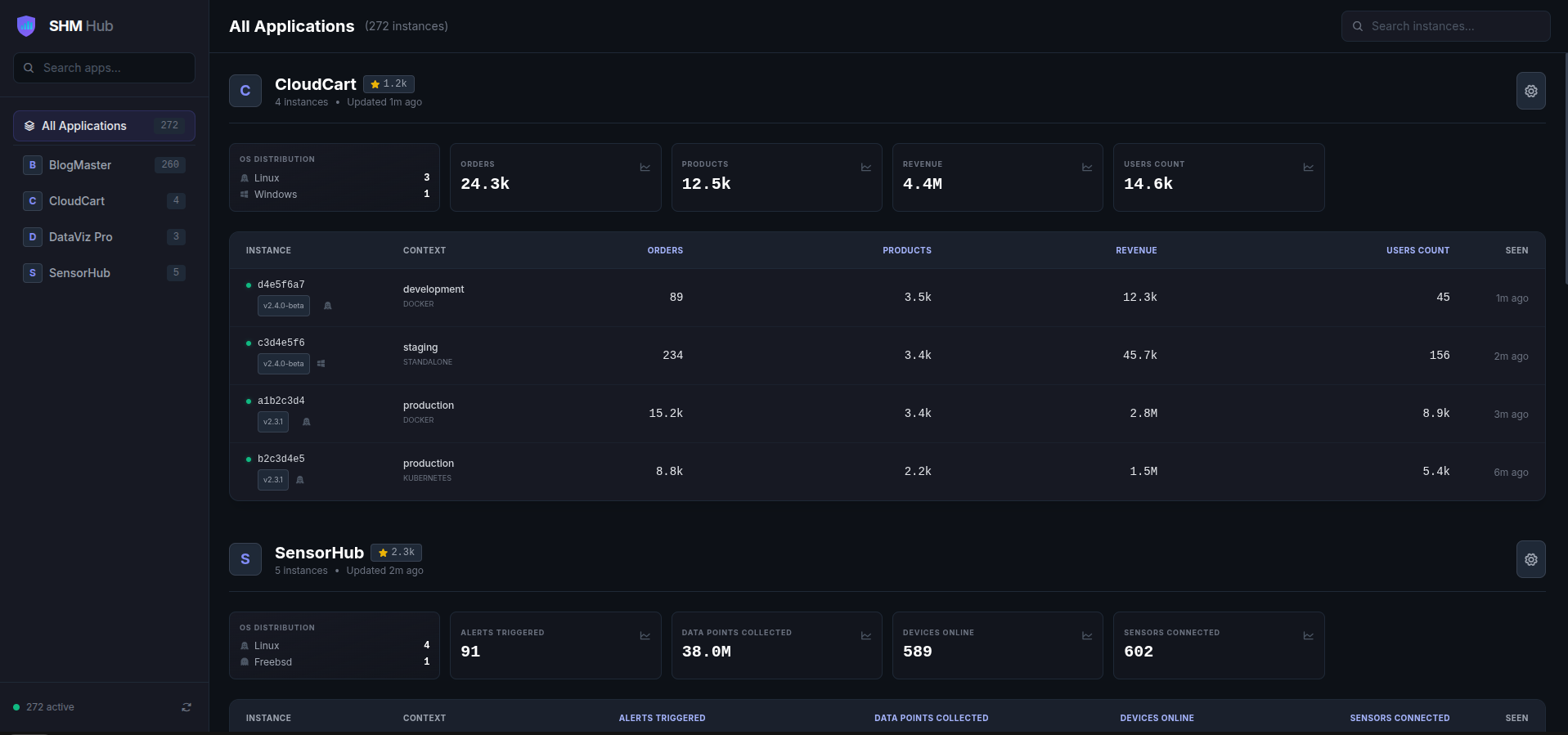
SHM screenshot 1

Setup time

A few minutes

Deployment

Your own server

Services

2 connected services

Why SHM

Everything you need, running where you choose.

Get the full SHM experience with Easypanel handling the repetitive infrastructure work around it.

Ed25519 instance identity
Cryptographic registration and signed snapshots reduce spoofing.
Multi-app tracking
Track several products on one SHM server.
Badges & GitHub stars
Optional embeddable badges and GitHub star integration when configured.
SDKs
Go and Node clients for integrating telemetry into your apps.
Privacy-first telemetry
Aggregate counters and signed snapshots—no user content; built for self-hosted product owners who need adoption insight.
Agnostic payloads
Send JSON metrics; the dashboard adapts with dynamic KPIs and tables.
How it works

From template to live app in three steps.

Easypanel turns the template into real services, storage, and domains on the server you already control.

Already have Easypanel? Open your dashboard at the URL or IP of your own installation.

Installation guide
1
Open your dashboard
Visit the URL or IP of your Easypanel installation and choose the target project.
2
Choose SHM
Open Templates, select SHM, then review its service names and configuration.
3
Deploy and open your app
Easypanel starts every service and provisions an HTTPS domain for you.
Installation options
The template asks for these values before creating your services.
OptionDefaultRequired

App Service Name

shmRequired

App Service Image

ghcr.io/kolapsis/shm:sha-fd3affaRequired
Resources
Project documentation and source code.
Latest template update
Jan 29, 2025

Initial Template Release

Questions

Deploy with confidence.

The template handles the application setup while Easypanel keeps the infrastructure understandable and under your control.

Keep exploring

Related templates

Browse all
GHStats logo
GHStats
GHStats is a self-hosted GitHub statistics and analytics tool that helps you track and visualize your GitHub repository metrics. Monitor stars, traffic, clones, views, and other important repository statistics over time with an intuitive web interface. The application collects and stores historical data from your GitHub repositories, allowing you to analyze trends and growth patterns that would otherwise be lost after GitHub's 14-day statistics retention period. Perfect for developers, project maintainers, and organizations who want to maintain long-term analytics of their GitHub presence. GHStats requires a GitHub personal access token to fetch repository statistics and stores all collected data persistently for historical analysis and visualization.
View template
Swetrix logo
Swetrix
Swetrix is a powerful, privacy-focused analytics platform that provides comprehensive website and application analytics. Built with modern technologies, it offers real-time data collection, beautiful dashboards, and detailed insights into user behavior. Features include event tracking, performance monitoring, user session analysis, and customizable reports. Self-hosted solution that ensures complete data privacy and control while providing enterprise-grade analytics capabilities.
View template
PostgresUS logo
PostgresUS
PostgresUS is a self-hosted PostgreSQL management and administration tool that provides a web-based interface for managing PostgreSQL databases. The application offers a user-friendly dashboard for database operations, query execution, schema management, and database administration tasks. With its intuitive interface, PostgresUS makes it easy to interact with PostgreSQL databases without requiring command-line tools or complex database management software. The application supports multiple database connections, query building, data visualization, and common database administration operations. Perfect for database administrators who need a simple web interface for PostgreSQL management, developers looking for a lightweight database tool, teams requiring a self-hosted alternative to cloud database management platforms, or anyone who wants a convenient way to manage PostgreSQL databases through a browser.
View template
SHM logo
Ready to deploy SHM?
Open your own Easypanel dashboard, choose SHM from Templates, and review the deployment options.