All templates

Deploy Swingmusic on your own server.

Swingmusic logo

Swingmusic is a beautiful, self-hosted music player and streaming server for your personal music collection. It provides a modern, intuitive web interface that allows you to stream your music library from anywhere. With support for various audio formats and a clean, responsive design, Swingmusic makes it easy to enjoy your music…

Your infrastructureAutomatic HTTPSNo lock-in

Screenshots

A closer look at Swingmusic.
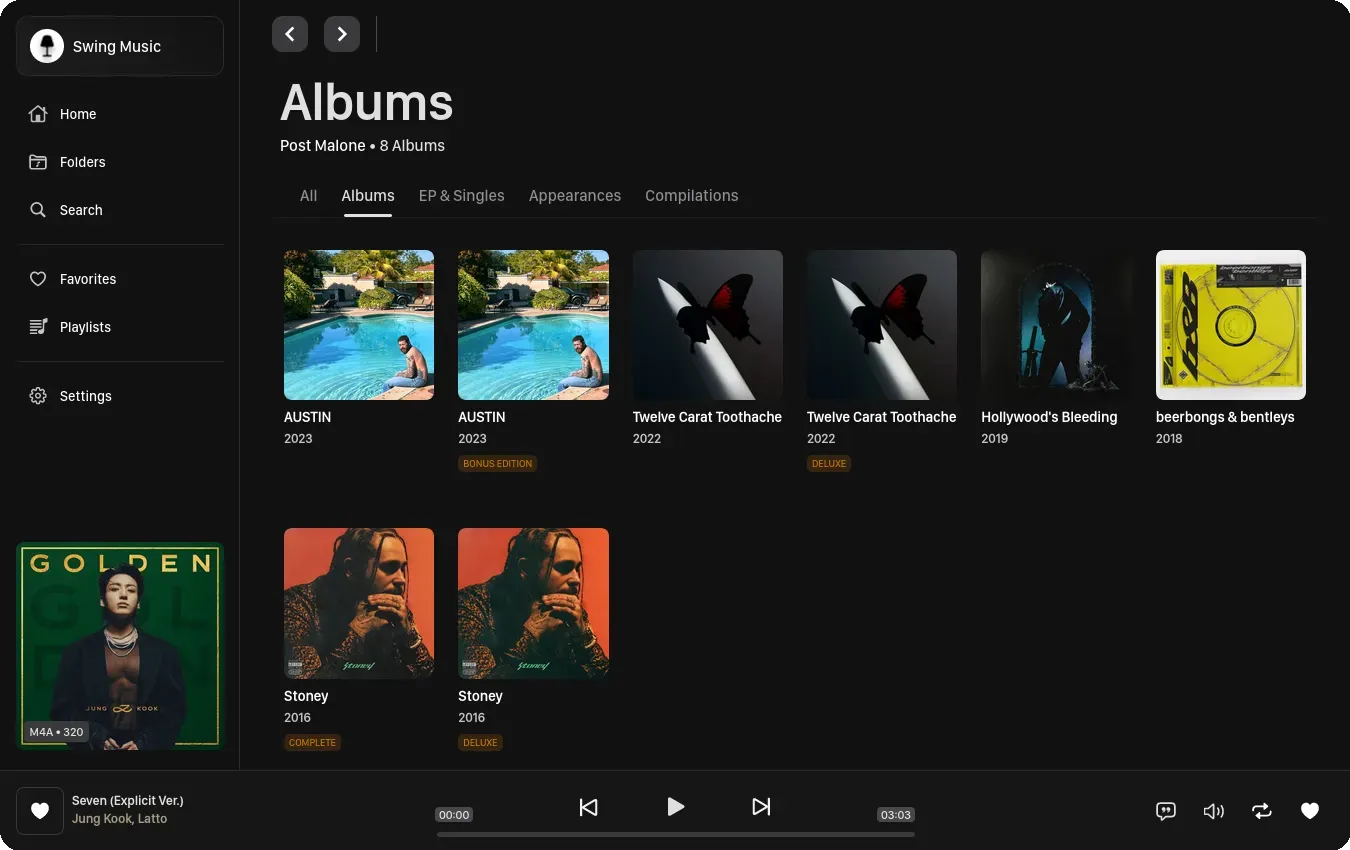
Swingmusic screenshot 1

Setup time

A few minutes

Deployment

Your own server

Services

1 connected service

Why Swingmusic

Everything you need, running where you choose.

Get the full Swingmusic experience with Easypanel handling the repetitive infrastructure work around it.

Music Library Management
Organize and browse your entire music collection with support for artists, albums, tracks, and automatic metadata extraction from audio files.
Playlist Creation
Create and manage custom playlists to organize your favorite tracks and enjoy curated listening experiences tailored to your preferences.
Search & Discovery
Quickly find any song, album, or artist in your collection with powerful search functionality and intuitive browsing capabilities.
Album Artwork Display
Automatically display embedded album artwork from your audio files for a visually rich music browsing and playback experience.
Web-Based Player
Stream your music through any modern web browser without requiring additional software or plugins on your devices.
Responsive Design
Access your music library from any device with a fully responsive interface that adapts to different screen sizes and orientations.
How it works

From template to live app in three steps.

Easypanel turns the template into real services, storage, and domains on the server you already control.

Already have Easypanel? Open your dashboard at the URL or IP of your own installation.

Installation guide
1
Open your dashboard
Visit the URL or IP of your Easypanel installation and choose the target project.
2
Choose Swingmusic
Open Templates, select Swingmusic, then review its service names and configuration.
3
Deploy and open your app
Easypanel starts every service and provisions an HTTPS domain for you.
Installation options
The template asks for these values before creating your services.
OptionDefaultRequired

App Service Name

swingmusicRequired

App Service Image

Swingmusic Docker image from GitHub Container Registry

ghcr.io/swingmx/swingmusic:v2.1.10Required
Resources
Project documentation and source code.
Latest template update
May 7, 2026

Version bumped to v2.1.10

Questions

Deploy with confidence.

The template handles the application setup while Easypanel keeps the infrastructure understandable and under your control.

Swingmusic logo
Ready to deploy Swingmusic?
Open your own Easypanel dashboard, choose Swingmusic from Templates, and review the deployment options.