All templates

Deploy Tooljet on your own server.

Tooljet logo

Tooljet is an open-source low-code platform for building internal tools and business applications. It provides a visual interface builder, database connectors, API integrations, and workflow automation capabilities. With Tooljet, teams can quickly build custom dashboards, admin panels, CRUD applications, and complex business tools…

Your infrastructureAutomatic HTTPSNo lock-in

Screenshots

A closer look at Tooljet.

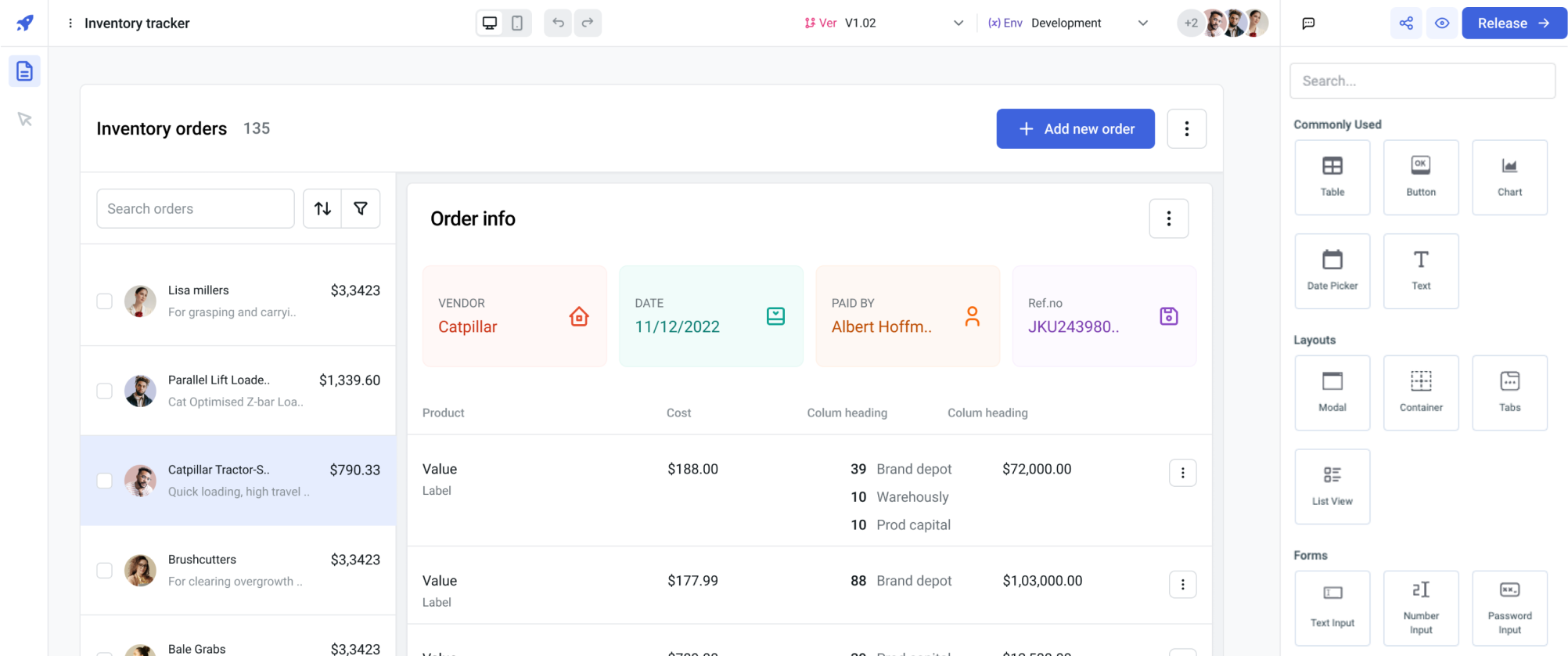
Tooljet screenshot 1

Setup time

A few minutes

Deployment

Your own server

Services

5 connected services

Why Tooljet

Everything you need, running where you choose.

Get the full Tooljet experience with Easypanel handling the repetitive infrastructure work around it.

Visual Interface Builder
Drag-and-drop interface builder with pre-built components for forms, tables, charts, and custom widgets for creating rich user interfaces.
Database Connectors
Support for multiple database types including PostgreSQL, MySQL, MongoDB, and cloud databases with real-time data synchronization.
API Integration
Built-in API client with support for REST, GraphQL, and webhook integrations for connecting to external services and data sources.
Workflow Automation
Visual workflow builder powered by Temporal for creating complex business processes and automated workflows.
Real-Time Collaboration
Multi-user collaboration features with real-time updates, comments, and version control for team-based development.
Custom Components
Extend functionality with custom components, plugins, and integrations using JavaScript and React for advanced use cases.
How it works

From template to live app in three steps.

Easypanel turns the template into real services, storage, and domains on the server you already control.

Already have Easypanel? Open your dashboard at the URL or IP of your own installation.

Installation guide
1
Open your dashboard
Visit the URL or IP of your Easypanel installation and choose the target project.
2
Choose Tooljet
Open Templates, select Tooljet, then review its service names and configuration.
3
Deploy and open your app
Easypanel starts every service and provisions an HTTPS domain for you.
Installation options
The template asks for these values before creating your services.
OptionDefaultRequired

App Service Name

tooljetRequired

App Service Image

Tooljet Docker image

tooljet/tooljet-ce:v3.20.154-ltsRequired

Temporal Image

Temporal server Docker image

temporalio/auto-setup:1.29.6.1Optional
Resources
Project documentation and source code.
Latest template update
May 7, 2026

Version bumped to v3.15.1

Questions

Deploy with confidence.

The template handles the application setup while Easypanel keeps the infrastructure understandable and under your control.

Tooljet logo
Ready to deploy Tooljet?
Open your own Easypanel dashboard, choose Tooljet from Templates, and review the deployment options.