All templates

Deploy Traffic Source on your own server.

Traffic Source logo

Traffic Source is an open-source, self-hosted web analytics platform for tracking pageviews, referrers, UTM attribution, visitor journeys, and conversions. It is cookie-free by default, supports multi-site tracking, and stores data locally in SQLite so you keep full ownership. It also includes affiliate tracking and Stripe conversion…

Your infrastructureAutomatic HTTPSNo lock-in

Screenshots

A closer look at Traffic Source.
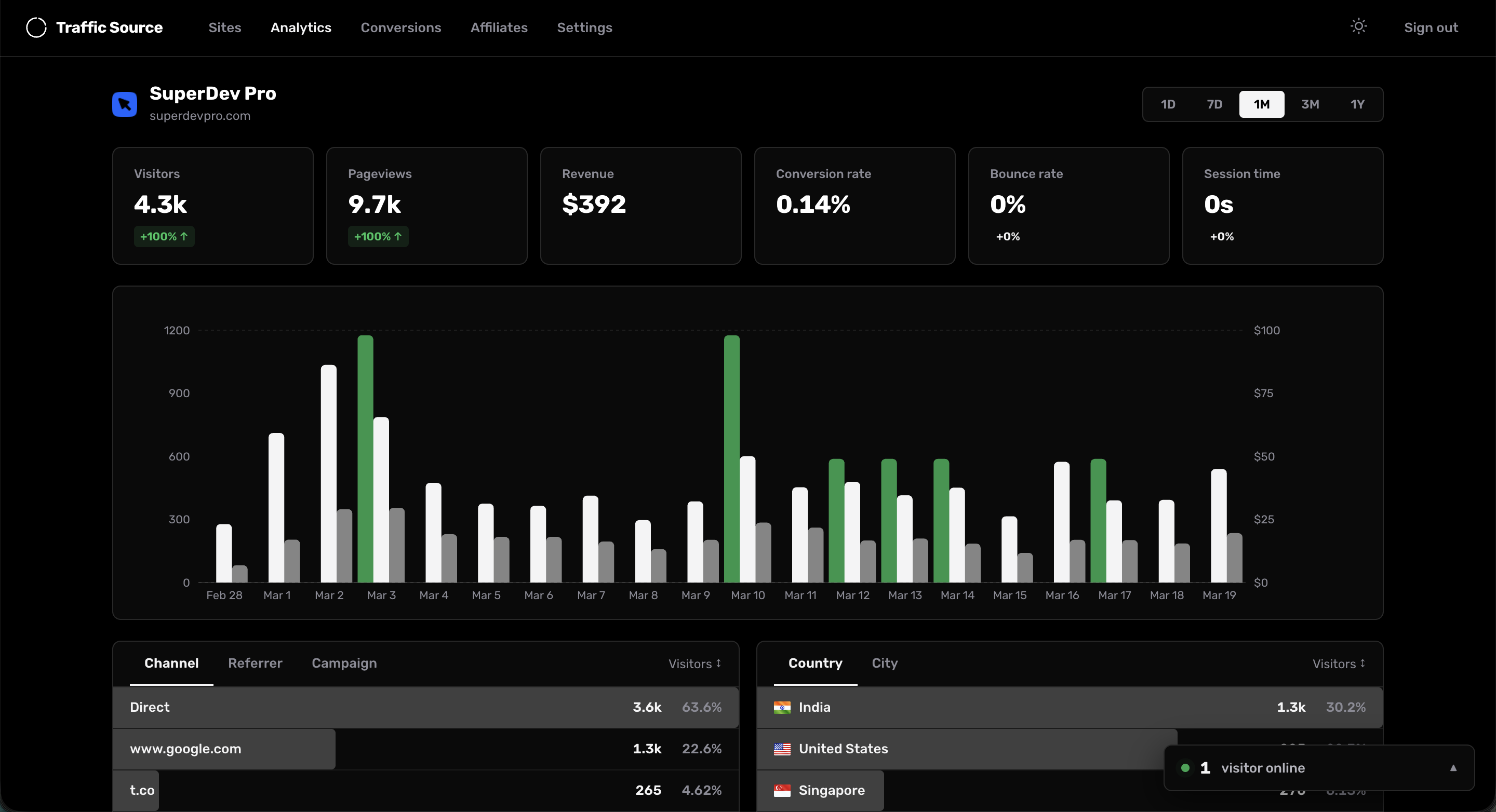
Traffic Source screenshot 1

Setup time

A few minutes

Deployment

Your own server

Services

1 connected service

Why Traffic Source

Everything you need, running where you choose.

Get the full Traffic Source experience with Easypanel handling the repetitive infrastructure work around it.

Real-time analytics
Live pageviews, sessions, bounce rate, session duration, and traffic source insights.
UTM and referrer tracking
Capture source, medium, campaign, term, and content attribution data.
Visitor journeys
Inspect session paths to understand how visitors move before converting.
Affiliate system
Manage affiliate links, commissions, and public affiliate dashboards.
Lightweight tracking script
Small script with SPA navigation support to capture pageviews accurately.
Privacy-first analytics
Cookie-free tracking and fully self-hosted storage so your traffic data stays on your infrastructure.
How it works

From template to live app in three steps.

Easypanel turns the template into real services, storage, and domains on the server you already control.

Already have Easypanel? Open your dashboard at the URL or IP of your own installation.

Installation guide
1
Open your dashboard
Visit the URL or IP of your Easypanel installation and choose the target project.
2
Choose Traffic Source
Open Templates, select Traffic Source, then review its service names and configuration.
3
Deploy and open your app
Easypanel starts every service and provisions an HTTPS domain for you.
Installation options
The template asks for these values before creating your services.
OptionDefaultRequired

App Service Name

traffic-sourceRequired

JWT Expiry

7dOptional
Resources
Project documentation and source code.
Latest template update
Mar 24, 2026

First Release

Questions

Deploy with confidence.

The template handles the application setup while Easypanel keeps the infrastructure understandable and under your control.

Traffic Source logo
Ready to deploy Traffic Source?
Open your own Easypanel dashboard, choose Traffic Source from Templates, and review the deployment options.