All templates

Deploy TubeArchivist on your own server.

TubeArchivist logo

TubeArchivist is a self-hosted YouTube archiving tool that allows you to manage and organize your YouTube content locally. It downloads videos, indexes metadata, and provides a web-based interface for searching, organizing, and playing content. Designed for personal use, TubeArchivist integrates with Elasticsearch for advanced search…

Your infrastructureAutomatic HTTPSNo lock-in

Screenshots

A closer look at TubeArchivist.
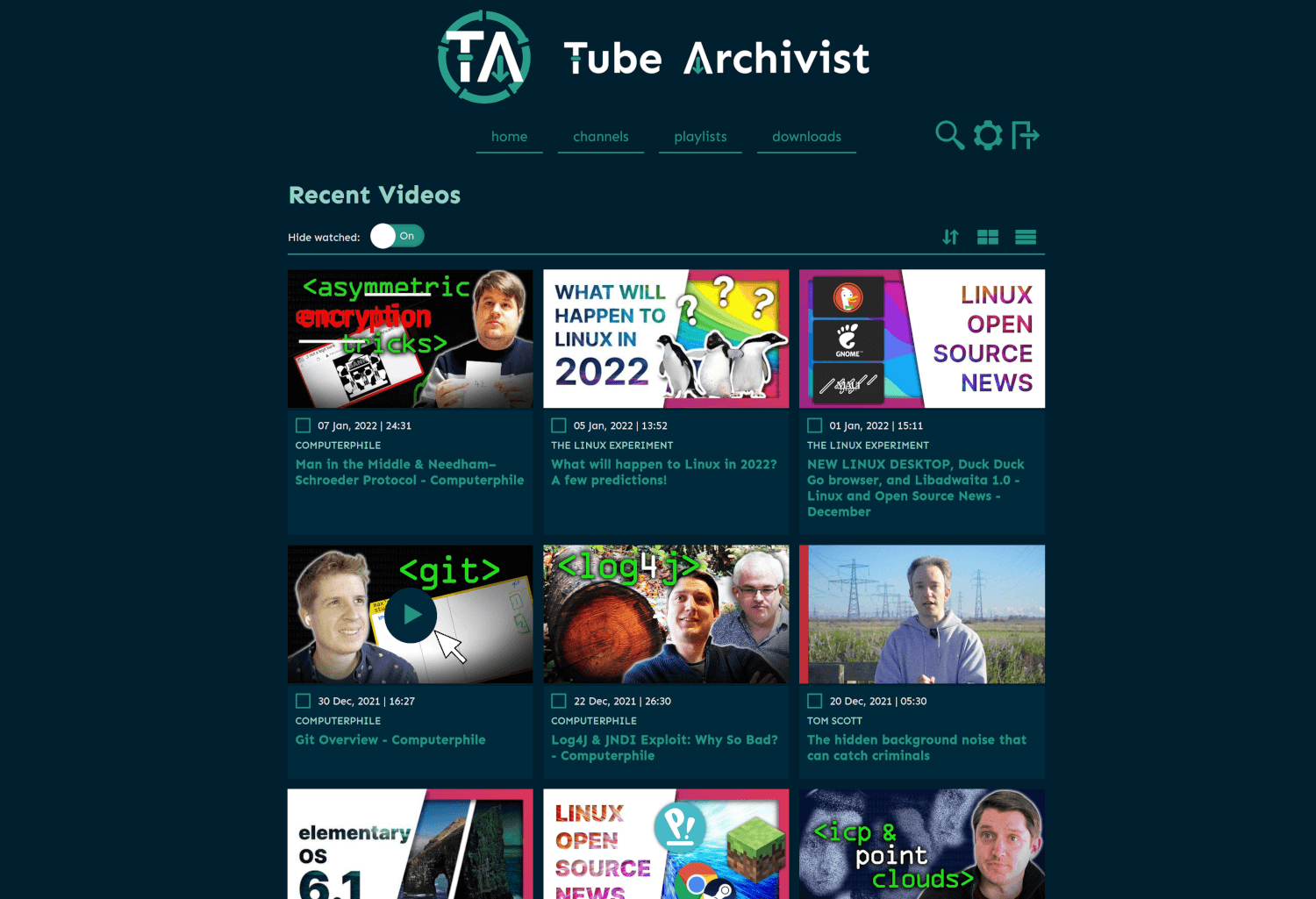
TubeArchivist screenshot 1

Setup time

A few minutes

Deployment

Your own server

Services

3 connected services

Why TubeArchivist

Everything you need, running where you choose.

Get the full TubeArchivist experience with Easypanel handling the repetitive infrastructure work around it.

Elasticsearch Integration
TubeArchivist uses Elasticsearch for advanced search and metadata indexing, providing fast and accurate search results across your video archive.
Redis Caching
Redis is used for caching and task management, improving the performance and responsiveness of the TubeArchivist interface.
Custom Playlists and Tagging
Create custom playlists and apply tags to organize your content. This helps you manage your collection and find videos easily.
Scheduled Downloads
TubeArchivist supports scheduled downloads, allowing you to automate the archiving process for your favorite YouTube channels and playlists.
Web-Based Interface
The intuitive web-based interface makes it easy to manage your video archive, search content, and control playback from any device.
Personal YouTube Archive
TubeArchivist allows you to create your own YouTube archive. You can download and organize videos locally, giving you full control over your collection and ensuring access even if the original content is removed.
How it works

From template to live app in three steps.

Easypanel turns the template into real services, storage, and domains on the server you already control.

Already have Easypanel? Open your dashboard at the URL or IP of your own installation.

Installation guide
1
Open your dashboard
Visit the URL or IP of your Easypanel installation and choose the target project.
2
Choose TubeArchivist
Open Templates, select TubeArchivist, then review its service names and configuration.
3
Deploy and open your app
Easypanel starts every service and provisions an HTTPS domain for you.
Installation options
The template asks for these values before creating your services.
OptionDefaultRequired

App Service Name

tubearchivistRequired

App Service Image

bbilly1/tubearchivist:v0.5.10Required

Elasticsearch Service Image

bbilly1/tubearchivist-es:8.19.0Required

Redis Service Image

redis/redis-stack-server:7.4.0-v8Required

Username

adminRequired

Password

Set during installRequired
Resources
Project documentation and source code.
Latest template update
May 7, 2026

Version bumped to v0.5.10, 8.19.0

Questions

Deploy with confidence.

The template handles the application setup while Easypanel keeps the infrastructure understandable and under your control.

Keep exploring

Related templates

Browse all
TubeSync logo
TubeSync
TubeSync is a powerful self-hosted application designed to automatically sync and download YouTube videos from subscriptions or playlists. It provides an intuitive web interface to manage downloads, supports filtering by keywords, and integrates with various media management systems. TubeSync allows users to schedule automatic downloads, ensuring they never miss new content from their favorite channels. It is built for efficiency, offering high-speed downloads and optimized storage handling. The application runs as a lightweight container, making it easy to deploy and manage.
View template
Soulbeet
Soulbeet is a self-hosted music management and downloading application that integrates with slskd (Soulseek daemon) and beets to create a seamless music acquisition and organization workflow. The application provides a web interface for searching and downloading music through the Soulseek peer-to-peer network, then automatically organizing your downloads using beets' powerful music library management capabilities. Soulbeet connects to your slskd instance to handle the actual Soulseek network communication, allowing you to search for tracks, browse user shares, and queue downloads. Once files are downloaded, beets integration enables automatic tagging, metadata correction, album art fetching, and file organization based on your configured rules. The application uses SQLite for lightweight data persistence and supports custom beets configurations for advanced music library management. Perfect for music enthusiasts who want to build and maintain a well-organized digital music collection, users looking for a self-hosted alternative to music streaming services, audiophiles who prefer to own their music with proper metadata and organization, or anyone who wants to combine the power of Soulseek's peer-to-peer network with beets' music library management in a single unified interface.
View template
Pigeon Pod logo
Pigeon Pod
Pigeon Pod is a self-hosted application that converts YouTube channels or playlists into podcast feeds. It supports automatic syncing of new uploads, backfilling historical content, media downloads, and secure RSS feeds compatible with standard podcast players. Built with Spring Boot, Pigeon Pod provides a web interface for managing YouTube subscriptions and generates podcast-compatible RSS feeds that work with any standard podcast player. Perfect for podcast enthusiasts who want to listen to YouTube content as podcasts while maintaining complete control over their data and subscriptions.
View template
TubeArchivist logo
Ready to deploy TubeArchivist?
Open your own Easypanel dashboard, choose TubeArchivist from Templates, and review the deployment options.