All templates

Deploy Wakapi on your own server.

Wakapi logo

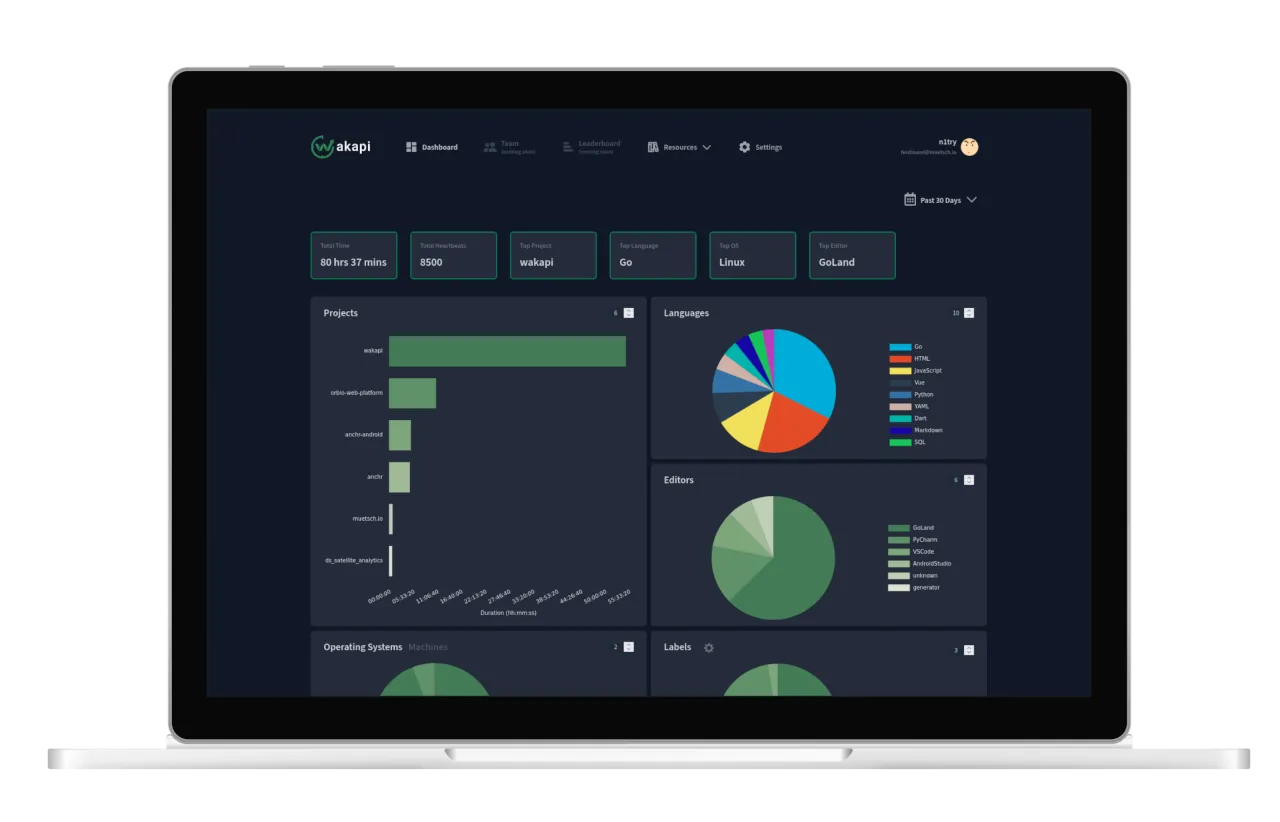
Wakapi is a powerful open-source tool designed to help you track and analyze your coding time. It allows you to monitor the time you've spent coding on various projects, in different programming languages, and more. It's perfect for those who love statistics and want to gain insights into their coding habits. Wakapi provides fancy…

Your infrastructureAutomatic HTTPSNo lock-in

Screenshots

A closer look at Wakapi.

Wakapi screenshot 1

Setup time

A few minutes

Deployment

Your own server

Services

1 connected service

Why Wakapi

Everything you need, running where you choose.

Get the full Wakapi experience with Easypanel handling the repetitive infrastructure work around it.

One-click deployment
Skip manual Docker setup. Easypanel creates and connects the services this app needs.
Your server, your data
Run the application on infrastructure you control, without giving up a polished deployment workflow.
Production-ready defaults
Persistent storage, domains, HTTPS, and environment variables are configured from one guided form.
How it works

From template to live app in three steps.

Easypanel turns the template into real services, storage, and domains on the server you already control.

Already have Easypanel? Open your dashboard at the URL or IP of your own installation.

Installation guide
1
Open your dashboard
Visit the URL or IP of your Easypanel installation and choose the target project.
2
Choose Wakapi
Open Templates, select Wakapi, then review its service names and configuration.
3
Deploy and open your app
Easypanel starts every service and provisions an HTTPS domain for you.
Installation options
The template asks for these values before creating your services.
OptionDefaultRequired

App Service Name

wakapiRequired

App Service Image

n1try/wakapi:2.17.3Required
Resources
Project documentation and source code.
Latest template update
May 7, 2026

Version bumped to 2.17.3

Questions

Deploy with confidence.

The template handles the application setup while Easypanel keeps the infrastructure understandable and under your control.

Keep exploring

Related templates

Browse all
Novu logo
Novu
Novu is an open-source notification infrastructure platform that provides a unified API for managing notifications across multiple channels including email, SMS, push notifications, in-app notifications, and chat. This template deploys a complete Novu infrastructure with separate services for API, Worker, WebSocket, and Dashboard components, backed by MongoDB and Redis. Built for developers who need reliable, scalable notification delivery with features like workflow automation, template management, subscriber management, and real-time analytics. Perfect for applications that require sophisticated notification systems with multi-channel delivery, personalization, and comprehensive tracking capabilities.
View template
Ziit logo
Ziit
Ziit (pronounced 'tseet') is an open-source, self-hostable alternative to WakaTime. It provides a clean, minimal, and fast dashboard for displaying coding statistics, while ensuring privacy by keeping all data on your own server. Ziit tracks coding activity such as projects, languages, editors, files, branches, operating systems, and time spent coding, all presented in a familiar interface inspired by Plausible Analytics.
View template
Emby-Stat logo
Emby-Stat
Emby-Stat is an advanced statistics and analytics tool for Emby and Jellyfin media servers. It allows you to gain deeper insights into your media library, viewing habits, and server usage. With detailed statistics and customizable reports, Emby-Stat helps you visualize and analyze your media server data effectively. It also provides a user-friendly interface to track playback history, top media consumption trends, and server activity over time. Emby-Stat integrates seamlessly with Emby, giving you the ability to enhance your media management with data-driven decisions.
View template
Wakapi logo
Ready to deploy Wakapi?
Open your own Easypanel dashboard, choose Wakapi from Templates, and review the deployment options.