All templates

Deploy 2FAuth on your own server.

2FAuth logo

2FAuth is a web based self-hosted alternative to One Time Passcode (OTP) generators like Google Authenticator, designed for both mobile and desktop.

Your infrastructureAutomatic HTTPSNo lock-in

Screenshots

A closer look at 2FAuth.

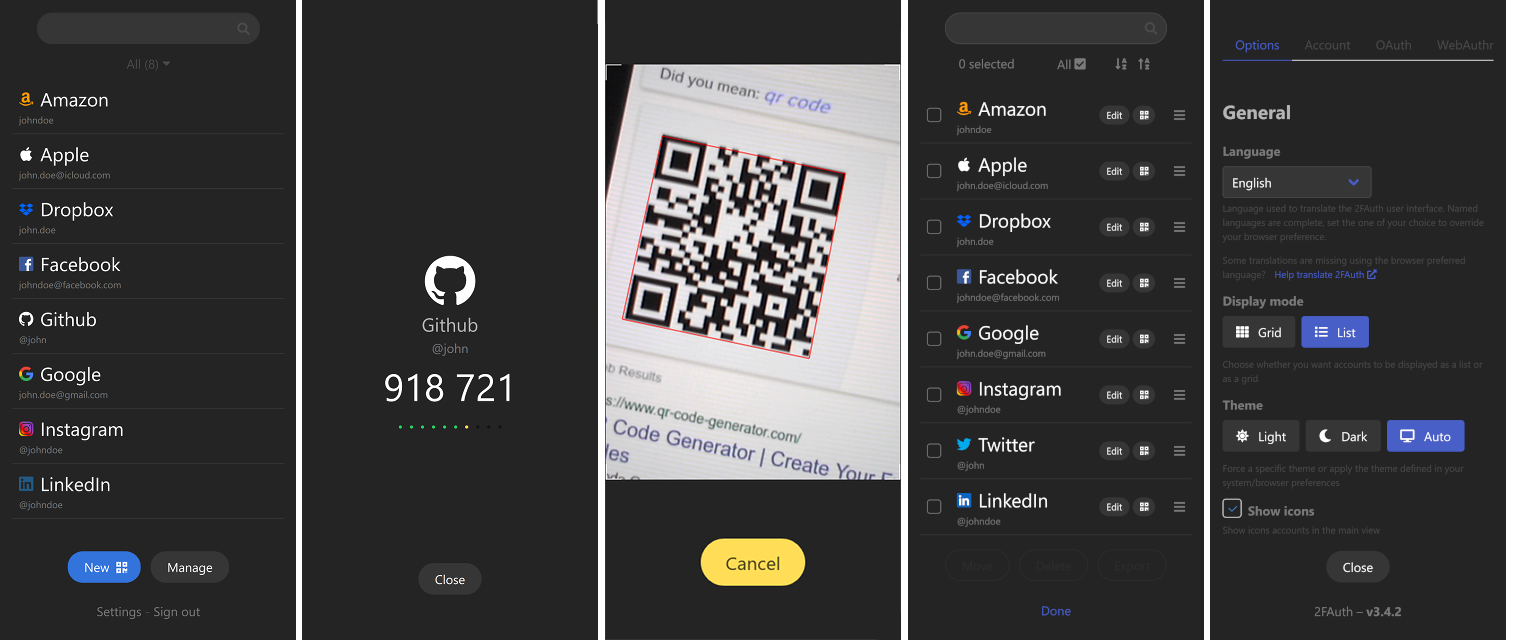
2FAuth screenshot 1

Setup time

A few minutes

Deployment

Your own server

Services

3 connected services

Why 2FAuth

Everything you need, running where you choose.

Get the full 2FAuth experience with Easypanel handling the repetitive infrastructure work around it.

Generate passwords
The main purpose of 2FAuth Serve you some fresh TOTP/HOTP security codes aka One-Time Passwords.
Work anywhere
It's a Web App, it just works, whatever device you're on. You only need one device (not even yours) and an Internet connection.
QR codes scan
Scan and decode QR codes to add a 2FA account in no time. Actually, it decodes any QR code, even non 2FA.
2FA management
Manage your 2FA accounts, organize and classify them using Groups, edit & delete them. You can even manually add an account without scanning a QR code.
Protect your data
2FAuth protects your data with Privacy, Self-hosting, WebAuthn authentication, OTP obfuscation, and Auto lock.
Multi-user
Share your instance with your family, your friends. Everyone can have an account.
How it works

From template to live app in three steps.

Easypanel turns the template into real services, storage, and domains on the server you already control.

Already have Easypanel? Open your dashboard at the URL or IP of your own installation.

Installation guide
1
Open your dashboard
Visit the URL or IP of your Easypanel installation and choose the target project.
2
Choose 2FAuth
Open Templates, select 2FAuth, then review its service names and configuration.
3
Deploy and open your app
Easypanel starts every service and provisions an HTTPS domain for you.
Installation options
The template asks for these values before creating your services.
OptionDefaultRequired

App Service Name

2fauthRequired

App Service Image

2fauth/2fauth:6.1.3Required

App Owner Mail

[email protected]Optional

Database Type

SQLite / PostgreSQL / MariaDB / MySQLRequired

Database Service Name

2fauth-dbRequired

Enable Redis

falseOptional

Database Service Name

2fauth-redisRequired
Resources
Project documentation and source code.
Latest template update
Apr 29, 2026

Version bumped to 6.1.3

Questions

Deploy with confidence.

The template handles the application setup while Easypanel keeps the infrastructure understandable and under your control.

Keep exploring

Related templates

Browse all
2FAuth logo
Ready to deploy 2FAuth?
Open your own Easypanel dashboard, choose 2FAuth from Templates, and review the deployment options.