Deploy Hermes Agent on your own server.

Hermes Agent logo

Hermes Agent is an autonomous AI agent by Nous Research that runs persistently on your server, remembers what it learns, executes shell commands, manages files, browses the web, schedules cron tasks, and integrates with Telegram, Discord, Slack, and WhatsApp. It supports 200+ models through OpenRouter and direct integrations with…

Your infrastructureAutomatic HTTPSNo lock-in

Screenshots

A closer look at Hermes Agent.
Hermes Agent screenshot 1

Setup time

A few minutes

Deployment

Your own server

Services

1 connected service

Why Hermes Agent

Everything you need, running where you choose.

Get the full Hermes Agent experience with Easypanel handling the repetitive infrastructure work around it.

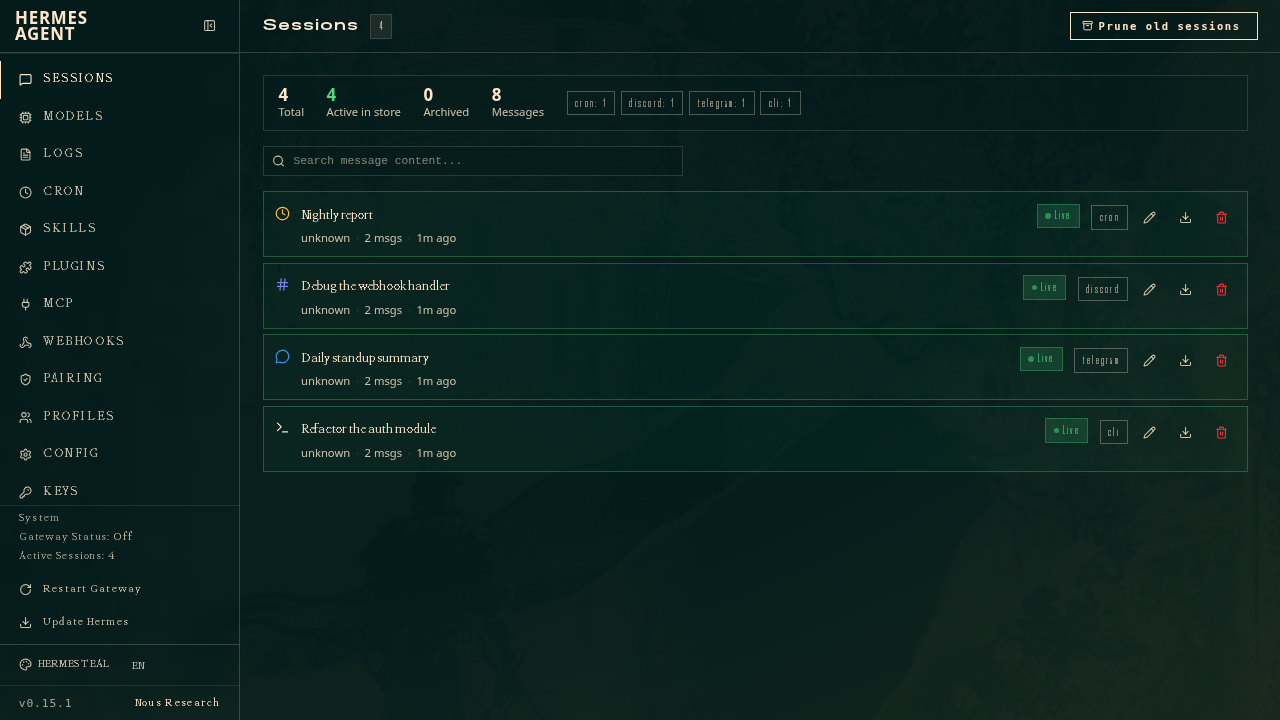
Browser-Based Admin Dashboard
Configure settings, manage credentials, browse the MCP catalog, and chat with the agent directly from a React-based web UI served at port 6432.
OpenAI-Compatible API Server
Port 8642 exposes an OpenAI-compatible gateway so Claude Code, Open WebUI, Cursor, or any OpenAI SDK client can connect to Hermes as their LLM backend.
Autonomous Tool Use
Built-in tools for shell execution, file operations, web search, and code running — the agent decides which tools to use and chains them to complete tasks.
Cron Scheduling
Schedule recurring tasks with natural-language prompts and have results delivered to your messaging platform of choice.
MCP Server Support
Connect any MCP-compatible server for additional tool integrations, or expose Hermes itself as an MCP server to Claude Code, Cursor, or other editors.
Web Dashboard Included
A built-in browser-based dashboard lets you manage API keys, MCP servers, messaging channels, memory, and chat sessions without touching the CLI. Protected by basic-auth and available at your domain immediately after deployment.
How it works

From template to live app in three steps.

Easypanel turns the template into real services, storage, and domains on the server you already control.

Already have Easypanel? Open your dashboard at the URL or IP of your own installation.

Installation guide
1
Open your dashboard
Visit the URL or IP of your Easypanel installation and choose the target project.
2
Choose Hermes Agent
Open Templates, select Hermes Agent, then review its service names and configuration.
3
Deploy and open your app
Easypanel starts every service and provisions an HTTPS domain for you.
Installation options
The template asks for these values before creating your services.
OptionDefaultRequired

App Service Name

hermes-agentRequired

App Service Image

nousresearch/hermes-agent:v2026.6.5Required

Dashboard Username

adminRequired

Dashboard Password

Basic-auth password for the web dashboard. Auto-generated if left blank — find it in the service environment variables after deployment.

Set during installOptional
Resources
Project documentation and source code.
Latest template update
Jun 17, 2026

First Release

Questions

Deploy with confidence.

The template handles the application setup while Easypanel keeps the infrastructure understandable and under your control.

Hermes Agent logo
Ready to deploy Hermes Agent?
Open your own Easypanel dashboard, choose Hermes Agent from Templates, and review the deployment options.