All templates

Deploy Inbox Zero on your own server.

Inbox Zero logo

Inbox Zero is an email management platform that helps you clean your inbox, manage subscriptions, and automate email workflows.

Your infrastructureAutomatic HTTPSNo lock-in

Screenshots

A closer look at Inbox Zero.
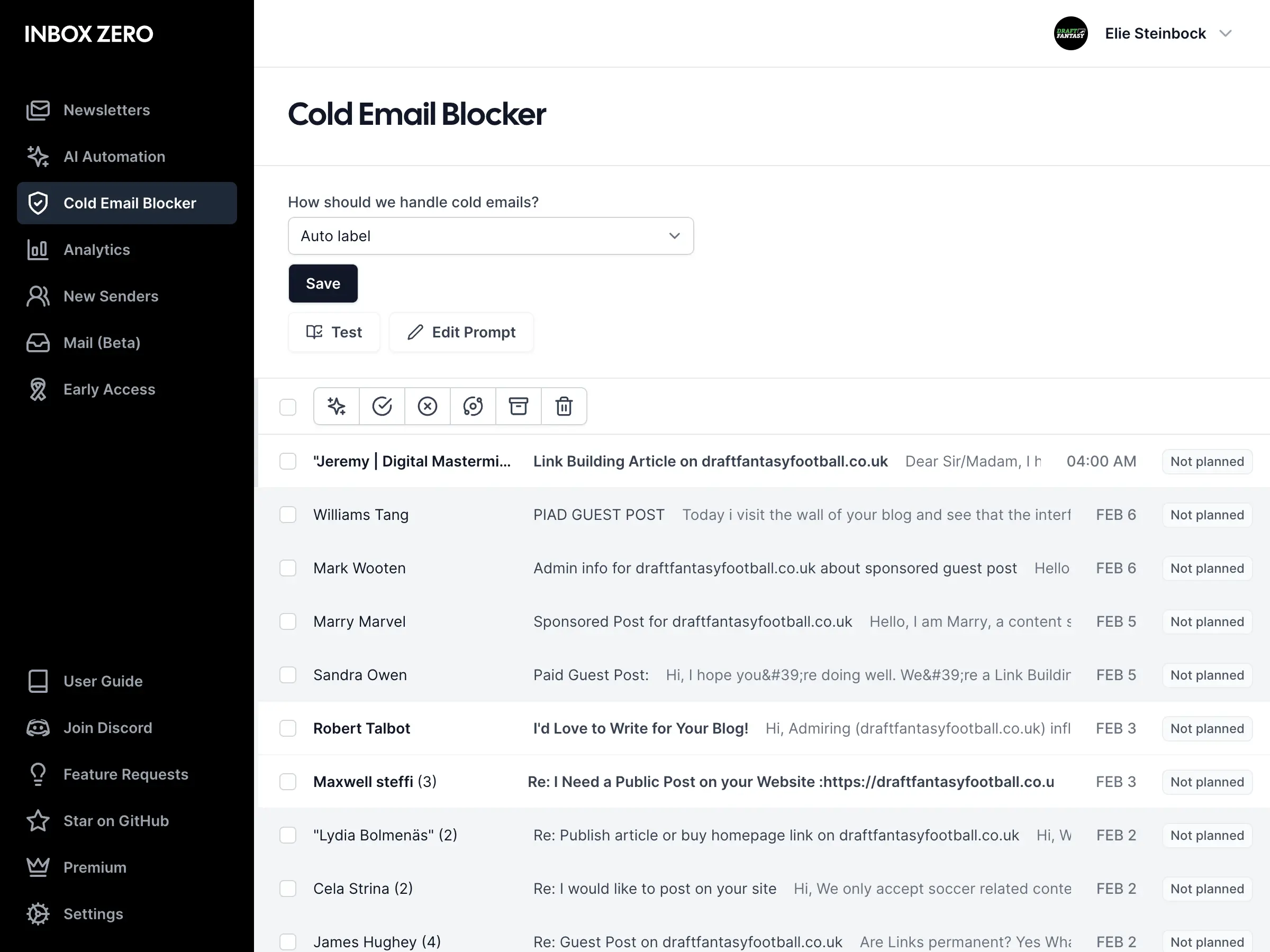
Inbox Zero screenshot 1

Setup time

A few minutes

Deployment

Your own server

Services

4 connected services

Why Inbox Zero

Everything you need, running where you choose.

Get the full Inbox Zero experience with Easypanel handling the repetitive infrastructure work around it.

Email Cleanup
Declutter your inbox by quickly processing and organizing emails
Subscription Manager
Track and manage all your email subscriptions
Auto-Responder
Set up automated responses for common email types
Email Filters
Create custom filters to sort and manage incoming emails
Analytics
Track email usage and behavior over time
Email Management
Take control of your inbox with powerful management tools
How it works

From template to live app in three steps.

Easypanel turns the template into real services, storage, and domains on the server you already control.

Already have Easypanel? Open your dashboard at the URL or IP of your own installation.

Installation guide
1
Open your dashboard
Visit the URL or IP of your Easypanel installation and choose the target project.
2
Choose Inbox Zero
Open Templates, select Inbox Zero, then review its service names and configuration.
3
Deploy and open your app
Easypanel starts every service and provisions an HTTPS domain for you.
Installation options
The template asks for these values before creating your services.
OptionDefaultRequired

App Service Name

inbox-zeroRequired

App Service Image

ghcr.io/elie222/inbox-zero:v1.10.2Required

Google Client ID

The Google Client ID is required for the OAuth flow to work.

Required

Google Client Secret

The Google Client Secret is required for the OAuth flow to work.

Set during installRequired

LLM Provider

Select the LLM provider and fill only the respective API key.

openaiRequired

OpenAI API Key

Set during installOptional

Anthropic API Key

Set during installOptional

Google API Key

Set during installOptional

Groq API Key

Set during installOptional

AWS Bedrock Access Key

Optional

AWS Bedrock Secret Key

Set during installOptional

AWS Bedrock Region

us-west-2Optional

Ollama Base URL

http://ollama:11434Optional

Ollama Model

phi3Optional

OpenRouter API Key

Set during installOptional

Economy LLM Provider

ollamaOptional

Economy LLM Model

Optional
Resources
Project documentation and source code.
Latest template update
Apr 15, 2025

First Release

Questions

Deploy with confidence.

The template handles the application setup while Easypanel keeps the infrastructure understandable and under your control.

Keep exploring

Related templates

Browse all
Unsend logo
Unsend
Unsend is a self-hosted, alternative email-sending platform that provides a reliable and cost-effective way to send emails using Amazon SES. With a powerful dashboard, Unsend allows users to manage contacts, send bulk emails (such as newsletters and product updates), and handle subscriptions seamlessly. Future updates aim to support additional communication channels, including SMS, push notifications, and WhatsApp.
View template
Poste logo
Poste
Poste is a self-hosted mail server solution that provides a complete and secure email hosting platform. It offers built-in features such as spam filtering, DKIM signing, and webmail access to ensure a reliable email experience. This app is a Docker containerized version of Poste, making it easy to deploy and manage across various environments.
View template
Zep logo
Zep
Zep is a powerful, self-hosted AI platform designed for seamless integration with large language models. It provides a clean and intuitive interface, supports plugins for extended functionality, and offers detailed analytics to monitor and optimize your AI workflows. With Zep, you maintain full control over your deployments and configurations. The application is accessible via your host on designated ports, ensuring secure and scalable operations. This container is based on Docker Baseimage KasmVNC, providing additional environment variables and configurations for enhanced flexibility. It also supports the docker manifest for multi-platform awareness, ensuring the correct image for your architecture.
View template
Inbox Zero logo
Ready to deploy Inbox Zero?
Open your own Easypanel dashboard, choose Inbox Zero from Templates, and review the deployment options.